

ADBC Arrow Driver for Databricks
cool beans

Yo, what’s up? Thanks for subscribing and reading Data Engineering Central. I do appreciate it a lot. The American Dream is still alive and true; if a little boy raised in a corn field can write to 23K data folk and grow, anything is possible.
Every time I sit down to write, I try to put myself in your shoes. Just an average engineer trying to solve normal problems, learn new things, and continue to grow. If you please, kind reader, take the time to like and share this content in your networks. It’s simple and helps me.
I rarely get excited about happenings in the data world. When you’ve been staring at CSV files for 20 years, heard the same problems argued over and over again with only a different tool name at the front of the sentence, things can get a little … mundane.
One bright spot amid the endless humdrum of the AI doom cycle has been Apache Arrow.
Indeed, Arrow has been silently, but steadily, eating the data world one little bite at a time. From the database, to simple data processing, Arrow has become the backbone of many a tool and engine.
In a probably not-so-strange twist I didn’t see coming, Columnar, the company behind pushing Arrow “connectivity” forward via drivers, announced the release of an ADBC driver for Databricks.

Music to my lonely ears, I say.
Why, you may ask, do I keep writing more and more about Arrow, and what’s the deal with it all? Who cares? Are we not buried under a literal mountain of new vibe-coded tools, and the end of software engineering as we know it, teetering ever so precariously on the edge of AI doom?
Tools like DuckDB, Polars, and Daft have redefined what’s possible (in terms of data processing vs. compute needs).
Anything Arrow touches is fast and easy to use. I mean, take this simple example of an ADBC Arrow driver pumping data into Postgres. What a beautiful sight to behold.

And now you’re telling me I can do this with data into Databricks??!!
Hold the phone.
Hey, I know that like most Arrow pieces and parts, ADBC drivers being no exception, these little tidbits of gold are most likely to be used as building blocks, components if you will, a foundation upon which other data products will be built.
That doesn’t mean we can’t play with them, poke at them, and generally use them as we see fit to create mayhem and confusion.
Let’s talk ADBC Arrow Driver for Databricks
Two of my favorite things in the world, Databricks and Arrow; a match made in heaven. It’s always good to have a wide range of options for every eventuality. The ADBC Driver for Databricks is a worthy tool in the belt.
The rise of agentic AI and the hype train have ensured that data of all shapes, sizes, and volumes are being stored inside Databricks.
This data is either a source or a sink. We, data engineering Neanderthals of yore, recognize that most of what happens on a daily basis is the remaking of the stone wheel; we push and pull data.
That’s it (besides applying that ever-so-annoying “business logic”).
Heck, a prime example is using Databricks “data”, stored in either Delta Lake or (for the weirdos) Iceberg. That unforgiving Master Control sits at the helm, known as Unity Catalog, watching every little bit and byte as they come in and out.
If Agentic AI is the hype, then what about LLM RAG setups, or maybe even “Agents” if you will, that would like a little taste of that delectable Databricks honey in the form of a query ontop of some dataset?
Of course, these Agents aren’t built with Spark, and yes, Spark Connect is an option, but what if we are already munging data with the likes of DuckDB, Polars, or whatever else? These tools have first-class Arrow support, and if we want to push and pull data from Databricks in an UNCOMPLICATED and EASY manner, the ADBC Arrow Driver for Databricks is a strong choice.
You know, they make it awfully easy.

So, let’s write a little code ourselves and see what’s shaken, bacon.
uv init diddles
cd diddles
uv tool install dbc
dbc install databricks
uv add adbc_driver_manager pyarrowLet’s test the little blighter
Hi-ho, it’s off to work we go. So I have some Divvy Bike trip info in my personal Databricks account, stored in Delta Lake. We will read this data and insert additional CSV files containing trip data into this table.
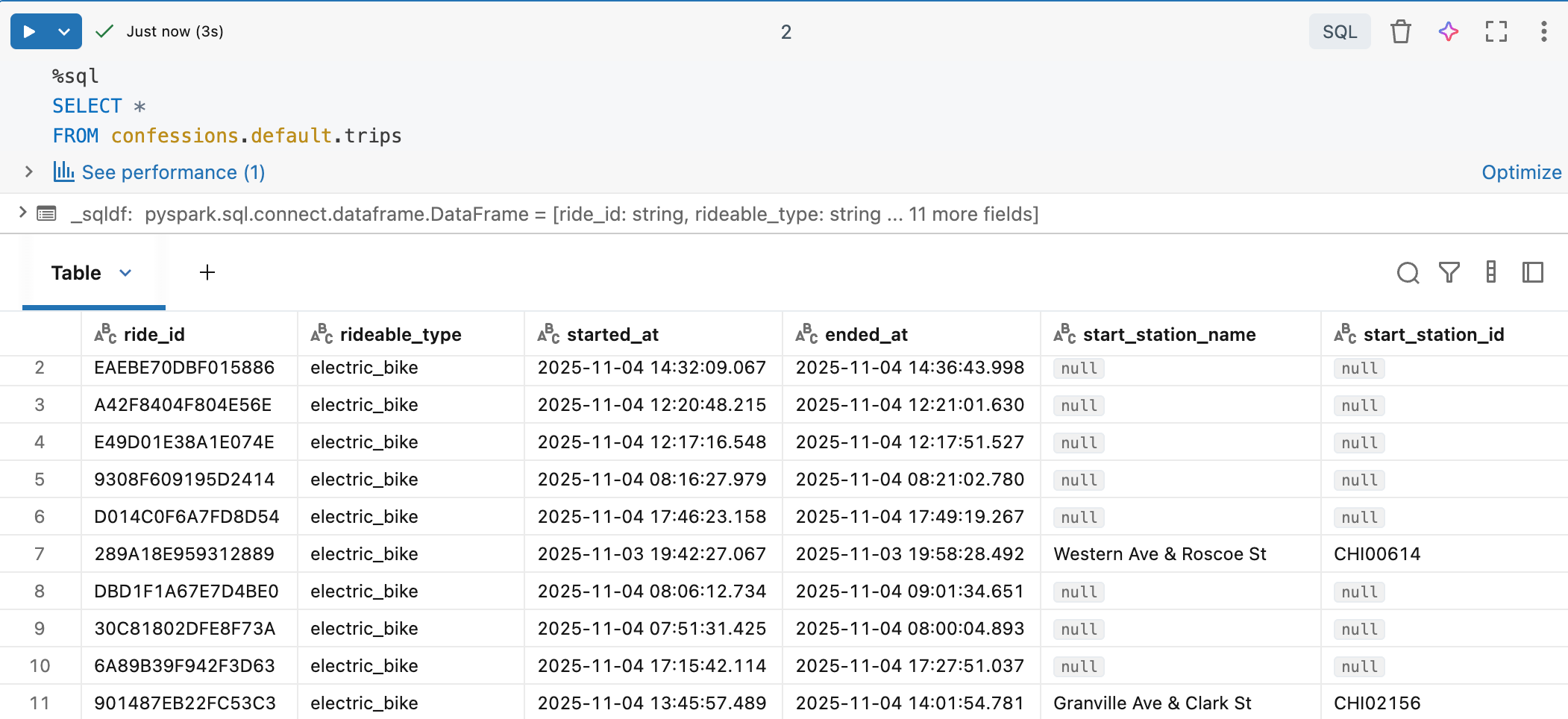
It should be straightforward and provide a brief overview of the ADBC Driver for Databricks. First off, connecting to Databricks with the ADBC Driver.
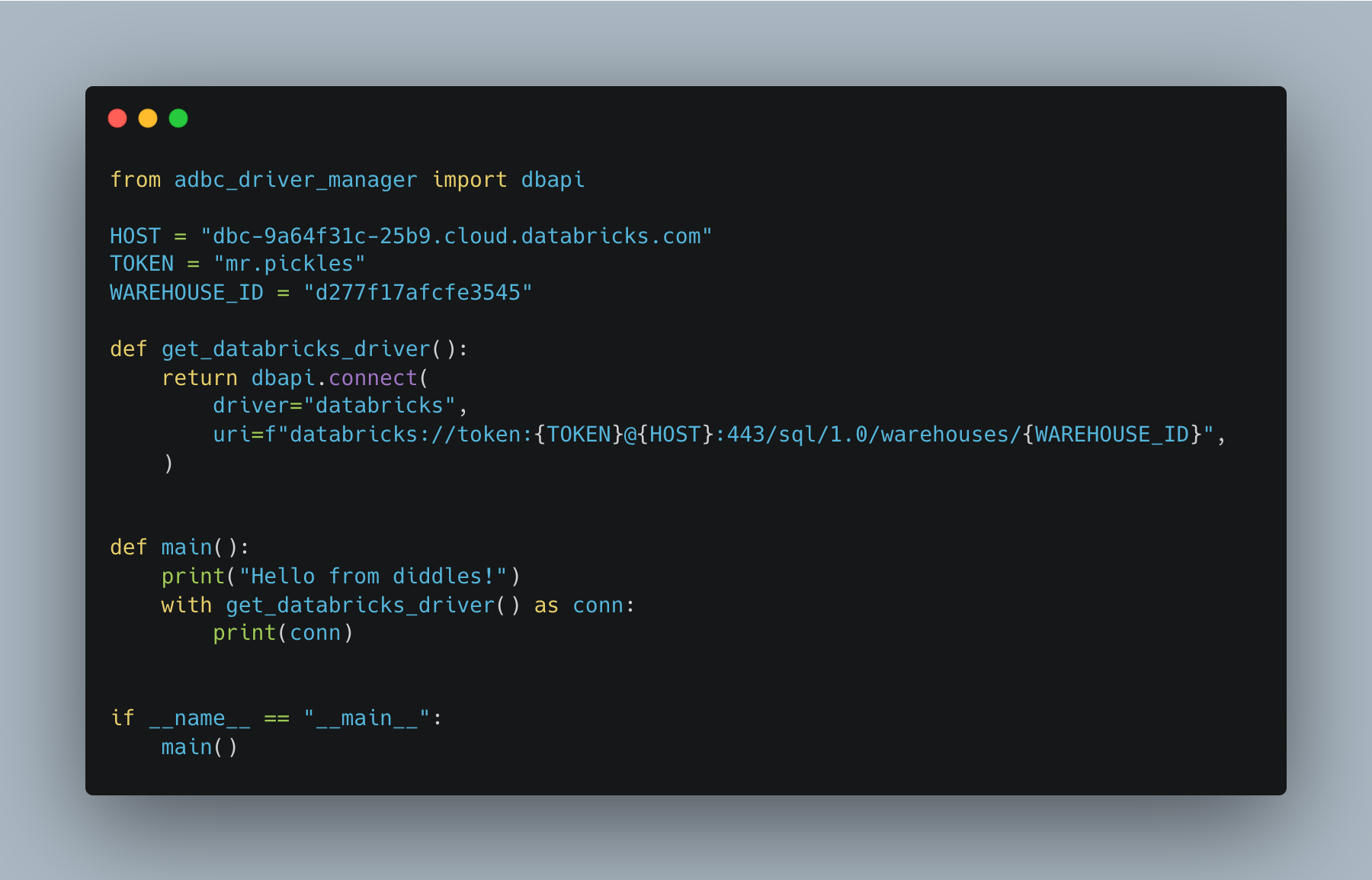
You will require …
PAT token or some other auth
Workspace HOST URI
Compute HTTP path (Serverless Warehouse works great)
If you have those items, the connection is straightforward. Very similar to using other non-Spark tools to connect to Databricks. Let’s just get to it, all the code. Pull the entire Delta Table and write it out to a CSV, all with Arrow.
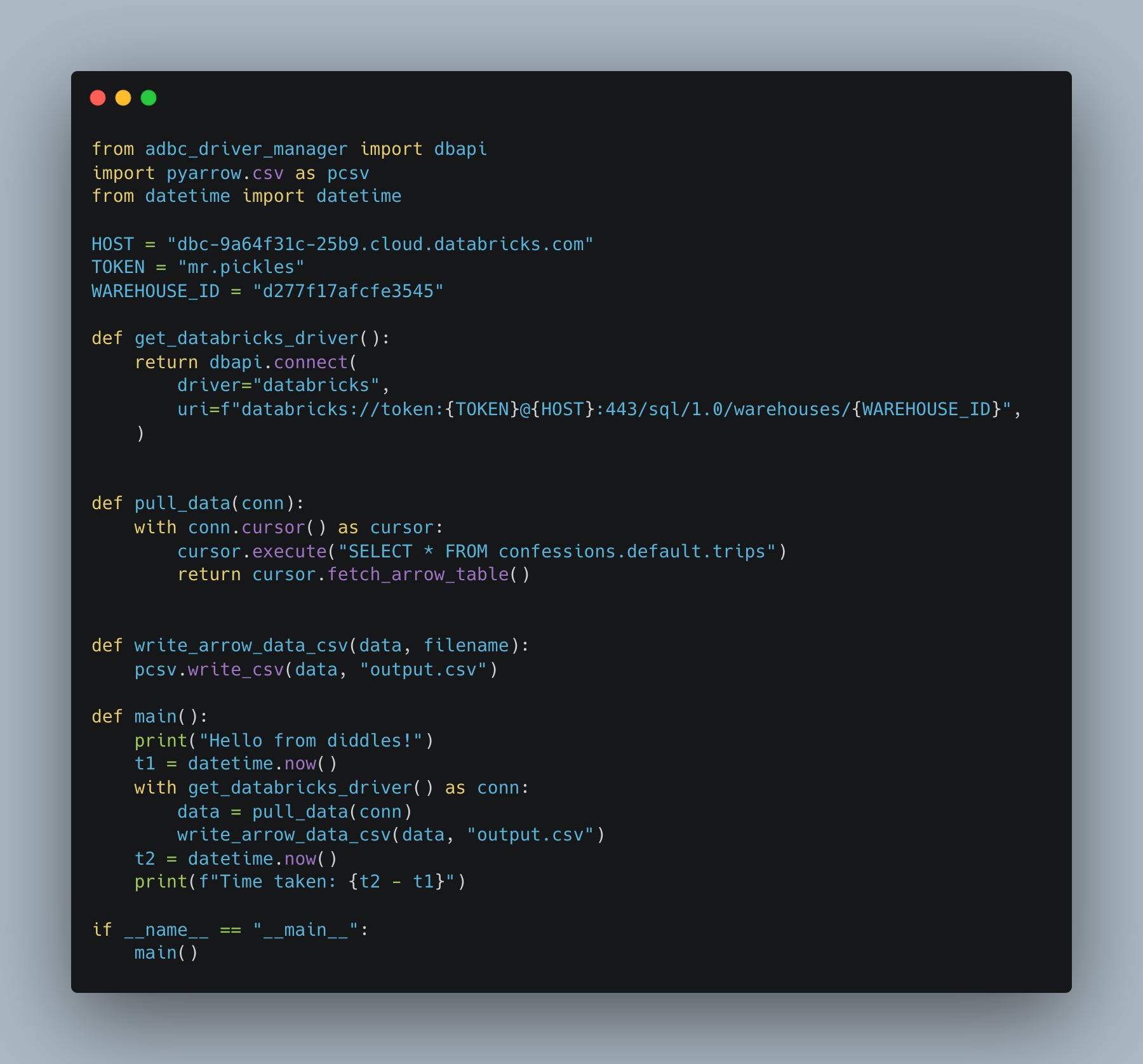
If you are curious, there is 497,162 records.
(diddles) danielbeach@Daniels-MacBook-Pro-2 diddles % uv run abdc_databricks_driver.py
Hello from diddles!
Time taken: 0:00:29.158231
About 30 seconds, longer than I would have thought. But it’s not all about speed; it’s about simplicity and ease of use. This, my friend, is easy and simple.
May I interject some commentary here? I don’t want you to miss the simplicity of ADBC + Arrow + Databricks. As Engineers, even in the age of Cursor - and Claude-generated code, we need to keep an eye on simplicity and on reducing overall complexity.
Before I pontificate too much, let’s push some new CSV data back into this table with ADBC and see what that’s like. This is where things are not as fun.
Based on my cursory overview, there isn’t a BULK INSERT for the Databricks ADBC Driver yet, but I could be wrong.
That means we have to do Arrow batches and SQL INSERT statements, which are well known to be much slower. Yikes … very slow.
(diddles) danielbeach@Daniels-MacBook-Pro-2 diddles % uv run abdc_databricks_driver.py
Hello from diddles!
Read 138689 rows from CSV
Time taken: 0:03:45.596289
Coming up on 4 minute almost, for not very many records. Hey, at least we have the option to insert. Hopefully, I either missed the BULK COPY / INSERT option for the Databricks Driver, or it’s in the works.
Doing something useful (Agentic AI) with ADBC Driver + Databricks.
Well, we arguably haven’t really done anything much with the ADBC Databricks driver … other than figure out it exists … and works. Personally, I think that learning, growing, and thinking like a Senior+ engineer has a lot more to do with understanding the tools and processes we have available to us, which help us solve problems in novel ways. Or at least, give us paths to explore that might turn into something else.
I want to prove that point with ADBC Databricks Driver by building a small “Databricks” Agent that relies heavily on this ADBC Arrow Driver for Databricks as the core integration feature.
Sure, I could wire up a Databricks Agent to Spark Connect, but that might be overkill for some, burning DBUs that are not necessary; maybe I want a lightweight approach.
Let’s
Use LangChain and LangGraph as needed to build a CLI Databricks Chatbot.
We will use the
ADBC Databricks Driver to connect to our Unity Catalog Delta Table(s).
Allow the agent to pull data from certain tables and answer questions.
Hot dog, Sunny Jim. That’s a slick little tool, eh?
Of course, I only hooked the Agent up to our single-trip table, but it was able to answer questions, in conjunction with LangChain and OpenAI, by converting to SQL and then using the ADBC Driver to send the request to Databricks and retrieve the results.

Do you see it now?
This is why we poke at all things, learn things, kick over rocks, and check underneath. Not only is the Arrow ADBC Driver for Databricks easy to use, I mean, come on, so simple, but there are, in fact, interesting use cases that could truly benefit from such a simple Databricks + Arrow integration.
I tell you what, I want that BULK COPY or INSERT feature for this driver. Game changer.
The lightweight integration angle is underrated. Avoiding Spark Connect overhead for simple query patterns makes sense when you're already in an Arrow ecosystem with DuckDB or Polars. The agent example is clever too, letting LLMs generate SQL and execute via ADBC skips a whole layer of complexity. I ran into similar situations last year where spinning up a Spark session felt ridiculous for what amounted to quick data pulls.