

Behold. Databricks/Spark Temp Tables
what's cracken'

I can see all you old-school SQL Server buggers just squirming in your seats, hot under the collar. How dare they speak of such sacred things, holy, without reference and a nod to the past? Methinks someone, somewhere, once said that there is nothing new under the sun. This indeed is true.
I’m sure there was a whole cadre of folk with a little grey in their hair,
who, upon seeing the announcement of Temp Table support in Databricks,
had to do a little double-take. I was right there with you. Ah, the memories.
It’s probably for the best.
Before all you cranky old DBAs turn up your noses and head for the hills, slow on down there. We live in a world of abstractions meant to ease the burden on pipeline writers, both human and otherwise.
I think you agree that anything that clarifies and simplifies the complexity of a data pipeline is worth a nod, at least.


A salute to the past, and the SQL-hungry engineers.
So, let’s talk about Temporary Tables in Databricks Spark SQL, the good, the bad (if there is any), and whatever we find in between. We can talk about what it is, when to use it, and WHY it’s even a thing.
“Temporary tables are session-scoped, physical Delta tables. They store data in an internal Unity Catalog location tied to the workspace. They use the same caching and performance features as standard Delta tables.” - docs
Here is my way of explaining what a Databricks SQL Temp Table is, who knows if I’m right, hopefully at least half right.
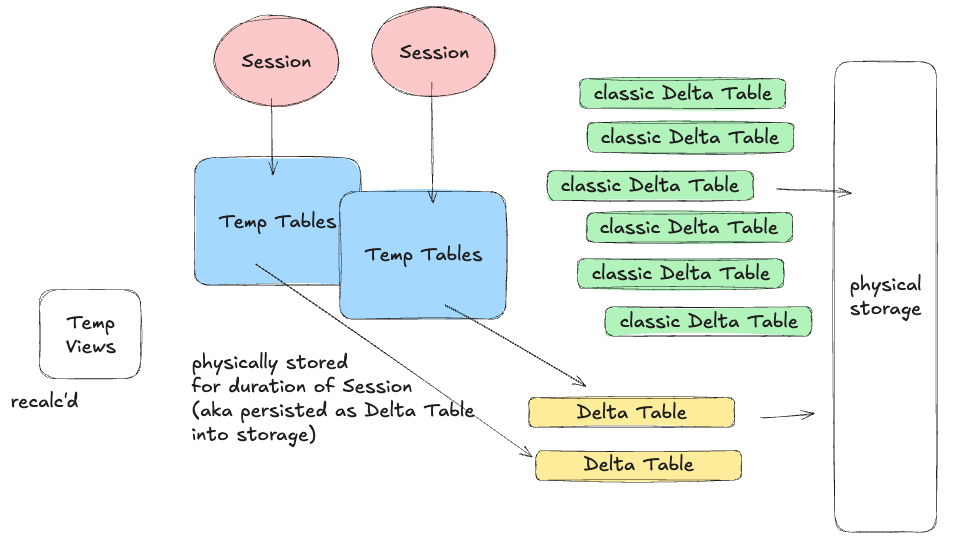
The concepts being …
- It is a physical Delta Table stored in Unity Catalog
- Only lives for as long as that Spark SQL Session
- Auto-cleaned up
- Can be treated like any other Delta Table in process/session.
It’s not exactly earth-shattering from a technical and usage perspective, don’t get me wrong, it’s THEE perfect feature for many pipelines … just easy to use.
Let’s see how it works, with a few lines of code. We can test this simply by attaching a Databricks Notebook to a SQL Serverless Warehouse … create some TEMPORARY TABLEs for currency, with fake customers and orders, and then in the last cell, just run a SQL query using them all.
Yeah, well … I told you it wasn’t going to be that exciting, per se. Again, it’s not about how simple or complex the usage of a feature is; it’s what it OFFERS and CHANGES about how engineers interact with and write pipelines.
More or less, a TEMPORARY TABLE can be created as follows …
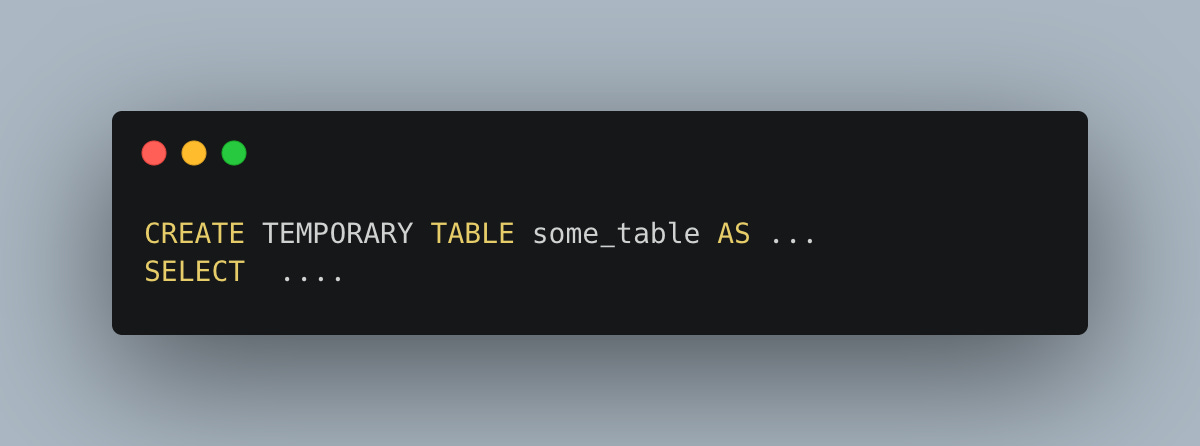
Simplicity is the key.
“A clean-up service removes temporary tables automatically. This happens when the session ends.”
WHY should we care about TEMP tables in Databricks SQL?
It’s hard to pontificate on the reasons to use temp tables in Databricks SQL for those who’ve come from the SQL Server world of data pipelines for the days of yore. What we are talking about is … HOW people write data pipelines and encapsulate problems.
From Databricks' perspective, the answer is clear and valid.
“Many workloads from legacy data warehouses rely on temporary tables for staging and intermediate logic. Teams moving from these systems now keep familiar patterns without redesigning their pipeline … ”It’s about enabling more people to use and migrate to Databricks/Spark workloads and data pipelines with less conceptual overhead. Databricks spells out the gains as …
performance
migration simplicity
governance and isolation
auto cleanup
Most data people are heavily reliant on SQL, and most of their pipelines and logic easily fit conceptually into a SQL mindset. Could you, in theory, not use temp tables, of course! Many (most) Databricks pipelines today DO NOT use temp tables, because this is a new feature.
Today, you have one of a few things happening …
Folks create long-lived, permanent Delta Lake tables to store the “intermediate” data sources and logic.
Possible “cache() or persist()” of Dataframes.
Data pipelines are built with no need for conceptual intermediate datasets
These folks are probably not using SparkSQL much
The problem with using long-lived “normal” Delta Tables is that they quickly become messy, storage usage grows, and, typically, the tables used in this way are not well planned (e.g., with partitions or clustering).
It’s very probable that the second two types of pipelines using cache() or persist(), or simply non-SparkSQL ETLs, are probably more classic Software Engineers working in Dataframe APIs and ML/AI spaces, where SQL is a smaller part of their workloads.
At the end of the day, temp tables are a whole cadre of data folk who write pipelines; they’ve done it for decades and years, and will continue to do so.
You can INSERT, MERGE, UPDATE, and DELETE … normal CRUD operations against these tables that only last a session can make complex data operations easier for SQL-based pipelines.
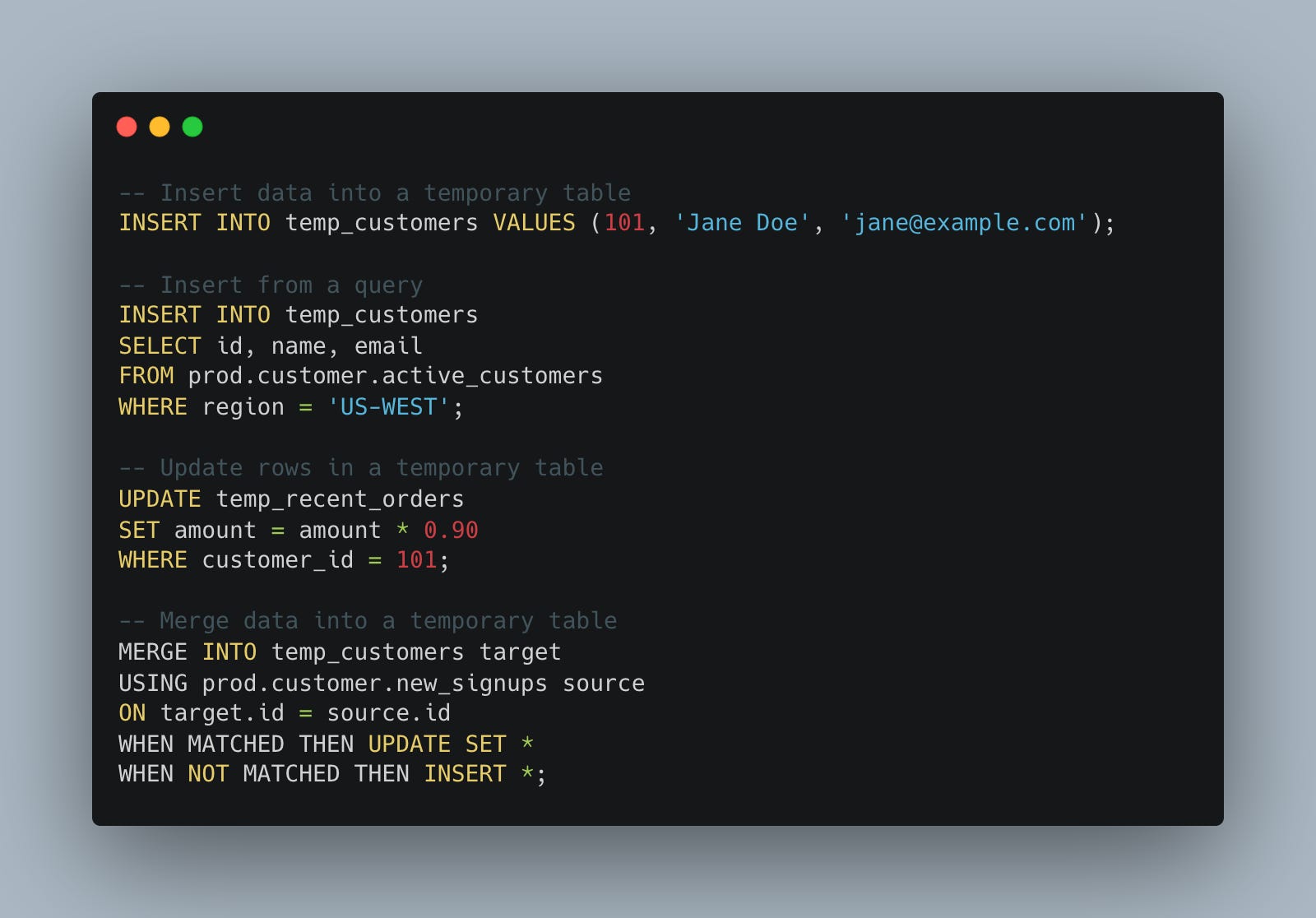
We should be transparent about any potential downsides of using temporary tables in Databricks SQL. The truth of the matter is that when humans are involved, you have to be ready for everything under the sun to happen, including downsides.
“Databricks automatically reclaims storage in the background, usually within a few days.”
One can see a world where folk are creating TB+ temporary tables, or larger, because of a lack of forethought. At the same time, what about clustering and partitioning on those temp tables? All of this, combined with the table(s) not being cleaned up “for a few days,” could lead to an explosion in S3 costs.
With great power comes great responsibility.
As with all new features, there are many reasons to see the upside; temp tables are no exception. They will lower the conceptual barrier for many SQL-based teams migrating to and relying heavily on Databricks for data processing.
At the same time, when you give end users this sort of power, especially those with say … maybe not a solid data engineering understanding … like Analysts, PowerUsers, Data Scientist … it’s very possible you might have things happen you are not expecting.
Time will tell.

I honestly thought it was a meme and a joke when the Databricks PM announced temp table support on LinkedIn; welcome to MSSQL circa 2000 databricks 🤣