

Cloudflare as a Data Platform?
new kid on the block


I know calling Cloudflare the new kid on the block is a little tongue-in-cheek, but it seems fair when applied to Data Platform tooling. My guess is that when someone says "Cloudflare," the first thing that comes to mind isn't data. They’ve become a household name with the literal power to take down the internet with no notice.
Best known as a digital middleman between a website's server and its visitors, it seems they are sticking their fingers into other honeypots … namely Data.

In the past, I poked at Cloudflare’s R2 Iceberg setup, but that was at least a year ago, and it was more about Apache Iceberg than about Cloudflare as a proper Data Platform.

To be honest, it’s probably one of those “better late than never” situations, but they sure are late to the “one-stop shop for data” party. Everyone else has been on the Lake House bandwagon for a good, solid 5 years now. All the big players need to have a hand in the data space.
We live in the age of AI, and data is the gold behind the Agents/LLMs, so it makes sense that players like Cloudflare don’t want all the data to leave their systems to other players. It makes sense as a business to provide customers the entire Data Stack, so they have at the very least, the option to stay put.
This is what I want to cover today; it’s as much for me as for you. I want to know …
What data products does Cloudflare offer?
What it looks like to build on each of those products.
Can I build a complete Data Stack with those tools?
Pricing.
Who knows if we will make it through all of that before I run out of patience and start ranting. You know me; it’s a toss-up. You can trust me to call it like it is. I’ve built plenty of Data Stacks from scratch, so I plan to approach this like I would anything else.
We will see what works, what doesn’t, what’s missing. Or it will all be rainbows and butterflies. Never say never; it’s possible.
Customer-facing analytics that ship in days, not quarters
Thanks to Cube for sponsoring today’s post! Without companies like Cube, this content wouldn’t be possible. The best way to support this Substack is to click the links below and check out Cube!
Customer-facing analytics are slow, the warehouse bill keeps climbing, and every new chart turns into an engineering project. Cube is the agentic analytics platform built for embedding: drop governed dashboards and an AI analyst into your product in days, with built-in caching that keeps queries fast and warehouse costs down. Pelago, Constant Contact, GoFundMe, and 400+ other SaaS companies ship customer-facing analytics on it.

What data products does Cloudflare offer?
Ok, so when I said Cloudflare is selling the entire “Data Platform,” I wasn’t just making it up. You can see it front and center on their webpage, which actually makes our job a little easier.
This is actually something many companies forget to do. Cloudflare took the extra step of telling us exactly how they envision a Data Platform working with their products. This is helpful because we don’t have to guess their intentions or the best way to build out a Data Platform on Cloudflare. Architecturally, it’s good to have a starting point.

Ok, right off the bat, from their docs we can see that they mostly focus on “Data Warehouse and Lake House.” This consists of a few core technologies they mention and directly takes center stage in the docs.

1. R2 for Storage (think s3)
2. Apache Iceberg for storage layer (classic)
3. R2 Data Catalog (for .... Data Catalog) <- this is new to me
4. R2 SQL (SQL Query Layer)
5. Pipelines ??? (sorta ambiguous)
Their docs are surprisingly straightforward and simple, and the concepts are very easy to understand. This is a breath of fresh air in the never-ending glut of marketing announcements about name changes and new AI-centric features that get poured onto our heads on a weekly basis.
I do have to mention on gaping hole that jumps out to me conceptually that isn’t forefront in the docs, yet is core to any Data Platform … and I’m not sure how to take it.
What about the actual Data Pipelines? How exactly should we write code to write, transform, and read data within the Cloudflare Data Platform? Their landing page mentions “Pipelines,” but their docs list R2 Storage, Iceberg, Data Catalog, and R2 SQL, making no mention of “Pipelines.”
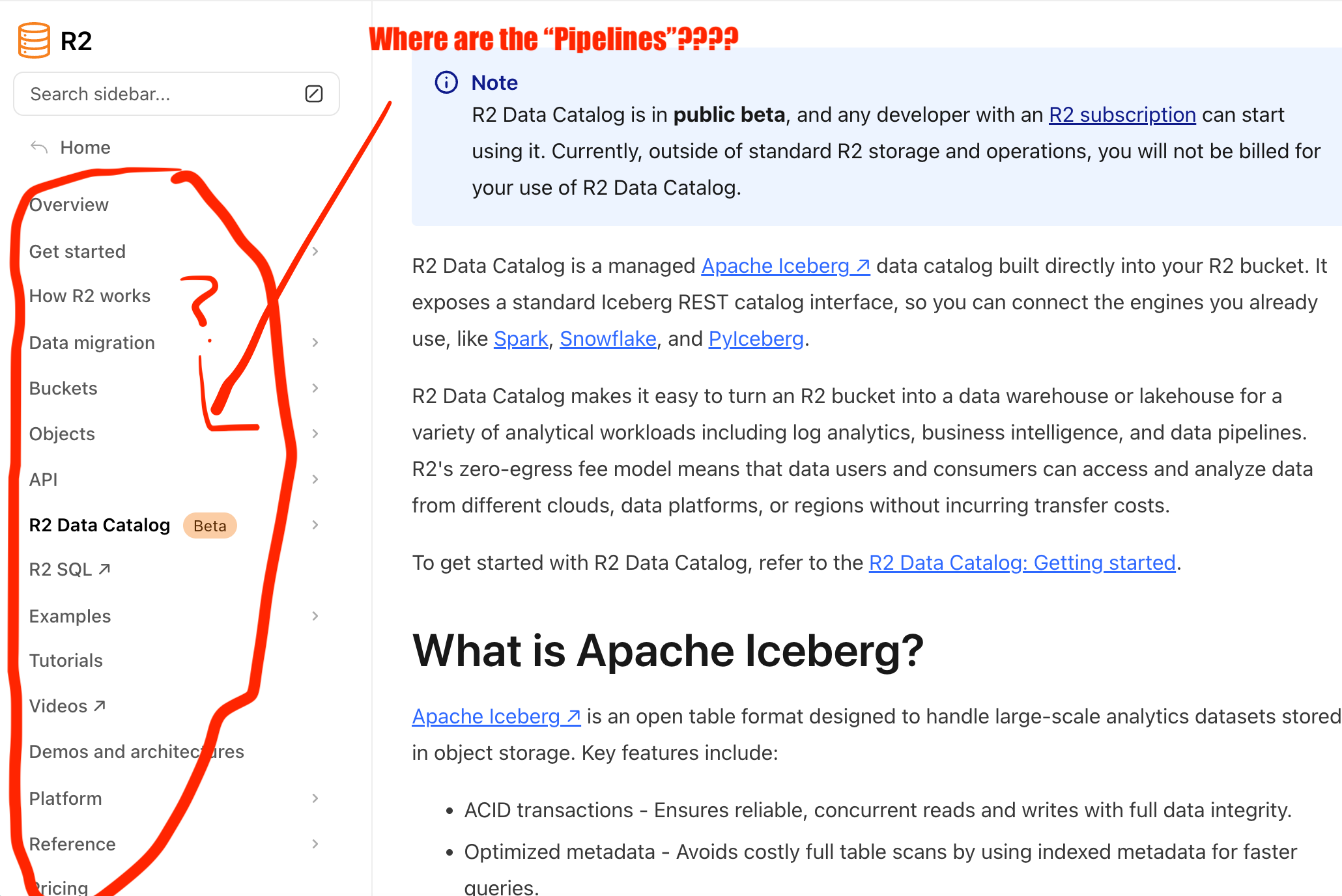
Again, from my point of view as a newcomer to Cloudflare as a data platform, and their tantalizing mentions of Pipelines, and one would assume the actual creation of data pipelines being core to building a Data Platform … why is it a mystery or hidden compared to the other parts of the platform like …
Storage with R2
Iceberg as the lake house format
R2 Data Catalog as the Data Catalog
R2 SQL as query layer …
The Pipeline … the code … is the glue that brings all these things together. Conceptually, why no overview of the “glue” … the “Pipelines” as they called them on the landing page?
So, overall, what we have so far conceptually from Cloudflare is …
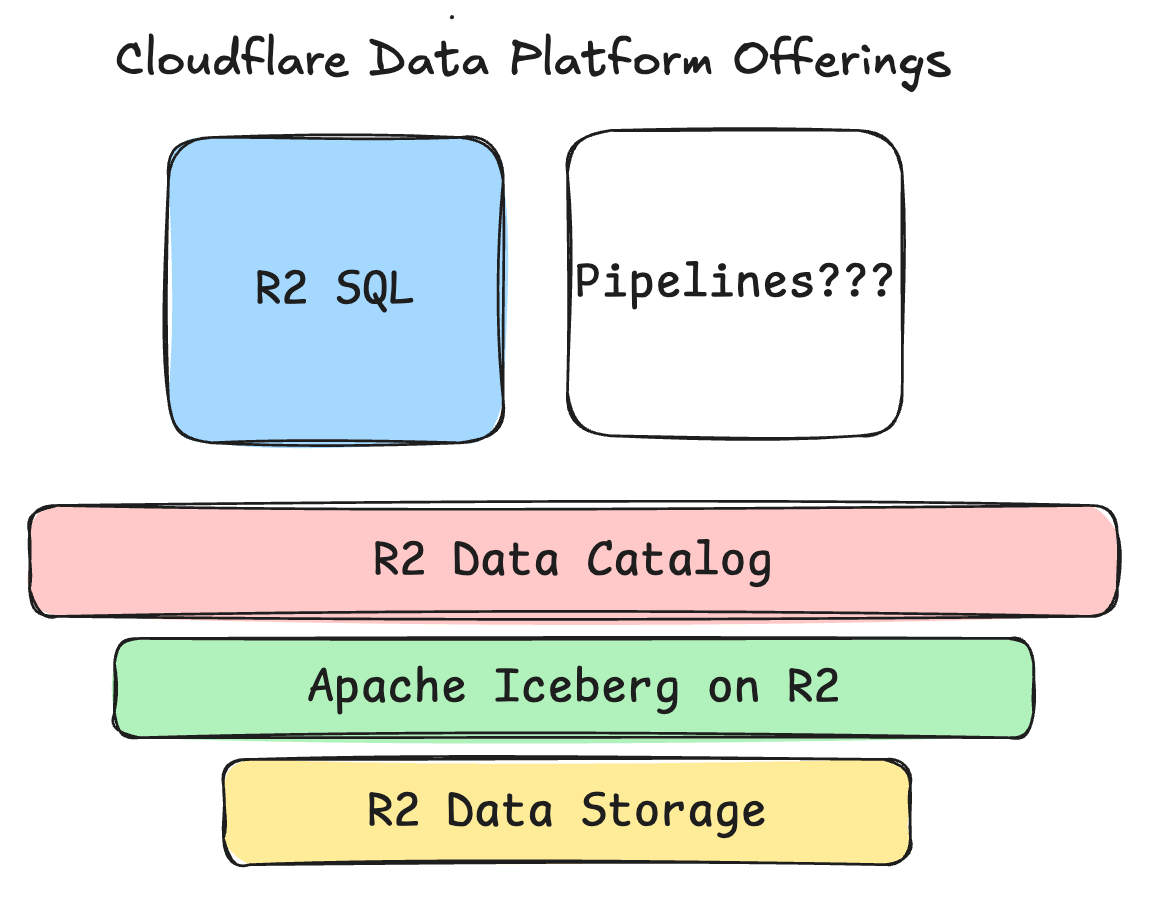
Again, everything here is straightforward; my biggest questions are around rounding out the Data Platform. Some of the things rattling around in my head …
Can we use Apache Airflow to trigger stuff inside these tools?
Otherwise, how do we schedule and orchestrate the Data Platform?
Is R2 SQL just a glorified Notebook?
What are Pipelines, and how can we write code that interacts with this Data Platform?
Instead of answering these questions off the bat, which would be smart, I just want to walk through each data product they offer and build out a fake Lake House. Eventually, we will be forced to answer my questions or find a way around them.
You can only read docs for so long, at some point it’s best just to try things out.
R2 Storage + R2 Apache Iceberg.
Ok, so we will start at the bottom and work our way up. Also, I’m going to use the UI for this, so I can get used to Cloudflare as a platform and make sure I’m not accidentally missing anything when setting up the pieces of the Data Platform.
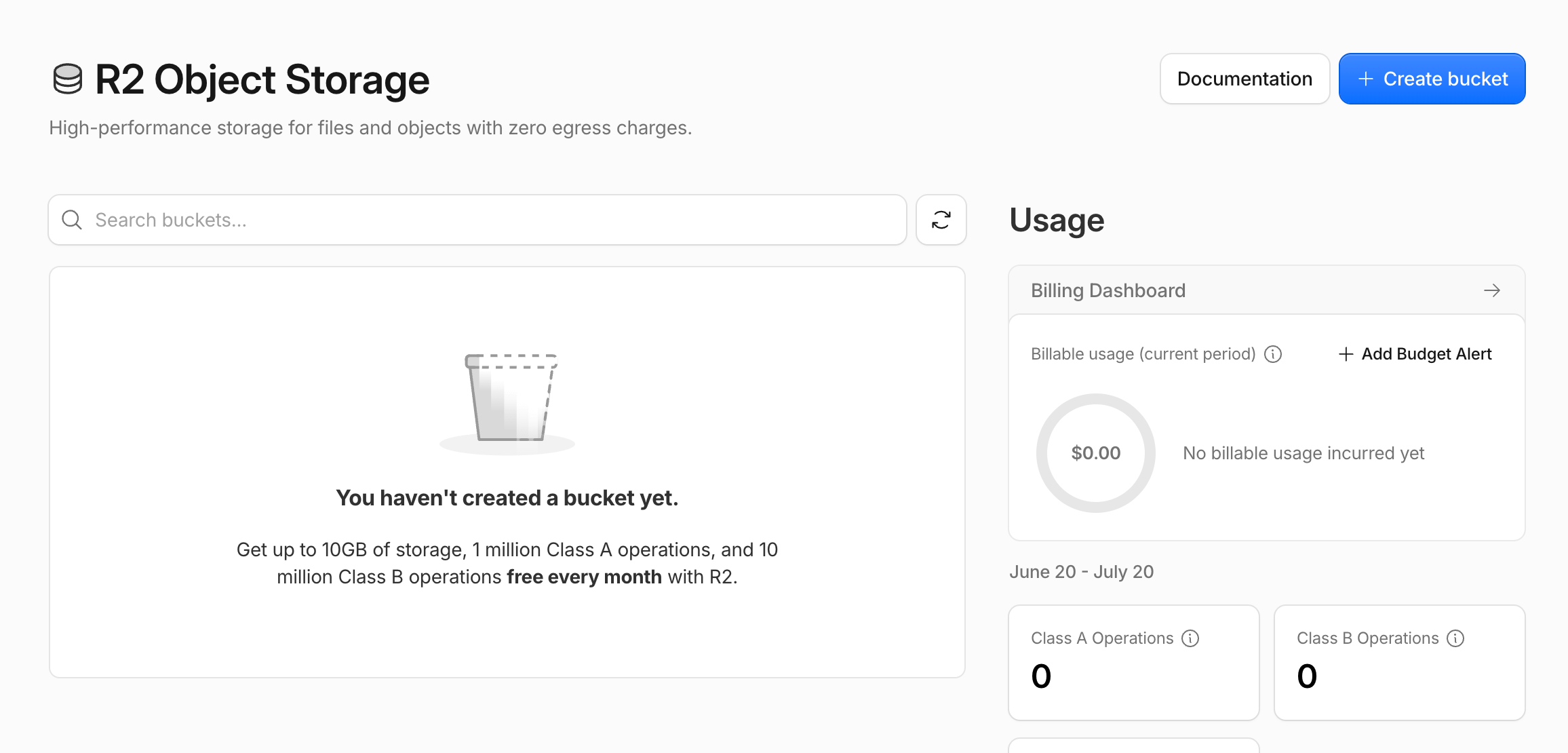
First, let’s create a bucket from which we can hopefully install or enable Apache Iceberg. Right away, I noticed something useful: a reference to the Wrangler CLI, which we can apparently use to interact with R2 and, I’m guessing, other parts of the Cloudflare system.
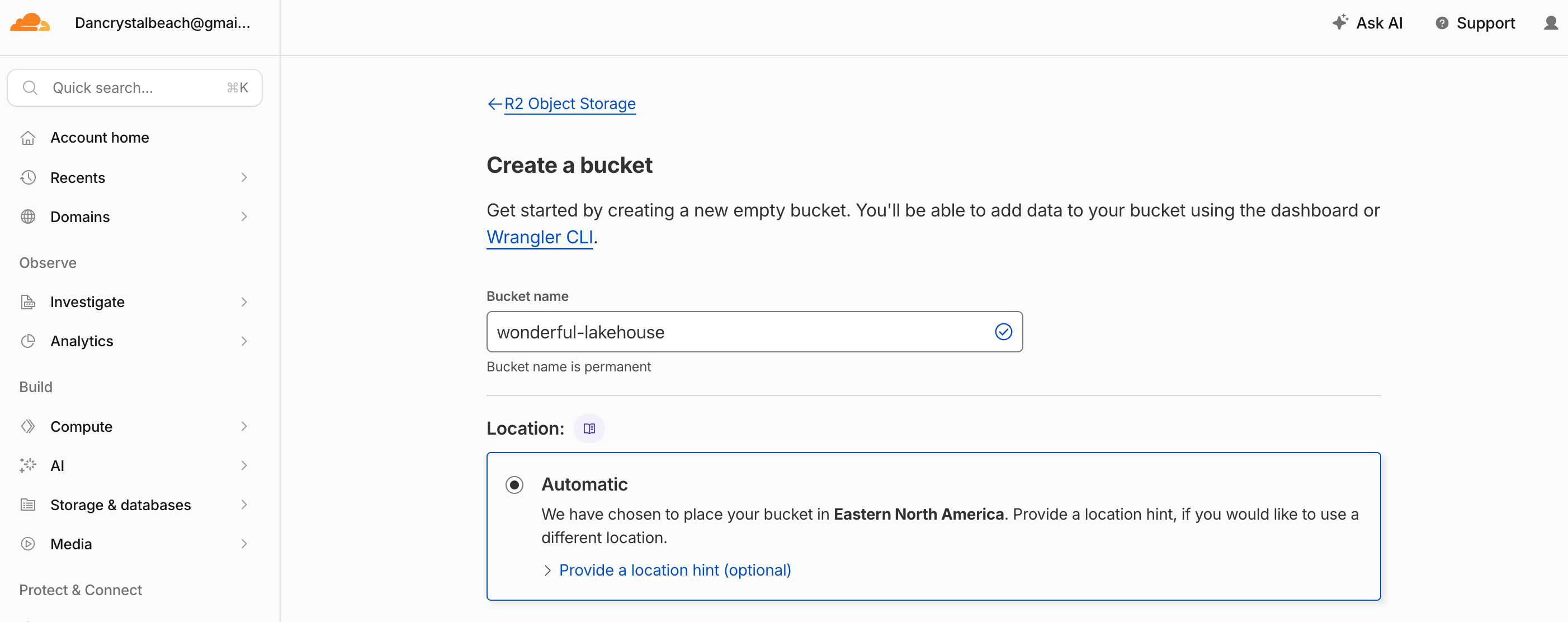
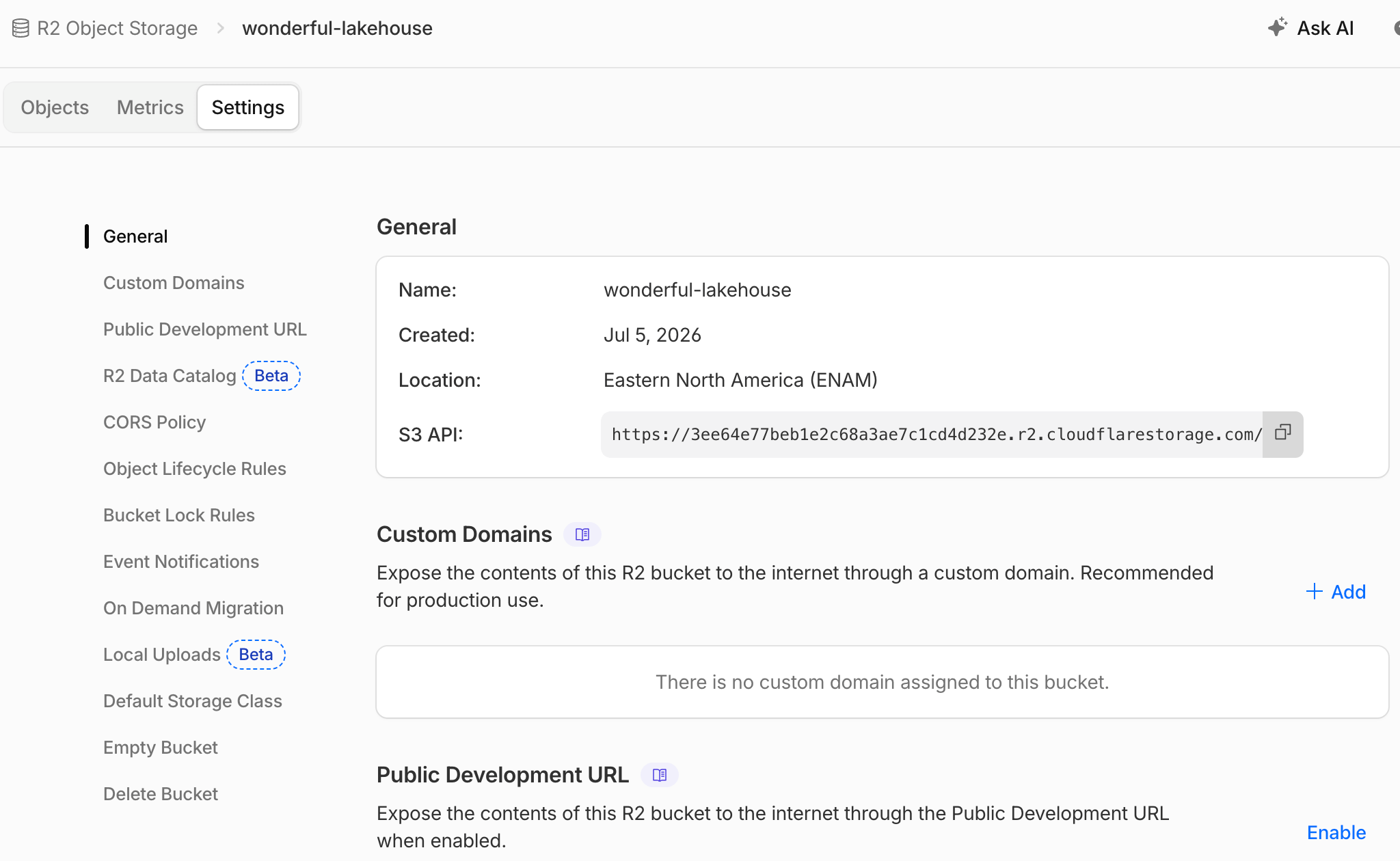
Easy enough to create, and I also saw a Settings page with some info about Iceberg and the Data Catalog.
Enabling the R2 Data Catalog popped up a box,
Next steps: R2 Data Catalog can automatically handle table maintenance,
 such as compaction, to keep your R2 Data Catalog's performance optimized.
All we need from you is a Token to grant our table maintenance service
access to your catalog resources. We can create one on your behalf,
 or you can enter your own.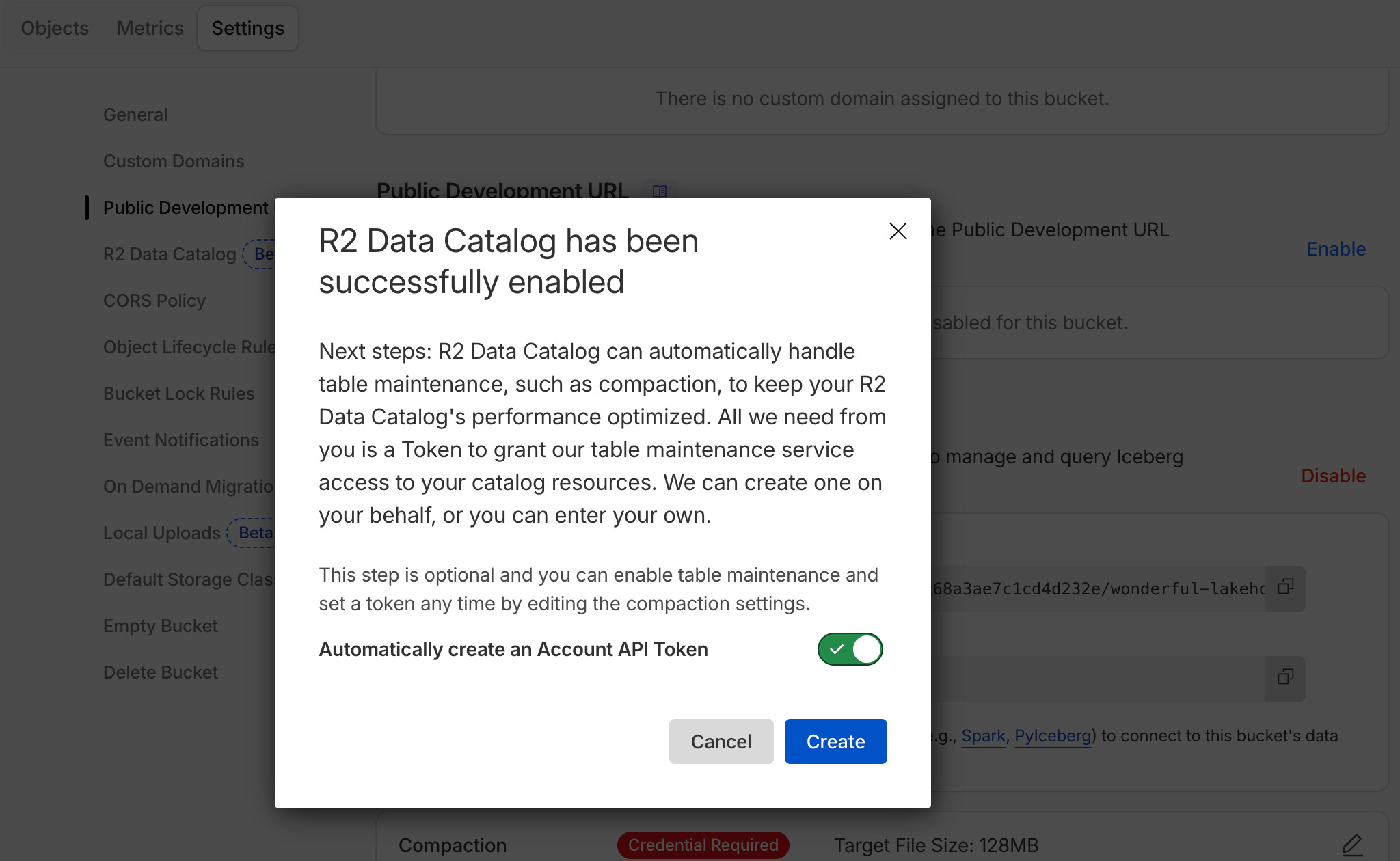
Now we have a Apache Iceberg Rest API URI we can use for the typical Data Catalog actions we are all used to.
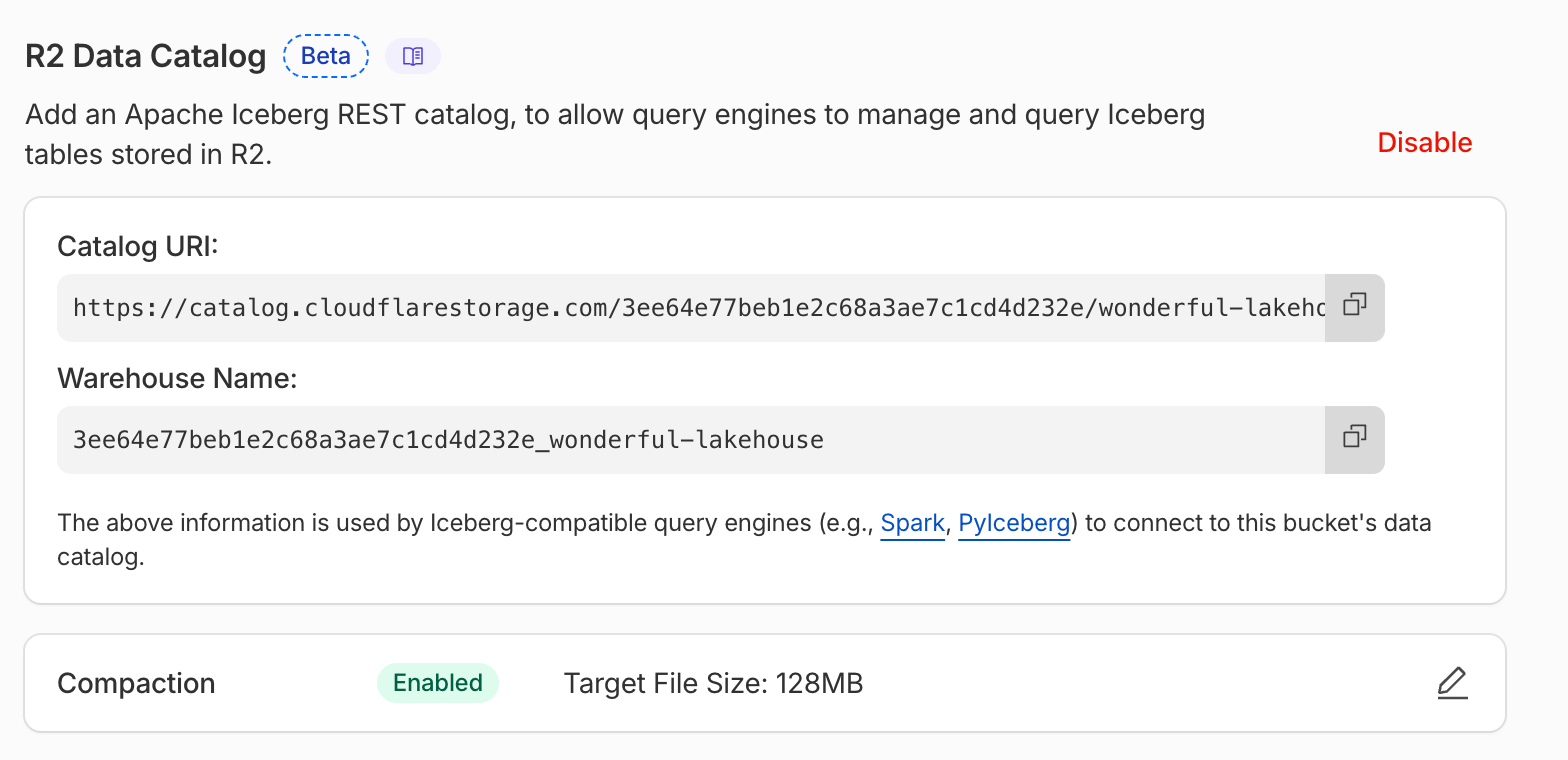
So at this point we have two simple fundamentals of classic Data Platform, Lake House style setup …
R2 Storage Bucket
Apache Iceberg Catalog
which apparently handles table maintenance like compaction
Data Catalog URI
So, next, let's create some Apache Iceberg table(s), and then we can figure out how we would like to ingest data, which, by extension, may become our data pipeline setup.
Well, almost.
In my mind, I wanted to use Apache Airflow, combined with something like Polars or DuckDB, and connect to the Cloudflare Data Catalog for REST Iceberg, and do it that way, but I really, really wanted to be able to find those “Pipelines” that were mentioned.
Finally, when clicking around in the UI, I saw a line for them under Storage and Databases, why there I don’t know.
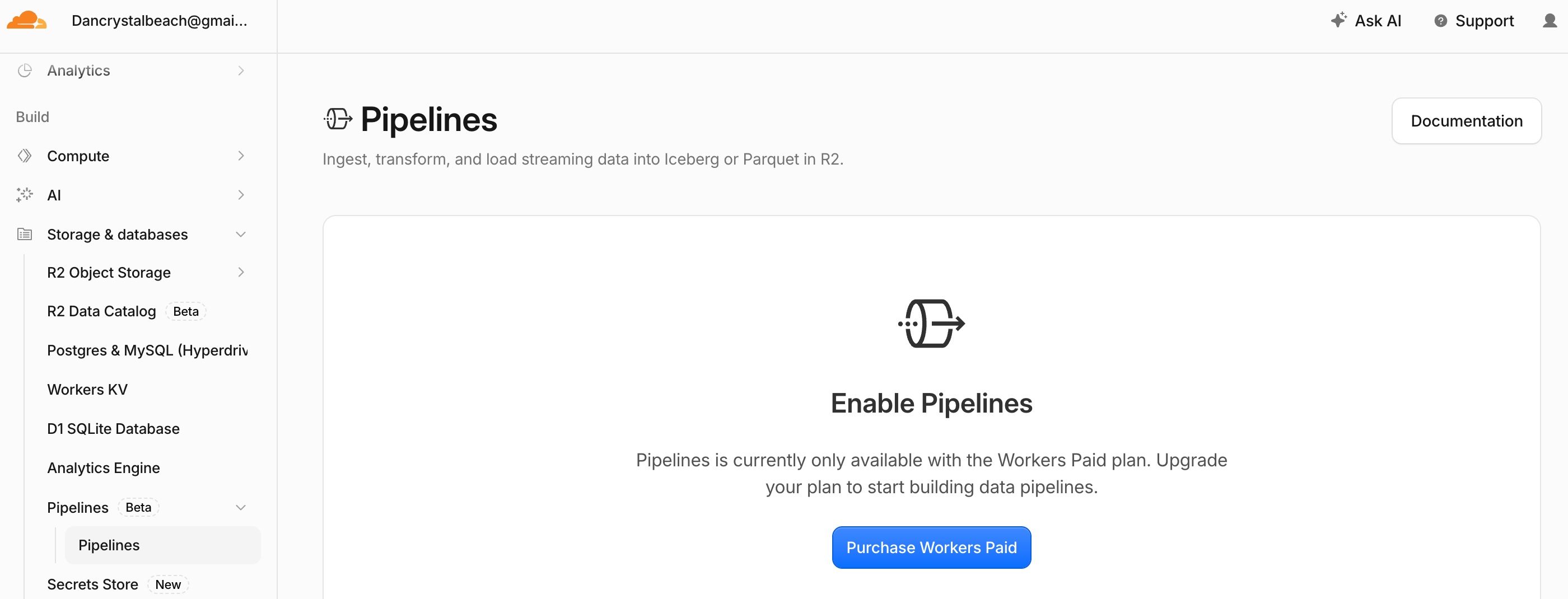
Anywho, this is going to take us down a tangent, but we might as well start the trip and get it over with. You can’t access Pipelines on the Free Tier I’m on; you have to upgrade your plan. Here is the list of benefits.
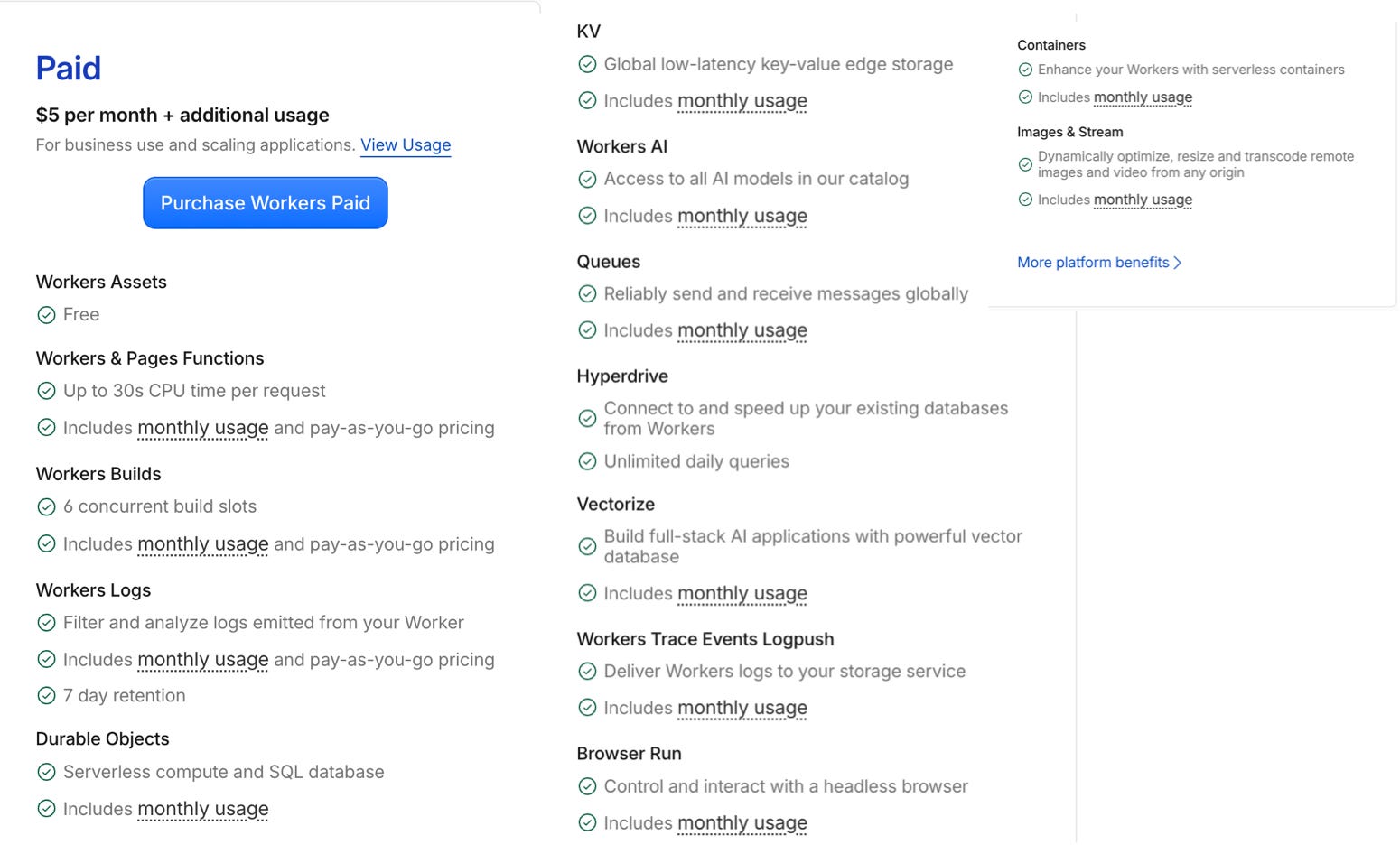
It’s a lot to digest.
Always a little scary buying stuff for y’all. Better turn off that auto-compaction on Iceberg tables, eh? Probably spin up a big @!#$! cluster to do and then send me the bill. I know how these SasS vendors work.
Anywho, I would go through all those features for you, but I ain’t got the time. I just want to get to building our Data Platform, and I would like to use Pipelines to do it.
Here is the Worker page, at least they give me a billing dashboard so I can keep my powder dry.

Apparently, this means we need to learn something about Cloudflare Workers.
This does appear to be the missing piece of our puzzle on the Data Platform. I’m assuming we can use Pipelines alongside Workers to build our data flows.

Also, I noticed they mentioned cron jobs and durable Workflows, which sounds like what we need, but it’s also confusing they don’t mention Pipelines, what are the differences between the two? Not sure.
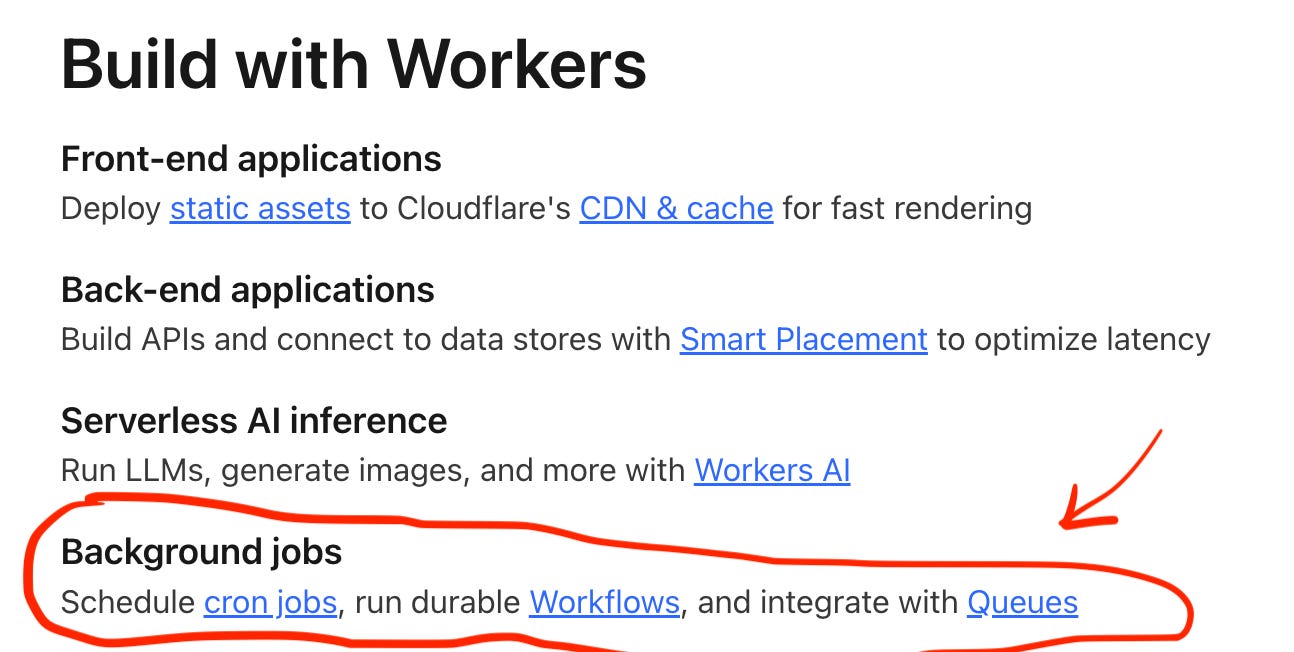
Anyways, it appears we need to read the documentation on Pipelines, and they fit generally what we are looking for.
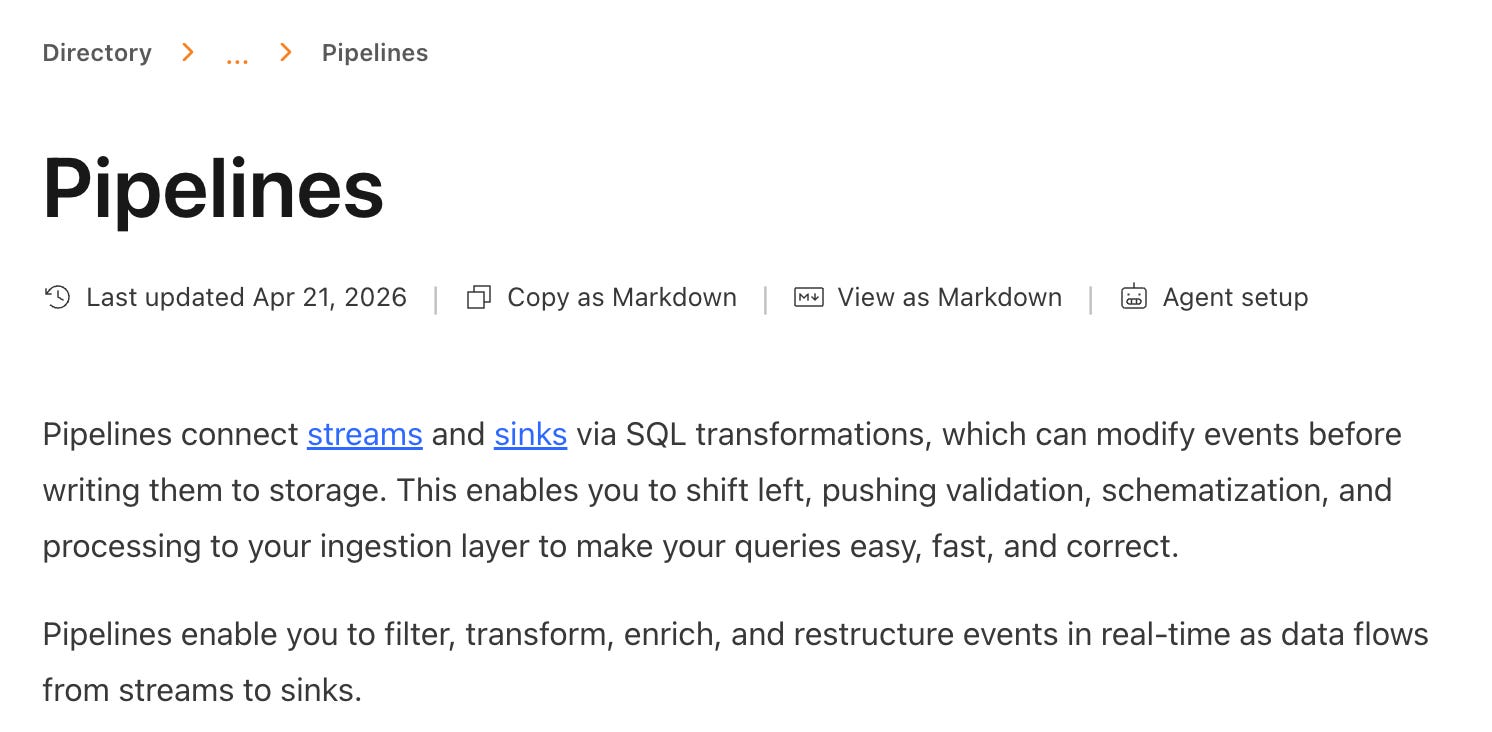
Pipelines, as we can see, connect streams and sinks, data sources and data targets. “Streams” is a loaded term. I know Cloudflare bought Arroyo, a Rust-based streaming platform, sometime back. I’m curious if these pipelines can handle batch as well.
“Streams are durable, buffered queues that receive and store events for processing in Cloudflare Pipelines. They provide reliable data ingestion via HTTP endpoints and Worker bindings
…
Streams currently accept events in JSON format and support both structured events with defined schemas and unstructured JSON… ”
- docs
I get that people like Streams and streaming pipelines, but 80%+ of most data pipelines, if not more, are batch-based workloads. It appears “Pipelines” are now useless to us … since … “Pipelines connect streams and sinks via SQL transformations.”
Even the Cloudflare docs for Pipelines mention nothing but streams, the tables they use for the examples are even called streams.

I’m not saying this is a totally bad thing; what I’m saying is that Cloudflare Data Platform seems to be built for streaming use cases almost exclusively. What do I know? Maybe this is the niche of the data world they want. Everyone under the sun, including Databricks with ZeroBus, has a streaming offering bundled into their Lake House offerings.
Not that Cloudflare cares what I think, but if they want to make real in-roads in the data community, batch pipeline support is key.
We gotta do something.
Well, we can’t let these hobbits stop us form getting a Cloudflare data platform running. Let’s just make our own pipelines, workers with Apache Airflow, and then use R2 buckets, Iceberg, and Catalog for our Lake House.
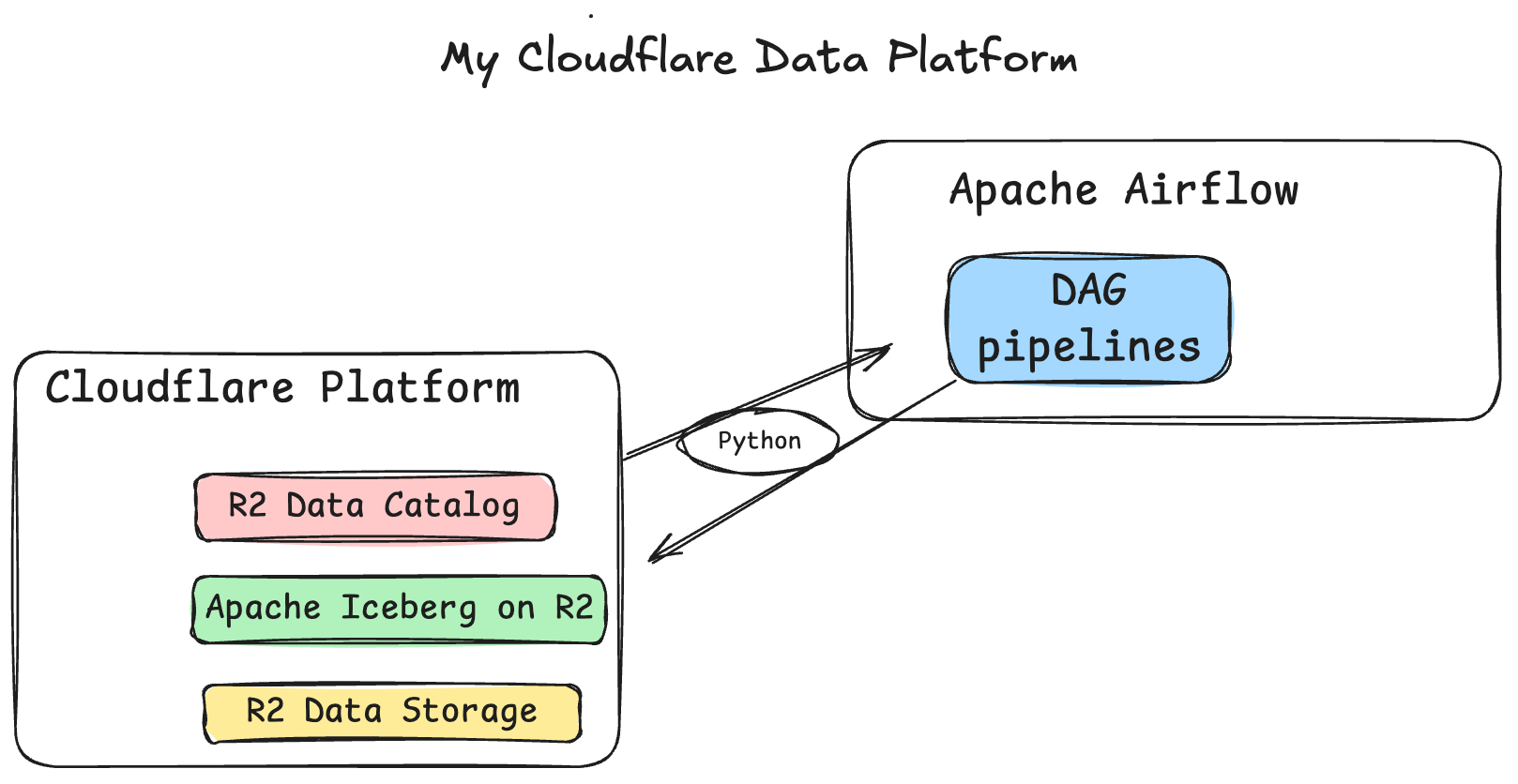
Let’s get cracking. Start with the end in mind; isn’t that what they say? Here is our Airflow DAG for our Cloudflare lake house. One failed, and finally, a good run.
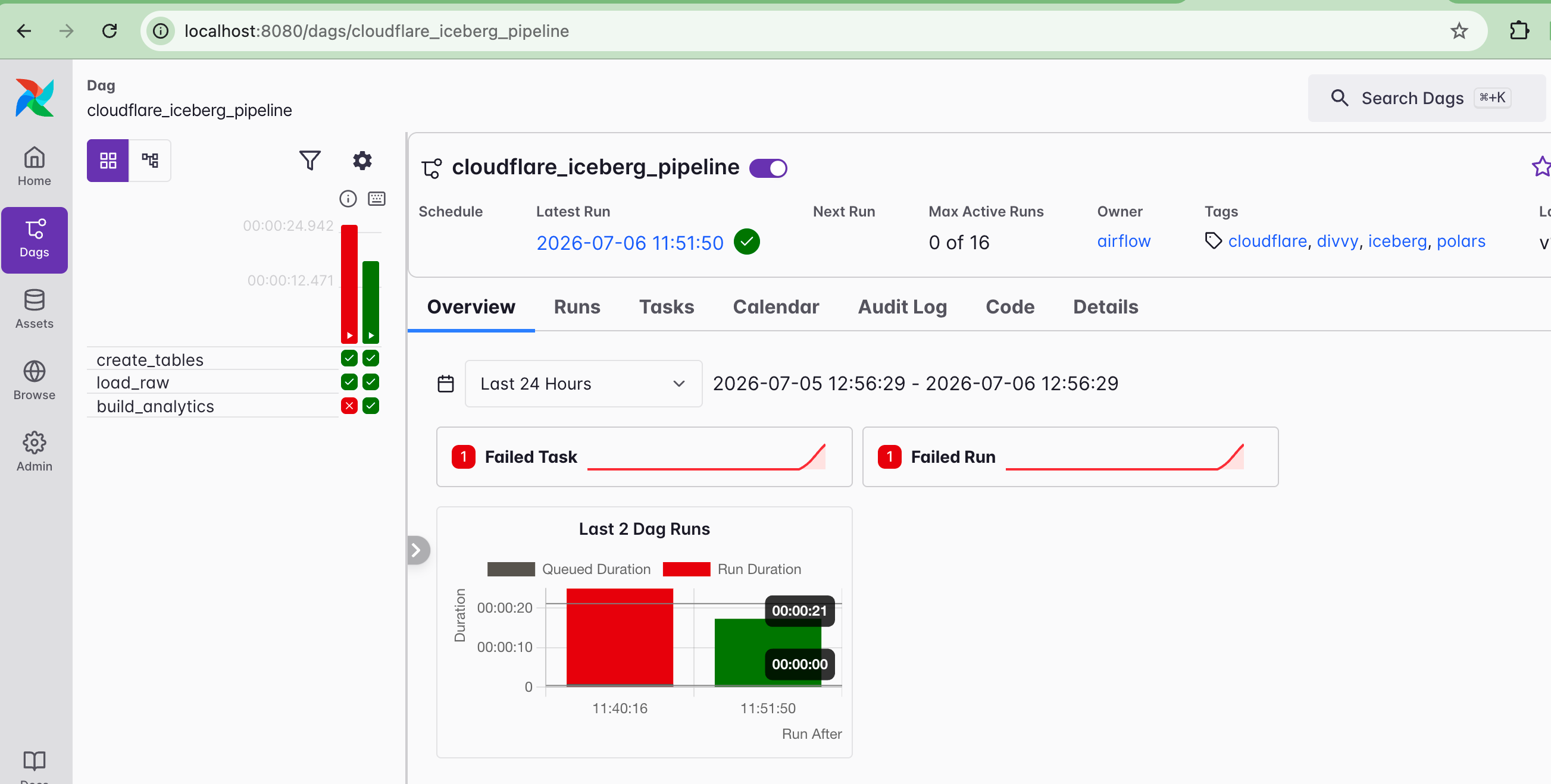
I know it’s just a plain old Airflow DAG, but if we were building a real lake house, the ability to use a classic orchestration tool like Airflow would always be a good sign.
We can work our way from the top down this time. Let’s look at the Airflow DAG.
from __future__ import annotations

import os

import pendulum
import polars as pl
from airflow.sdk import dag, task

from include.iceberg_catalog import (
    ANALYTICS_SCHEMA,
    ANALYTICS_TABLE,
    NAMESPACE,
    RAW_SCHEMA,
    RAW_TABLE,
    create_table_if_not_exists,
    ensure_namespace,
    get_catalog,
)

_EARTH_RADIUS_KM = 6371.0088


def _haversine_km() -> pl.Expr:
    """Great-circle distance (km) between start/end coords; null when coords null."""
    lat1 = pl.col("start_lat").radians()
    lat2 = pl.col("end_lat").radians()
    dlat = (pl.col("end_lat") - pl.col("start_lat")).radians()
    dlng = (pl.col("end_lng") - pl.col("start_lng")).radians()
    a = (dlat / 2).sin() ** 2 + lat1.cos() * lat2.cos() * (dlng / 2).sin() ** 2
    return (2 * _EARTH_RADIUS_KM * a.sqrt().arcsin()).alias("distance_km")


@dag(
    schedule=None,
    start_date=pendulum.datetime(2020, 4, 1, tz="UTC"),
    catchup=False,
    tags=["cloudflare", "iceberg", "polars", "divvy"],
)
def cloudflare_iceberg_pipeline():
    @task
    def create_tables() -> None:
        catalog = get_catalog()
        ensure_namespace(catalog, NAMESPACE)
        create_table_if_not_exists(catalog, RAW_TABLE, RAW_SCHEMA)
        create_table_if_not_exists(catalog, ANALYTICS_TABLE, ANALYTICS_SCHEMA)

    @task
    def load_raw() -> int:
        csv_path = os.environ["DIVVY_CSV_PATH"]
        df = pl.read_csv(
            csv_path,
            schema_overrides={
                "ride_id": pl.Utf8,
                "start_station_id": pl.Utf8,
                "end_station_id": pl.Utf8,
            },
            try_parse_dates=True,
        ).with_columns(
            pl.col("started_at").cast(pl.Datetime("us")),
            pl.col("ended_at").cast(pl.Datetime("us")),
            pl.col("start_lat").cast(pl.Float64),
            pl.col("start_lng").cast(pl.Float64),
            pl.col("end_lat").cast(pl.Float64),
            pl.col("end_lng").cast(pl.Float64),
        )
        # Align column order to the Iceberg schema.
        df = df.select([f.name for f in RAW_SCHEMA])

        catalog = get_catalog()
        table = catalog.load_table(RAW_TABLE)
        df.write_iceberg(table, mode="overwrite")
        return df.height

    @task
    def build_analytics() -> int:
        catalog = get_catalog()
        raw = catalog.load_table(RAW_TABLE)
        raw_lf = pl.from_arrow(raw.scan().to_arrow()).lazy()

        summary = (
            raw_lf
            .with_columns(
                pl.col("started_at").dt.date().alias("ride_date"),
                ((pl.col("ended_at") - pl.col("started_at")).dt.total_seconds() / 60.0).alias(
                    "duration_min"
                ),
                _haversine_km(),
            )
            .group_by("ride_date", "rideable_type", "member_casual")
            .agg(
                pl.len().cast(pl.Int64).alias("ride_count"),
                pl.col("duration_min").mean().cast(pl.Float64).alias("avg_duration_min"),
                pl.col("duration_min").median().cast(pl.Float64).alias("median_duration_min"),
                pl.col("distance_km").mean().cast(pl.Float64).alias("avg_distance_km"),
            )
            .sort("ride_date", "rideable_type", "member_casual")
            .collect()
            .select([f.name for f in ANALYTICS_SCHEMA])
        )

        table = catalog.load_table(ANALYTICS_TABLE)
        summary.write_iceberg(table, mode="overwrite")
        return summary.height

    create_tables() >> load_raw() >> build_analytics()


cloudflare_iceberg_pipeline()
And some Airflow Python helper functions.
from __future__ import annotations

import os

import pyarrow as pa
from pyiceberg.catalog.rest import RestCatalog

NAMESPACE = "divvy"
RAW_TABLE = f"{NAMESPACE}.raw_trips"
ANALYTICS_TABLE = f"{NAMESPACE}.analytics_daily"


def get_catalog() -> RestCatalog:
    """Build a RestCatalog for the Cloudflare R2 Data Catalog from env vars."""
    return RestCatalog(
        "cf_r2",
        **{
            "uri": os.environ["CF_CATALOG_URI"],
            "warehouse": os.environ["CF_WAREHOUSE"],
            "token": os.environ["CF_CATALOG_TOKEN"],
            # Explicit R2 S3 FileIO creds for data-file access.
            "s3.endpoint": os.environ["R2_S3_ENDPOINT"],
            "s3.access-key-id": os.environ["R2_ACCESS_KEY_ID"],
            "s3.secret-access-key": os.environ["R2_SECRET_ACCESS_KEY"],
            # R2 wants "auto"; fall back to "us-east-1" if PyArrow FileIO rejects it.
            "s3.region": os.environ.get("R2_REGION", "auto"),
        },
    )


# --- Schemas (PyArrow -> PyIceberg accepts a pa.schema in create_table) -----

# Raw trips: mirrors the Divvy CSV columns, 1:1.
RAW_SCHEMA = pa.schema(
    [
        pa.field("ride_id", pa.string()),
        pa.field("rideable_type", pa.string()),
        pa.field("started_at", pa.timestamp("us")),
        pa.field("ended_at", pa.timestamp("us")),
        pa.field("start_station_name", pa.string()),
        pa.field("start_station_id", pa.string()),
        pa.field("end_station_name", pa.string()),
        pa.field("end_station_id", pa.string()),
        pa.field("start_lat", pa.float64()),
        pa.field("start_lng", pa.float64()),
        pa.field("end_lat", pa.float64()),
        pa.field("end_lng", pa.float64()),
        pa.field("member_casual", pa.string()),
    ]
)

# Daily analytics rollup.
ANALYTICS_SCHEMA = pa.schema(
    [
        pa.field("ride_date", pa.date32()),
        pa.field("rideable_type", pa.string()),
        pa.field("member_casual", pa.string()),
        pa.field("ride_count", pa.int64()),
        pa.field("avg_duration_min", pa.float64()),
        pa.field("median_duration_min", pa.float64()),
        pa.field("avg_distance_km", pa.float64()),
    ]
)


def ensure_namespace(catalog: RestCatalog, namespace: str = NAMESPACE) -> None:
    if (namespace,) not in catalog.list_namespaces():
        catalog.create_namespace(namespace)


def create_table_if_not_exists(catalog: RestCatalog, identifier: str, schema: pa.Schema):
    """Idempotently create a table; return the loaded Table."""
    if catalog.table_exists(identifier):
        return catalog.load_table(identifier)
    return catalog.create_table(identifier, schema=schema)
Mostly, we are just using the pyiceberg Python package to set up the connection to the R2 Data Catalog, along with the configs we need. After that, we can use Polars’ Iceberg write feature to get our data where we need it.
Also, note when reading tables, if we want, we can use pyiceberg itself along with pyarrow to read; it’s just a way of showing you the interoperability of Arrow, how it shows up everywhere, and can be integrated into pretty much every tool under the sun.

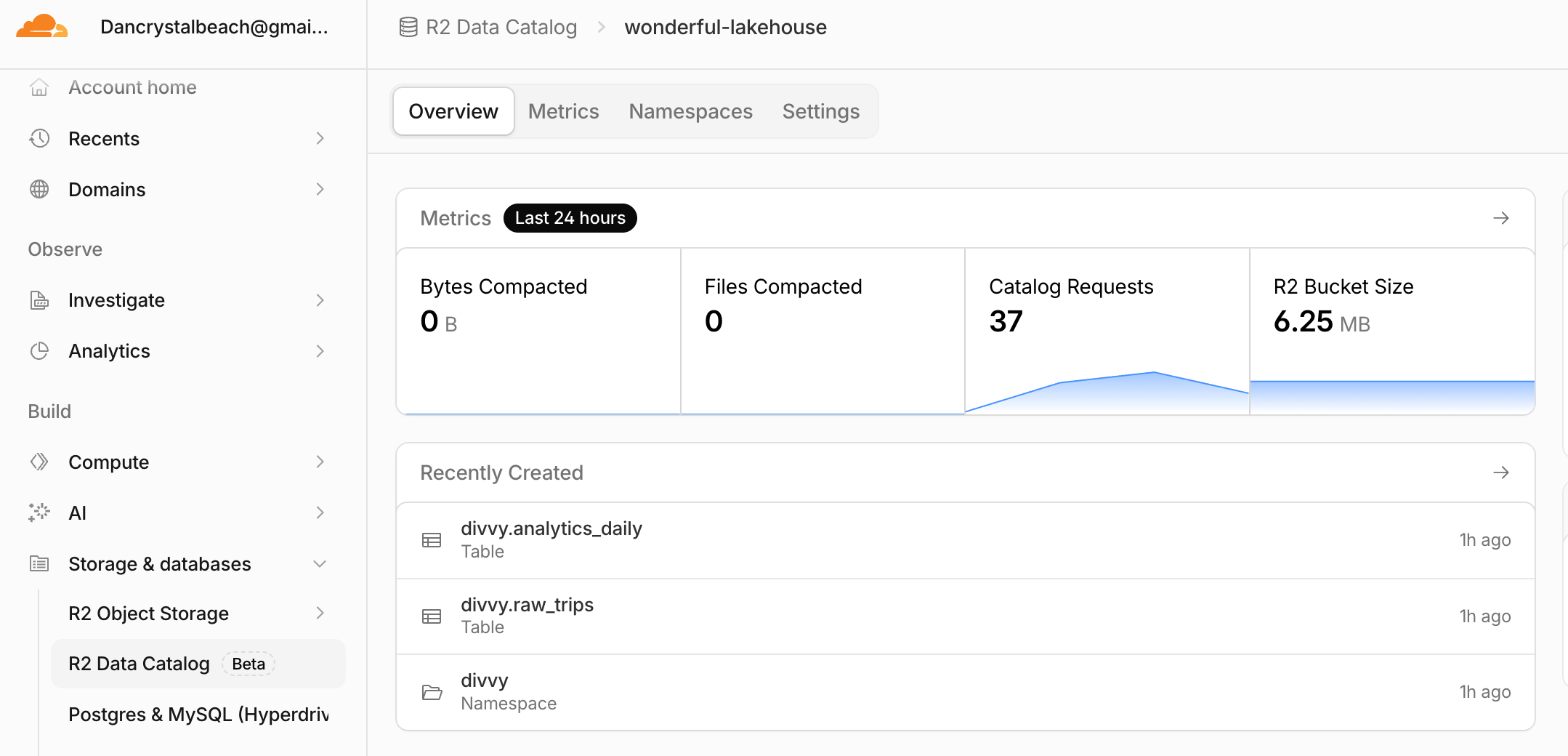
Also, if we head over to the Cloudflare UI, we can see those tables appear, along with a nice overview. Not bad!
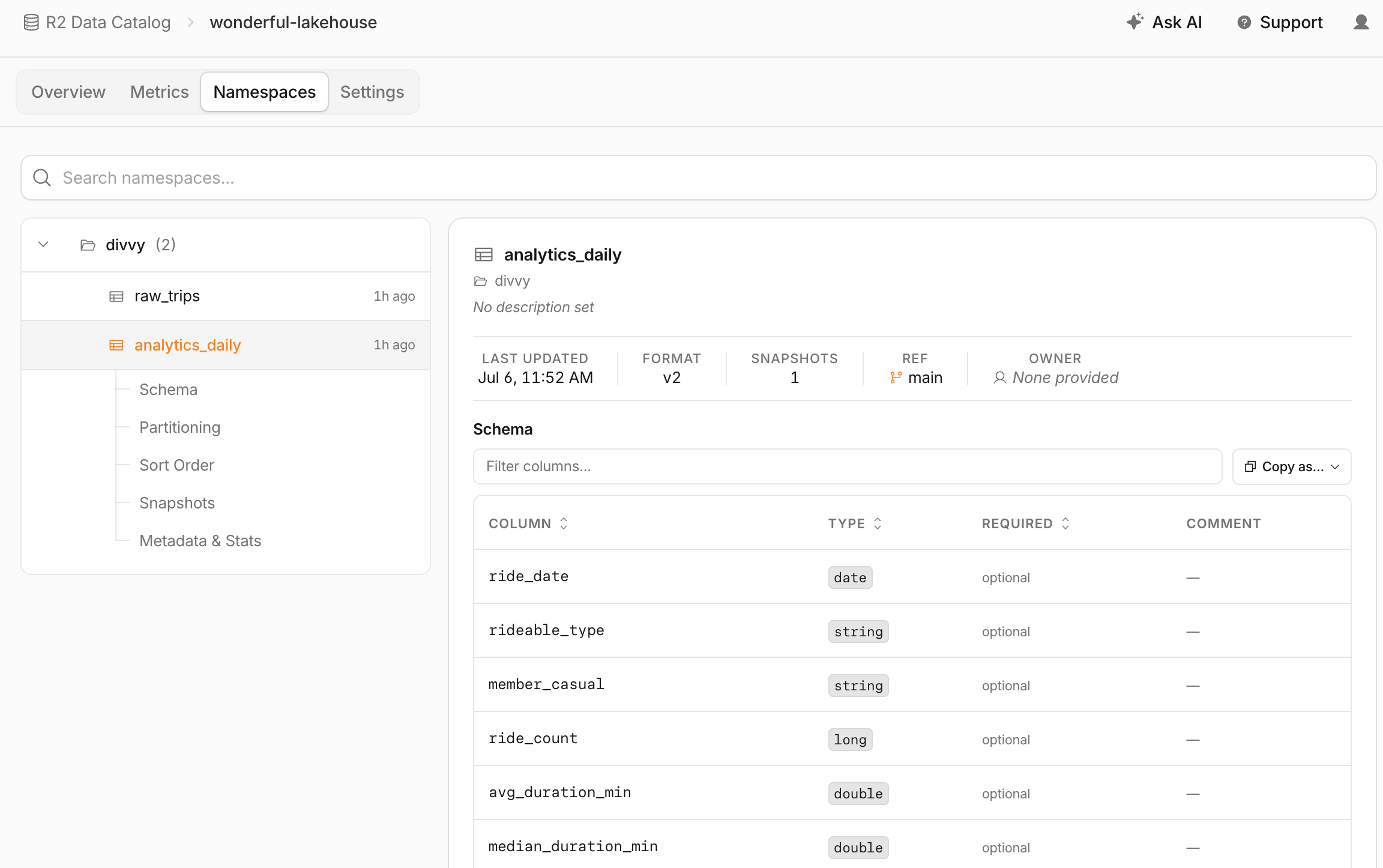
We can even examine the individual tables very closely and get all sorts of interesting data, including schema, partitioning, etc.
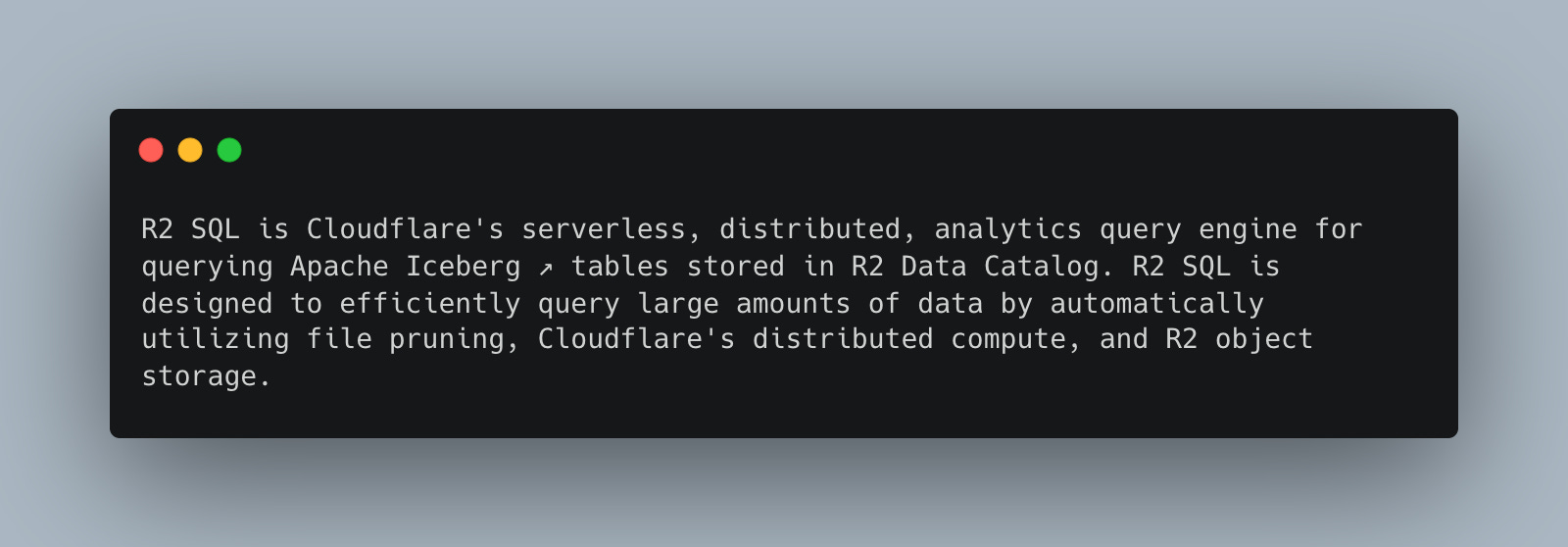
Don’t forget they have that new R2 SQL, which seems to be more or less a Notebook in the UI for querying our data. Cloudflare speaks highly of it, of course.
I tried finding the R2 SQL in the UI, but it was not available. Apparently, I was wrong about that, at least as far as I can tell. It seems you must submit queries through the Wrangler CLI we discussed at the beginning.
So, to do this, we need to install the Wrangler CLI. Of course, we/you would need an API token as well; they are easy enough to create or obtain in the UI.

I mean, personally, I’m not the biggest fan of this; The Notebook is the interactive standard of choice across the industry, making developers' lives easier. Not sure why Cloudflare hasn’t jumped on this train.
export WRANGLER_R2_SQL_AUTH_TOKEN=xxxxxxxxxxNow we should be able to run an SQL query.
npx wrangler r2 sql query "3ee64e77beb1e2c68a3ae7c1cd4d232e_wonderful-lakehouse" "
SELECT
    *
FROM divvy.analytics_daily"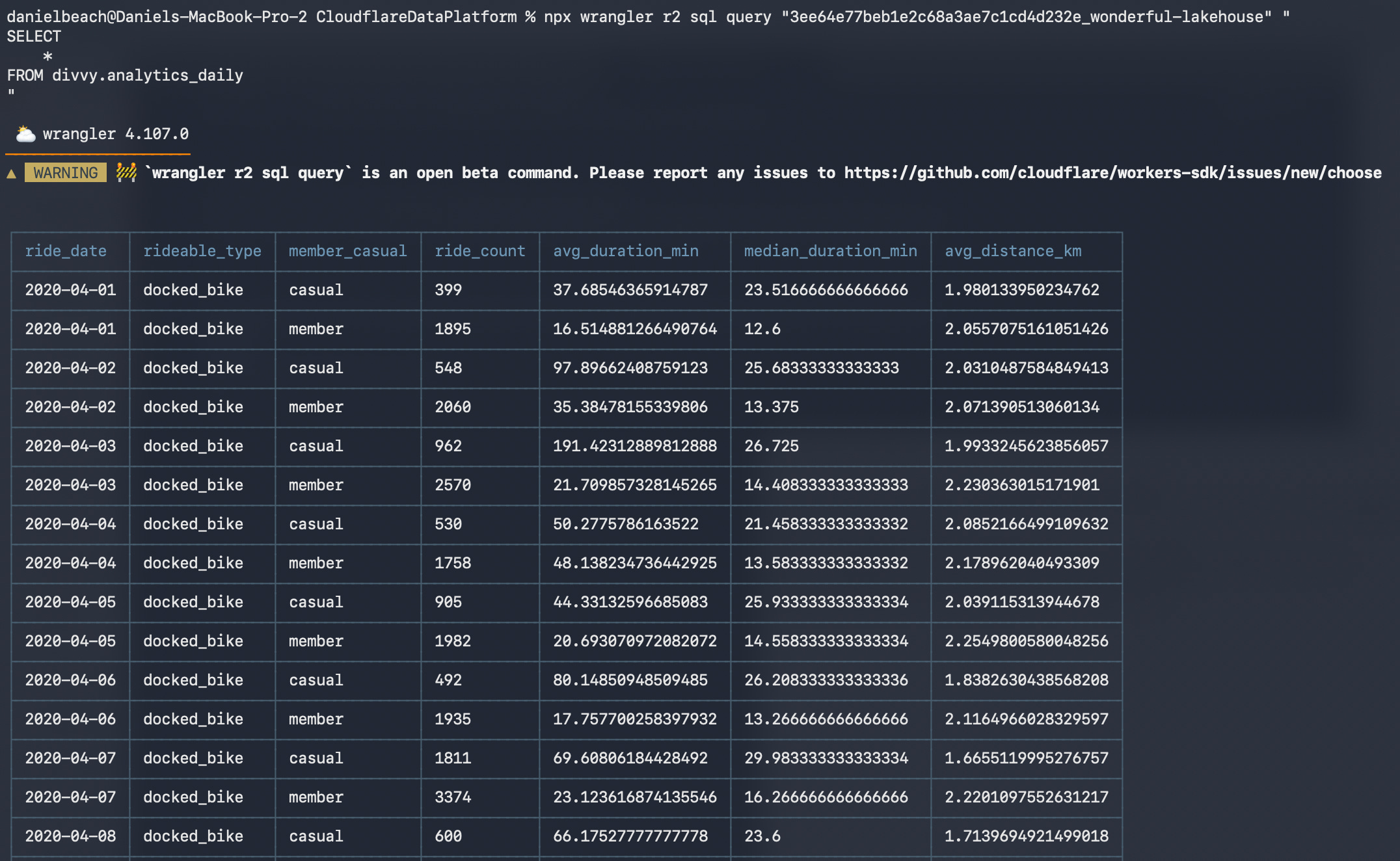
Well, it works; at least I can say that for all the Cloudflare Data Platform parts and pieces, they are incredibly simple, straightforward, and just work. That’s more than you can say for many other resources and tools.
As always, the code is on GitHub for your use.

Thoughts and musings.
I should return to Cloudflare with some sort of streaming use case; it appears that is their bread and butter, and admittedly, this has always been a hard nut to crack, that is, the combo of Lake House + Streaming.
Having recently played with Databricks Zerobus, it would be an interesting comparison.
I have many great things to say about Cloudflare’s “Data Platform,” along with a few critical comments.
Cloudflare does a great job with their products; this Iceberg setup on R2 with the Data Catalog, even with R2 SQL via the CLI, is all just nice … and it just works. It’s simple.
You saw how simple the Airflow DAG code was, how easy the setup was, and how attractive this would be to ANY data team. One simply cannot underestimate the power of simple engineering. Also, the ease of integration with all Python tools and packages, including Arrow, makes it a flexible setup.