

Databricks/Spark Excel Data Source
... do I really have to say it?


Well, don’t pretend like y’all didn’t see it coming. If I close my eyes and listen to the winter wind blowing through the maple trees, I can see Josue Bogran dancing in the moonlight with joy. There is truth in what he says, “All roads lead to Excel.”
It does depend on the size and nature of the business in which a data person finds themselves. Still, at the end of the day, if you have any resemblance to different business groups to deal with, like Accounting, Marketing, Product, Ops, etc, then Excel drives and contains ALOT of business context.
Truth be told, business users can use Excel, and it works.
It is no surprise at all that Databricks released support for Excel as both a data source and sink. Actually, it's surprising it took this long.
Take a moment to check out my YouTube channel, if you please, kind sir, or ‘mam.
Databricks now supports Excel.
Today, I want to take an honest look at Databricks' new support for Excel as a read-and-write via Spark and SQL. We should be honest with each other about the need for such a feature and examine both the upsides and downsides of using Excel within the Lake House architecture.
There was a time in my life when I would foam and spit down my face like a madman as I fought tooth and nail against the inclusion of Excel in any part of a Data Platform.
But, time and experience have taught me moderation in my views, and most importantly, that code and perfection are less critical than enabling the business to succeed and meeting them where they are.
Save all your doom-and-gloom comments for later; we will get to them eventually.
Let’s poke at Excel in Databricks, see what happens and how it works, then we will get to talking about whether you should or not.
Working with Excel in Databricks Spark
So, let’s play around with this new feature in Databricks, see how it reacts to different types of Excel files, the way they are formatted, and get the basics figured out. After that, I would like to move on and Steelman the case for and against Excel in Data Engineering.
Basics …
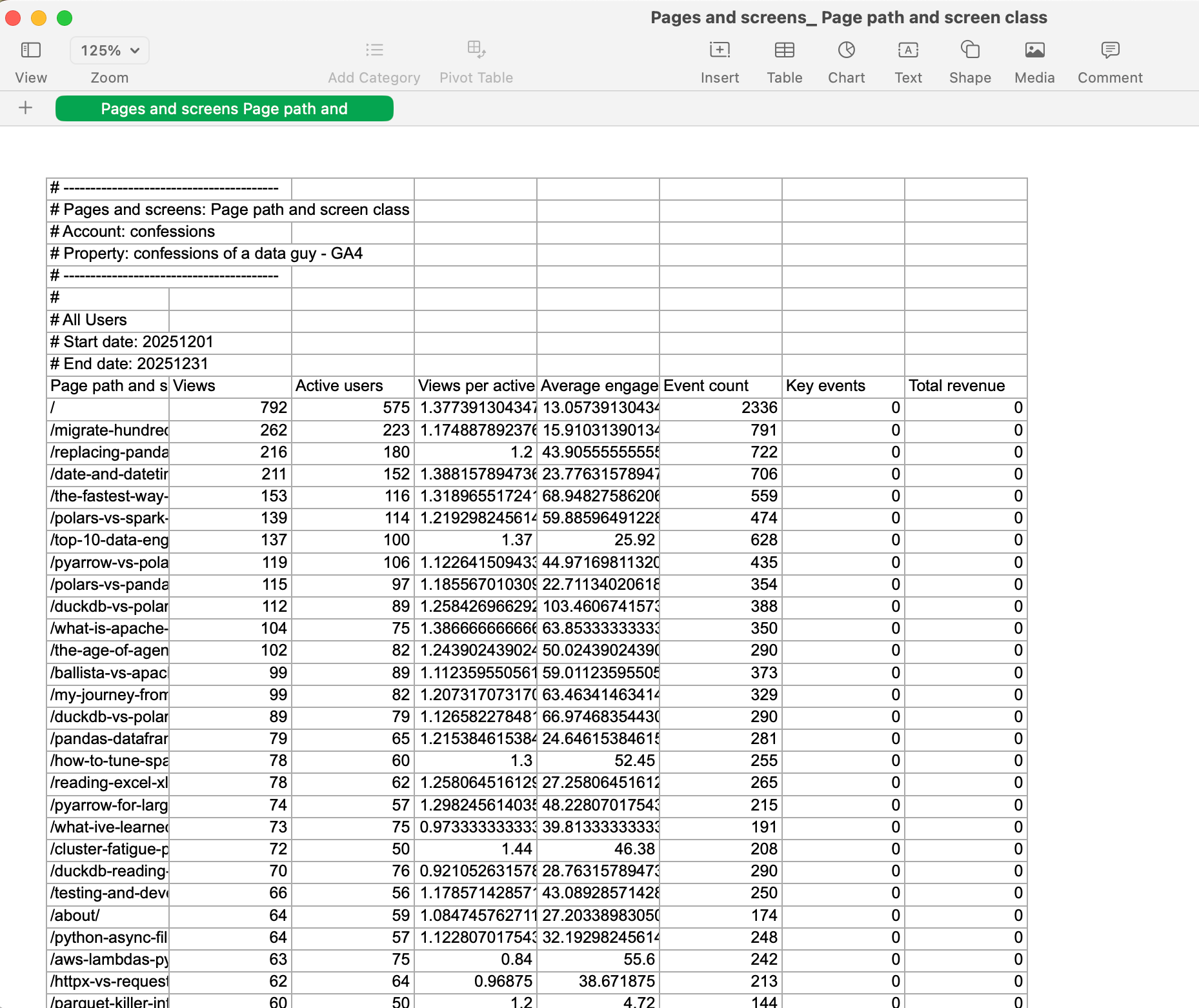
Databricks Runtime 17.1 or above.First, we should get a “normal” Excel file, something that comes from the real world and hasn't been massaged to work. I have run another blog, www.confessionsofadataguy.com, for many moons. We will download the December numbers from Google Analytics from that website. Raw, just as it comes in the Excel file download.
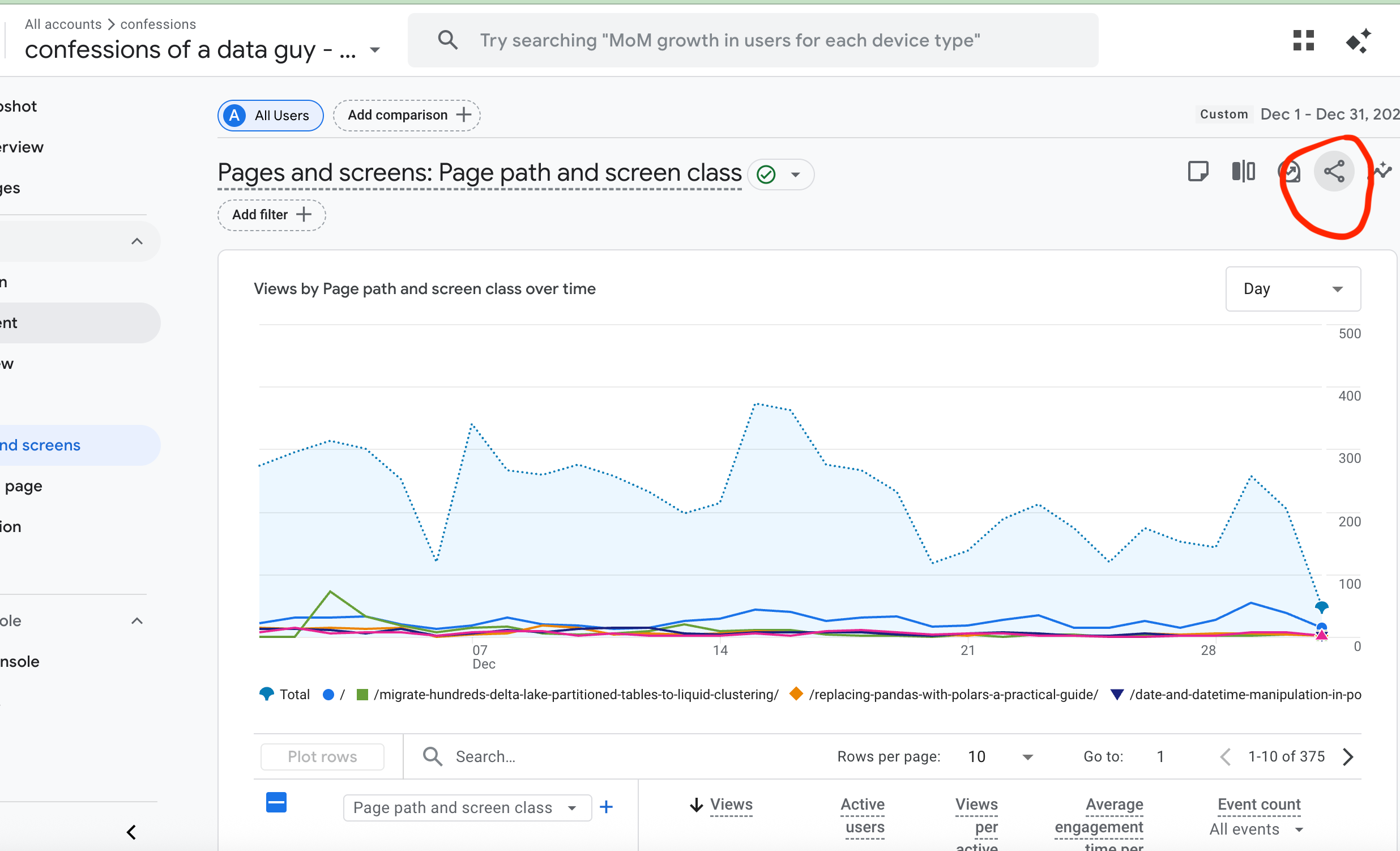
Export to Google Sheets, download as Excel.
Let’s crack open a Databricks Serverless attached Notebook. I went ahead and uploaded the Excel file to my workspace, copied the full path by right-clicking the file, and tried to open it.
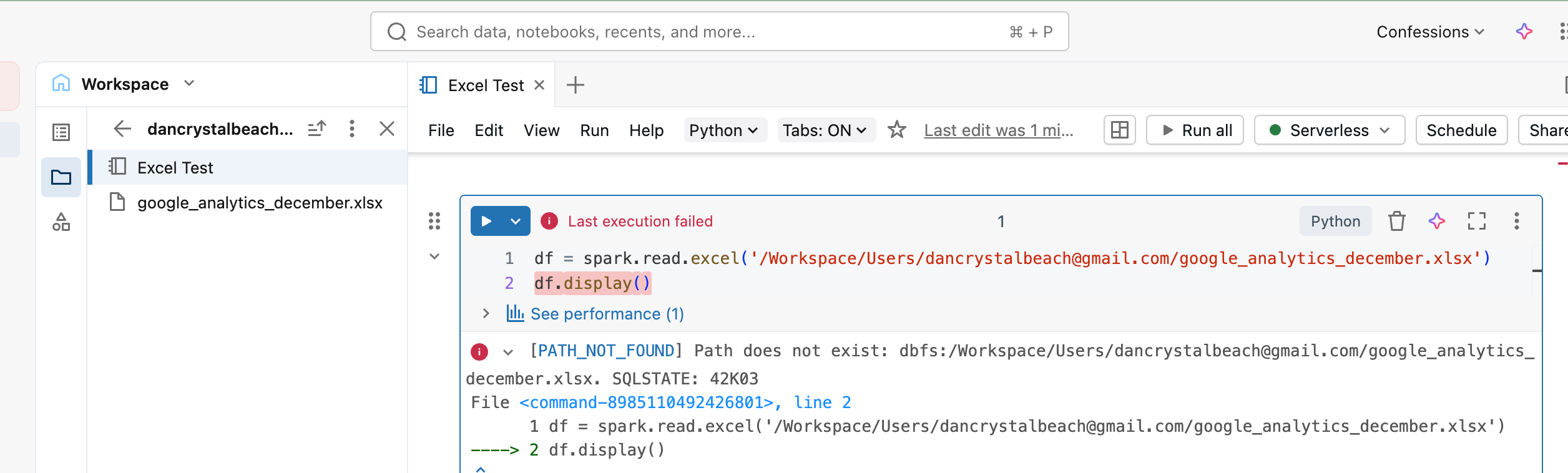
Immediate error. Path does not exist is a strange error. This is how the docs tell me to read Excel files, not sure if it simply doesn’t/can’t read it from a Workspace location??
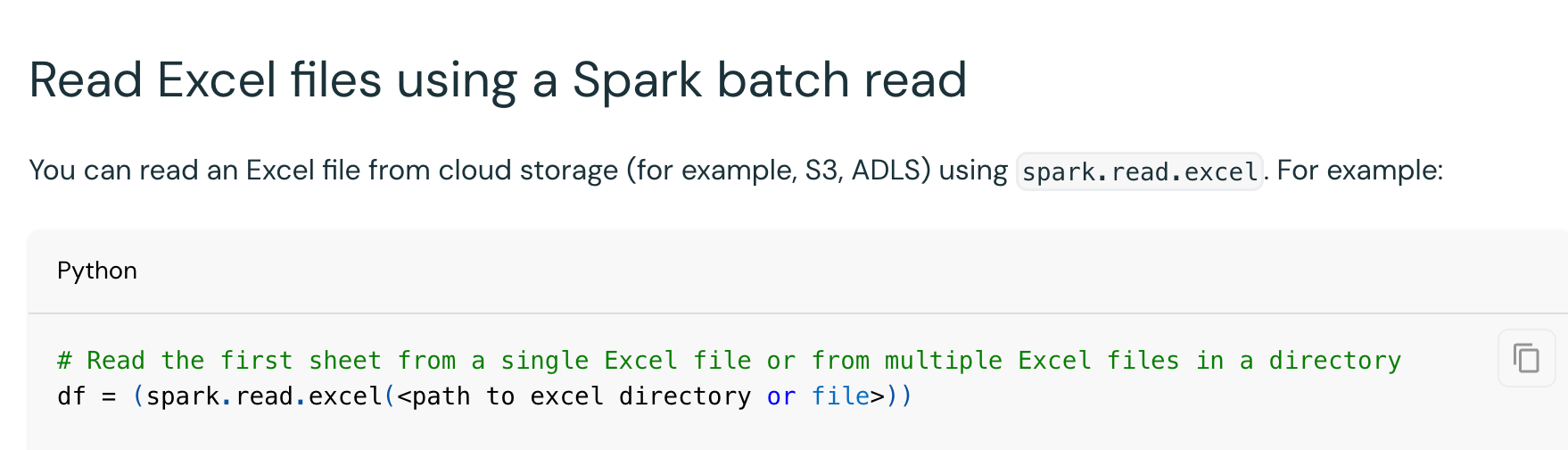
Maybe I need to upload the Excel files like they mention here.

Let’s put the Excel file in a Volume.
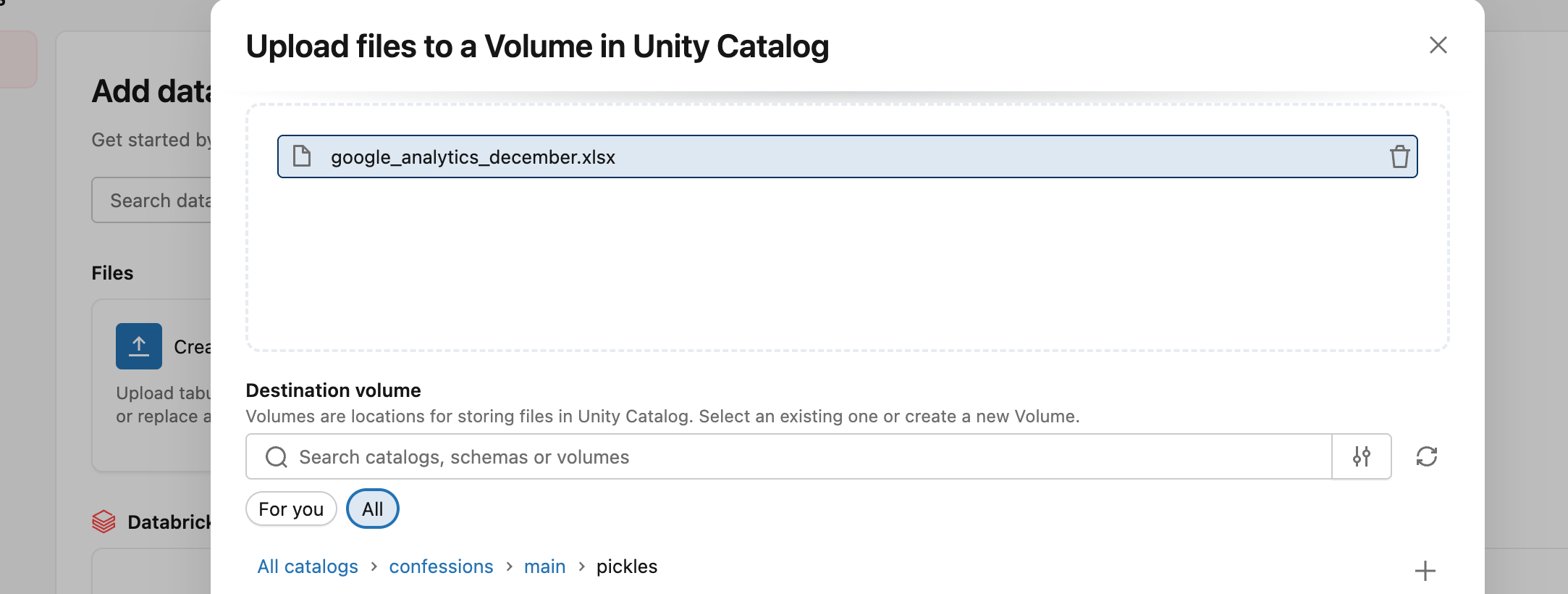
And try again.
That seemed to do the trick, now we can see and read the Excel file easily with Spark.
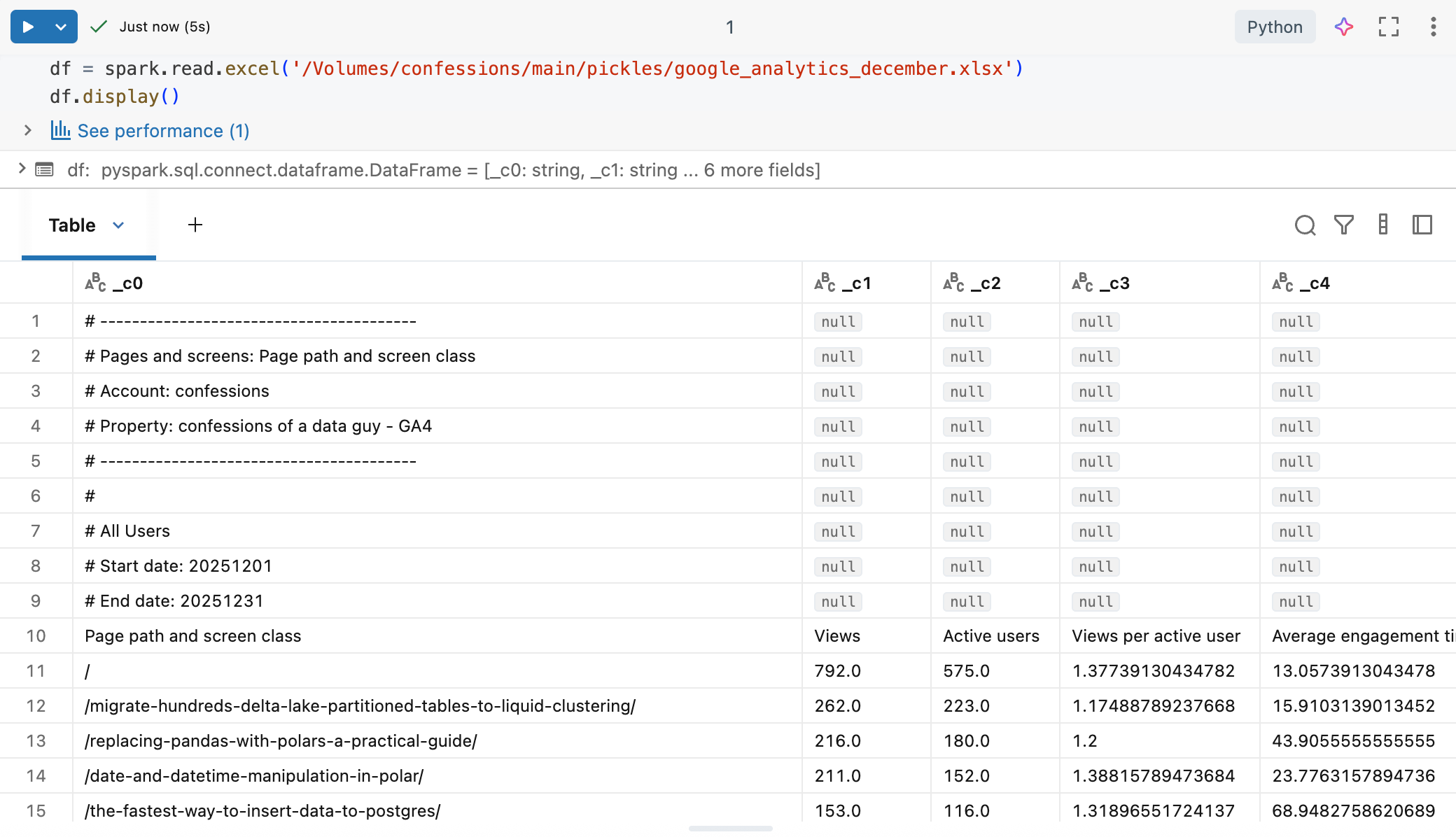
Of course, this points out the obvious problem with Excel and Spark. Most Excel files used by the business will have multiple tabs/sheets, weird formatting, and the like.
All future Data Engineers who ingest Excel files in Databricks Spark will have to become experts in either …
massaging Excel files
using options to read the needed data
Otherwise, Excel files are going to fit into Dataframes like square peg in a round hole.
Databricks provides several Excel parsing options …
dataAddress
the address of the cell and/or sheet range
headerRows
duh
operation
little strange, but either read a sheet or list the sheets
timestampNTZFormat
dateFormat
These options are helpful. As you can see in our example Excel file, we could try some of them to get a clean Dataframe.
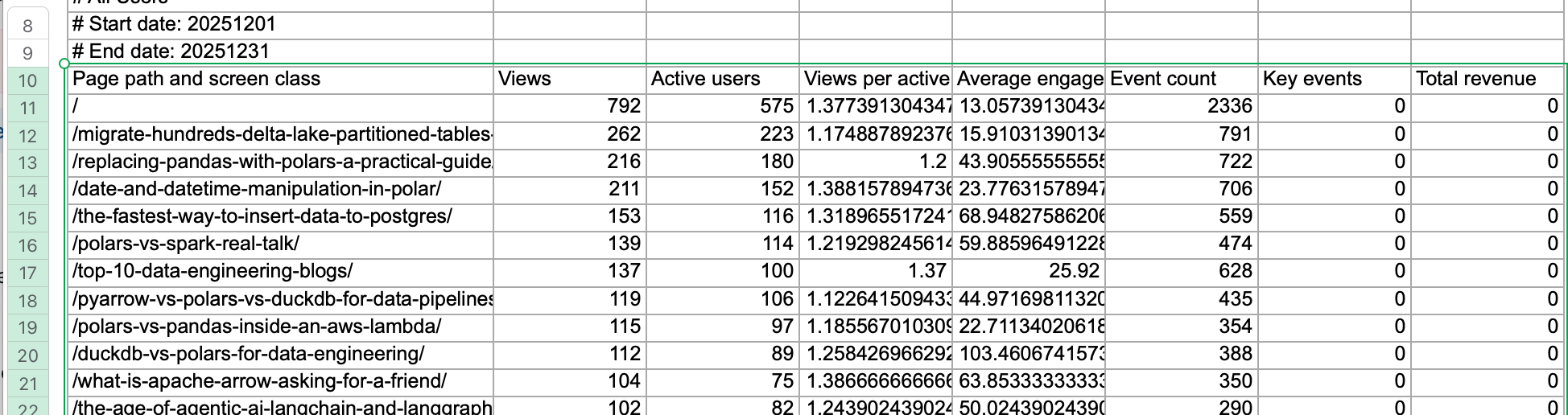
Our “dataAddress” is A10:H385, with the first row of that range as the header.
So …
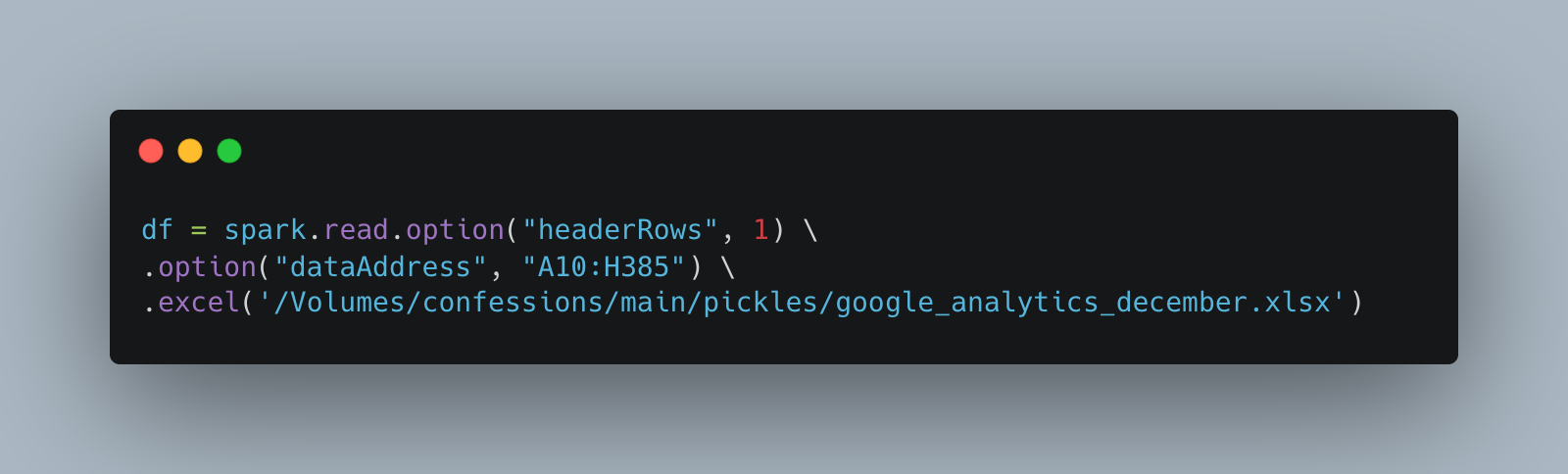
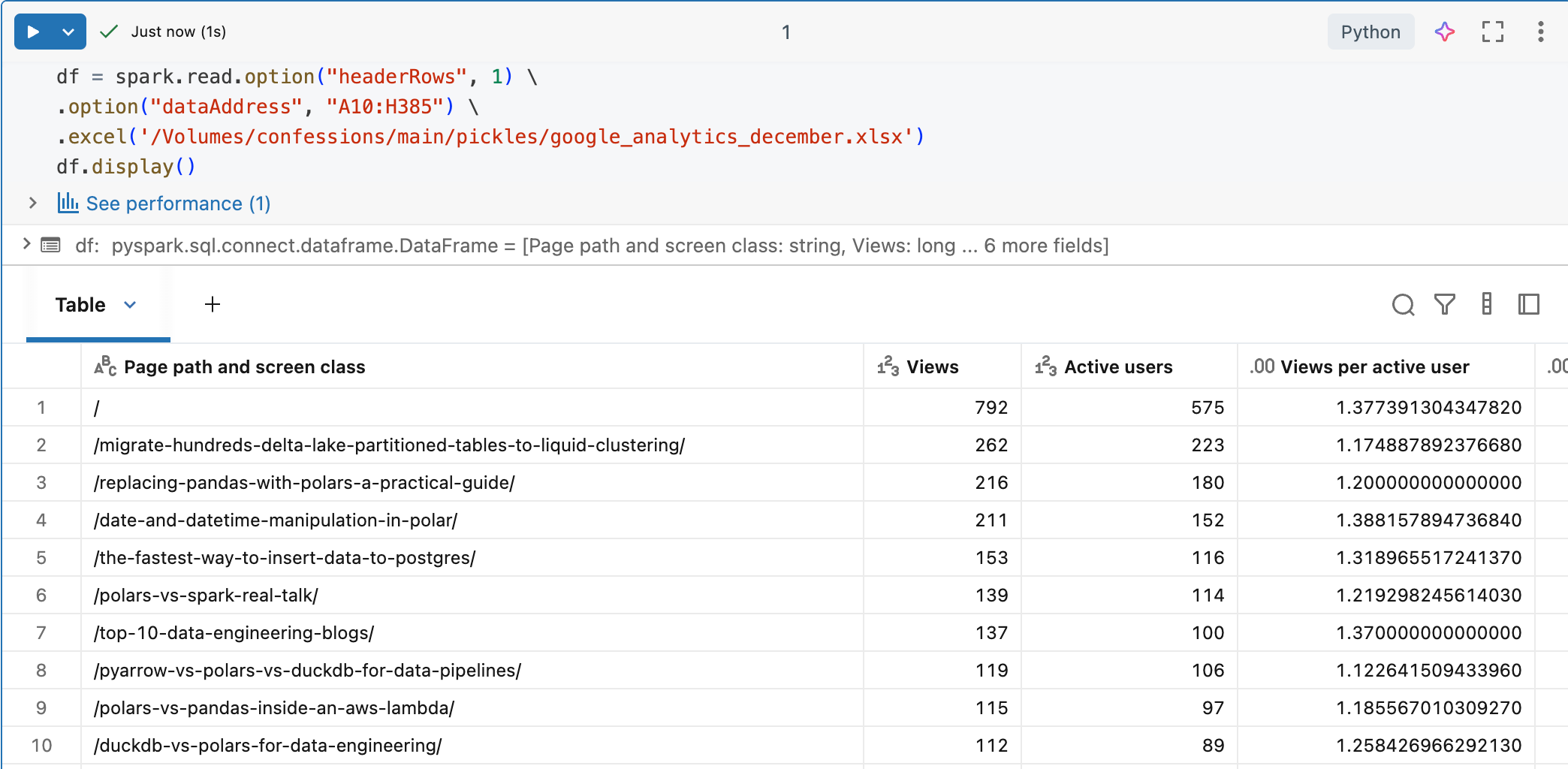
Perfection. Of course the 90% of engineers who are hooked on SQL like crack, there is that option as well.
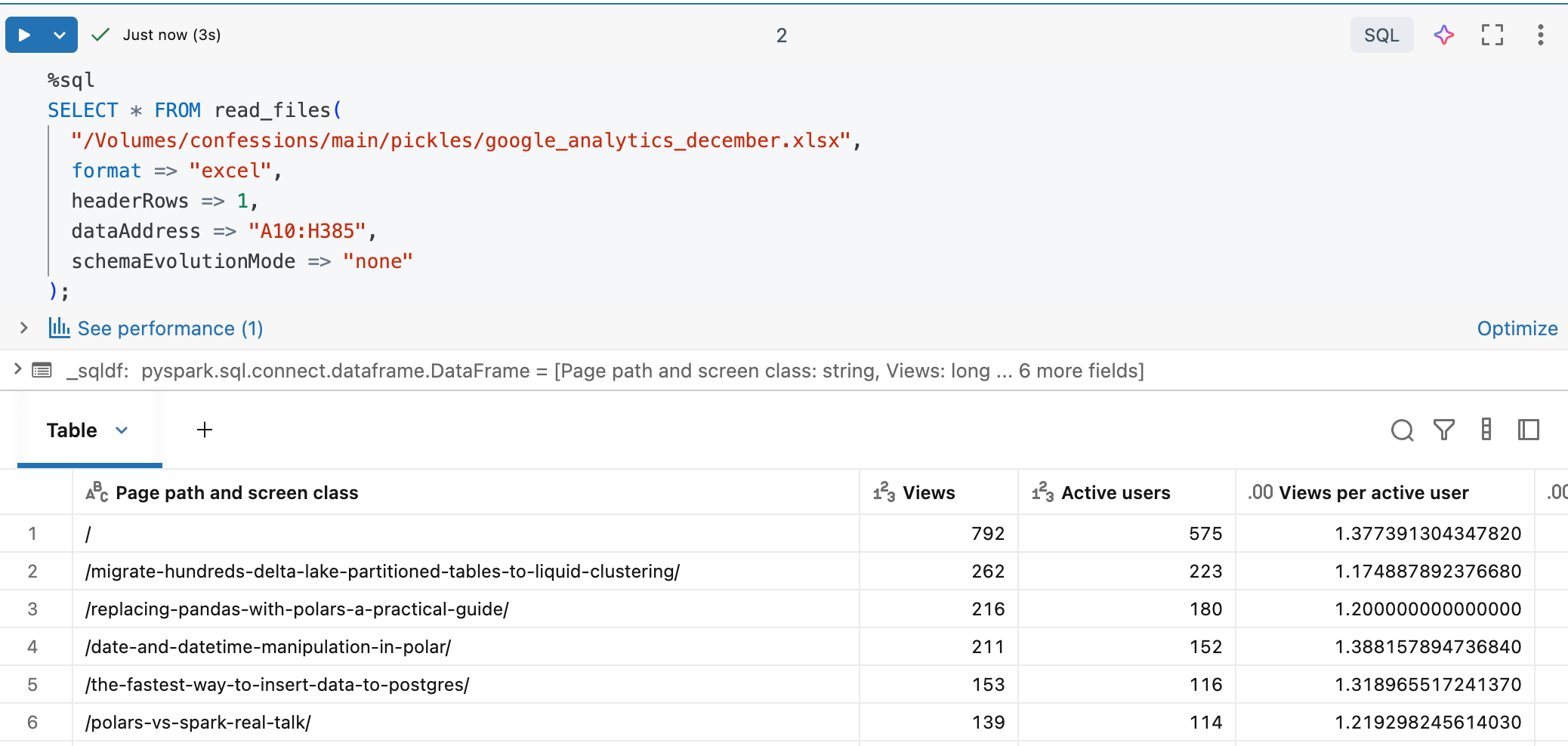
I am going to skip the other options Databricks has added for Excel, like AutoLoader, COPY INTO, blah, blah. Feel free to go dig through that crap if you want.
Oh, one other thing I should mention, that is quite possibly the BEST Excel feature that Databricks added, is the ability to WRITE a Dataframe to Excel format.

We just ordered our original Excel read Dataframe by views, limited it to the top ten, and wrote it back out as another Excel file. The file appears, although in the UI it shows as a folder.
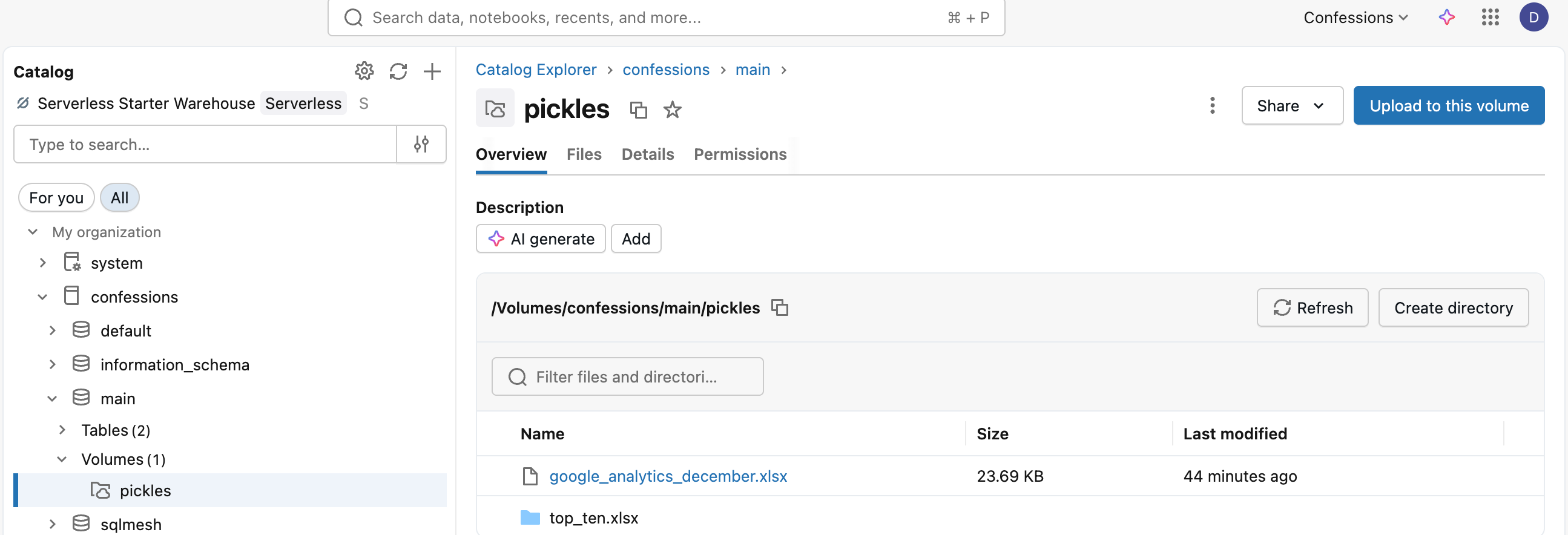
Hilariously, as per normal Spark, you get the classic multile file commit, including a part-blah-blah.xlsx file.
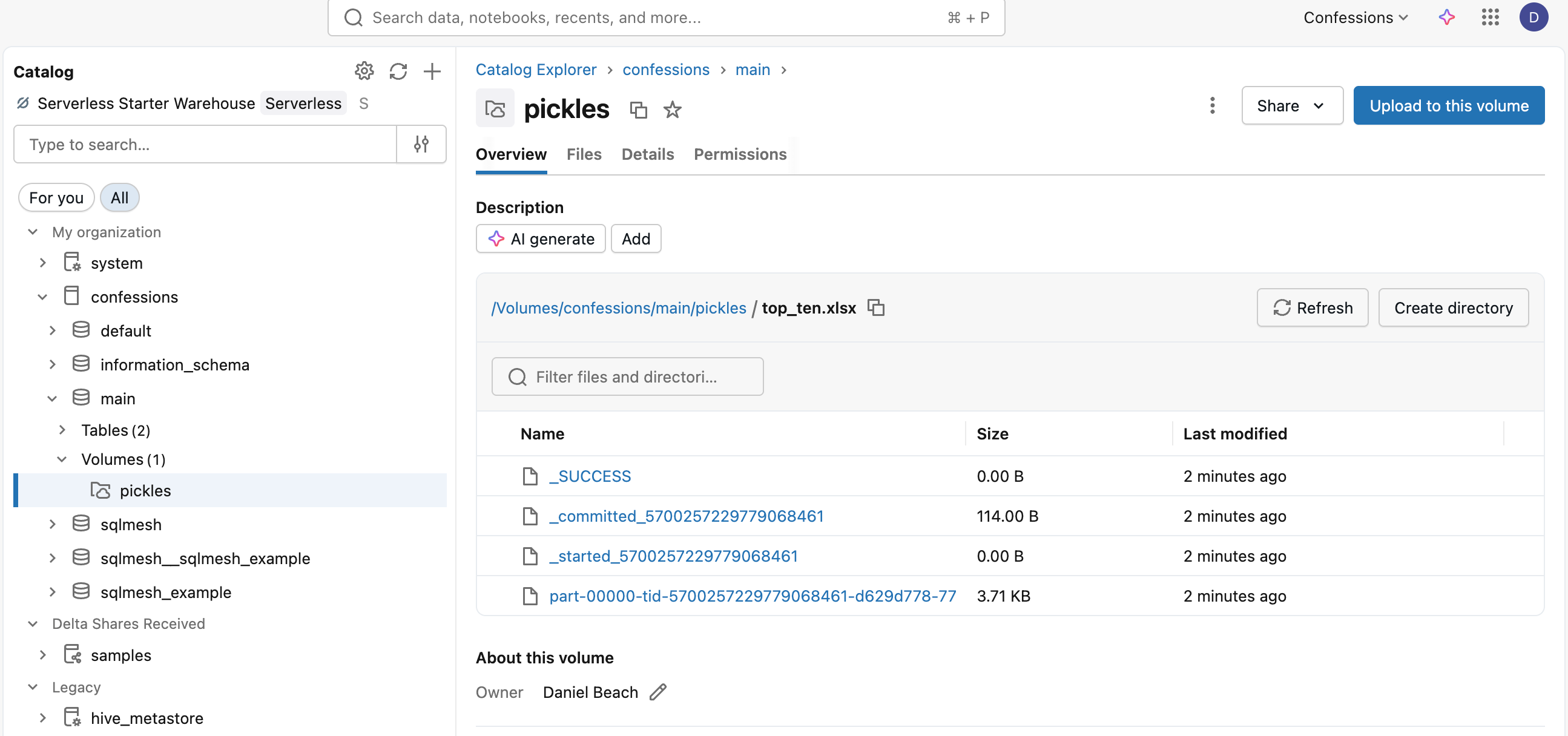
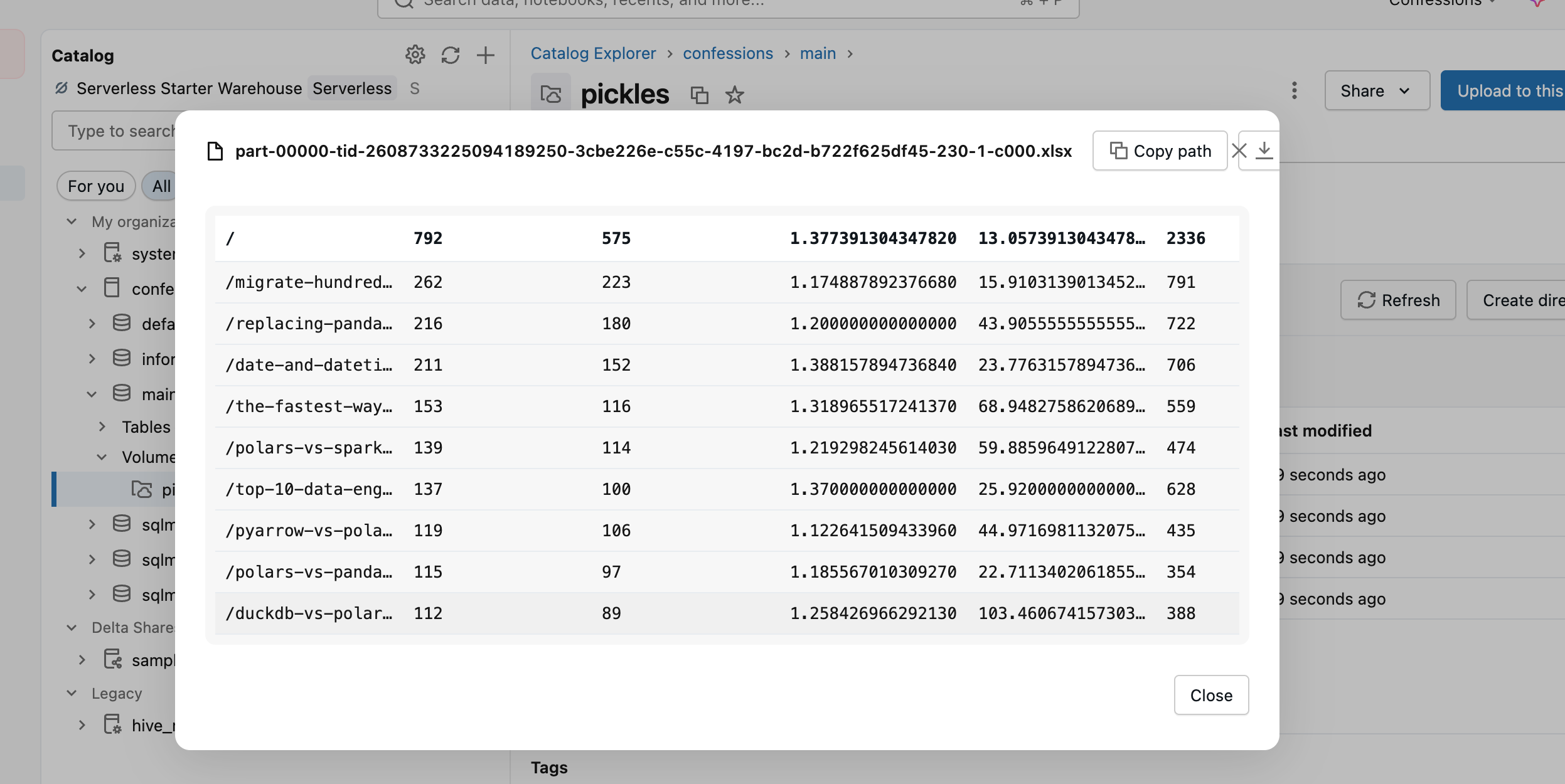
I mean, that defeats the purpose, doesn’t it? Why even support writing to Excel if you’re going to do it like that? Bunch of ninnies.
Better than nothing maybe, or you just use Pandas or something to get an Excel file.
Ok, now that we have the lay of the land, let’s talk about Excel in Databricks, what they have done right and wrong.
Brass Tacks
I’m sure there are three groups of Data Engineers when it comes to the Excel discussion.
Don’t care.
Hate it.
Love it.
Is there really any other option? Excel has a storied history in the data community; it’s often seen, for good reason, as the bane of data existence, creating all sorts of problems. Yet, there is probably no other tool as critical to the modern corporation as Excel.
That’s the world we live in. Let’s just be brutally honest with each other.
Is this a good thing that Databricks added Excel support?
Yes for some, no for others.
Excel is not going anywhere, does it have a place in the Modern Data Stack as a source? Well, that time has come now that Databricks has added support; other vendors will follow suit. Just as well get used to it.
What will go wrong? Everything, of course.
No control over formatting
Things will change without notice
No versioning
Data pipelines will break
Guess what? You never had control over all those flat files (CSV/TXT) you were getting anyway. Those changed, headers changed, formats changed, pipelines broke.
No.
Data sources, regardless of format, break pipelines every hour, every day, 365 days a year, around the world. Excel, as a data source, will not change that; it might just make it a little worse.
The gaps are closing
All this indicates is the same thing that has been happening over the last few decades, and is now accelerating with AI. The gap between business and data is closing quickly.
The era of true self-service Analytics/BI and simply self-service data has already arrived. Databricks One solved that age-old problem.

Just because you’re not using it doesn’t make it untrue. People will catch on.
Databricks Spark having support for Excel will no doubt make life easier for a myriad of use cases and people, and for others, it will mark the beginning of many travails.
What Databricks got wrong with Excel.
As far as how Databricks integrated Excel into Spark, and therefore into data pipelines, it is almost flawless, but there was indeed some central oversight.
The basic read features and options are perfect and easy to use, as you saw.

But, just as important to the business, the writing of Excel files was buggered up, and should have been given the SAME attention as the READ.
If you were to ask me what is actually used more in real life in Excel for data pipelines, I would say the ability to WRITE an XLSX file is at the top of the list.
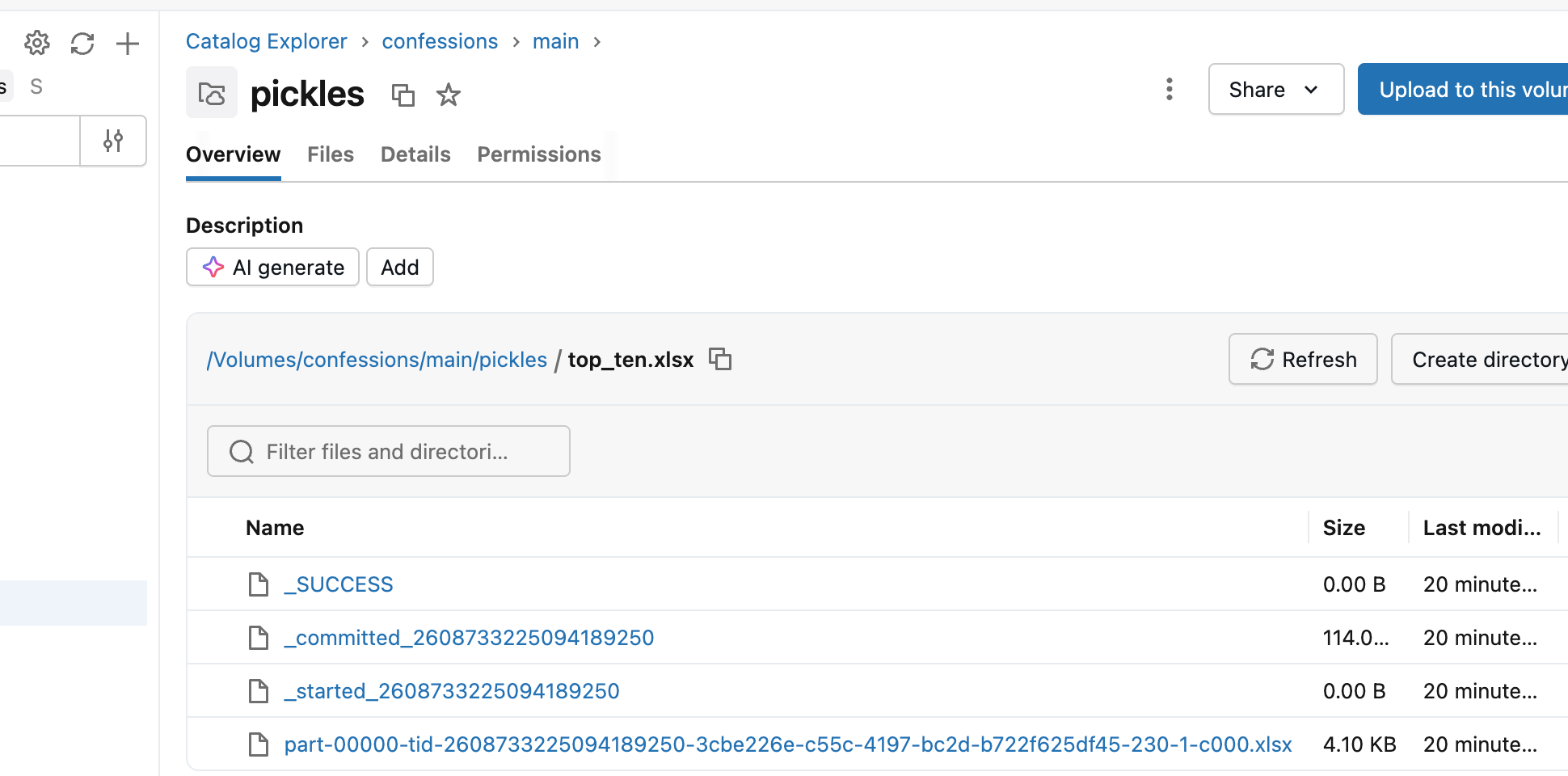
Why even bother adding spark.write.excel if it was going to turn out like this. Better to not even support write.
Duh. I know how distirbuted Spark works you milk toast programmer, but the fact that it is supported to write to Excel and comes up like this is alomst laughable. Back to Pandas for ye’ old Excel file write I guess.
Anywho, what can a fella say?
Excel is here in Databricks Spark, some will rue the day, others will celebrate with laughter and joy.
What say you?
The loading part - where maybe data engineers have to learn to masssge excel or manually enter ranges with relevant data etc - I assume now LLMs can take care of that ?
Expect someone to build a prompt or skill or something that enables llms to easily do that when uploading excels into data bricks !
Funny we should have embedded a coalesce(1) call into the write. Will note it internally.