

Lakesail. Replacing Spark with Rust. But with Spark.
ya know ... black magic stuff

Reminder to my readers:
I explore new tools from the viewpoint of the average engineer who works with data. I approach each subject and tool with as little bias as possible. The point is to just introduce new tools, and more importantly, new concepts to us all that we can use in the future to better understand the data landscape around us all and how we approach solving problems.
I’ve been watching this story play on repeat for some time now; the death of tools like Spark and Kafka has been heralded from the treetops for a decade now, yet here we are … living in a Spark and Kafka world. Someone once told someone else that it is hard to kick against the goad. Indeed it is. I don’t see this as any sort of failure or shortcoming, though; it’s just part of the circle of life, and tech. It’s natural.
Think about the wicked sharp edges that drove legions of SQL Server developers and DBAs insane and to an early grave over the last few decades. Yet, there are still plenty of SSIS packages humming happily away in the quiet corners of the world.
The truth of the matter is, once a tool gets its tentacles latched onto the corporate minds of CTOs, architects, and the like … it’s there to stay for better or worse, for some time to come. Spark is like that. It’s the bread and butter of the data community at large, has been for a while, and will continue to be that … even as Polars, DuckDB, Daft, and the like … bite and nip at the heels. Truth be told, I hold a special little place in my cold and stony heart when it comes to Apache Spark. I grew up in data in a time when I remember ssh’ing into various nodes, installing Spark, the correct AWS S3 JARs, adding IP addresses to configs, updating the memory allocations. Basically terrible things.
Anywho, back to the matter at hand. Lakesail.This one has been on my list for some time, but you know how things go: busy, life, this, that, AI. But they are making enough waves now that I owe it to myself to do what I’ve been doing for a long time, namely, kick the tires and poke with a stick … see what crawls out of the dark corners.

I mean, what is it? Well, the Lakesail homepage will give it to you right away, straight to the old eye, which is appreciated. People forever beating around the bush, making you figure out what the crap an Agentic Wizz-Bang-Popper is. What is Lakesail? Spark, without the JVM tax. You know what sounds even better to my old ringing ears? Spark rewritten in Rust. Like a fly to light me.
“Most data platforms were built for the JVM era and are now retrofitting for AI. LakeSail rebuilt the runtime in Rust, kept the full Spark API, and shipped an agent layer from day one. Your code stays the same. The engine gets an upgrade.”
- Lakesail
I know some of you unbelievers and luddites are sitting there rolling your eyes at the words “rewrite” and “Rust” in the same sentence … but there is a reason people are doing it, my friend; just as well give in to it and get on the ole’ bandwagon. The ride is fine.
Of course, I already mentioned it, but the idea of going after Spark, because it’s “slow” and a “pain in the butt,” is nothing new. Some of the criticisms are true; some are not. It depends on the context. Most people don’t work with “big data,” aka under 10 TB of data or way less, so theoretically they don’t need Spark. They just use it because it’s there and everyone else is using it. Herd mentality.
I’ve made the mistake myself of trying to prove to people that you don’t need a big cluster to work on large data. Be warned: when you start messing with people's golden calf, expect to be summarily burned at the stake; be ready to be a heretic.

One can see the major difference between someone saying DuckDB or Polars can replace Spark, which they can, and someone saying that isn’t the whole story. We don’t live and work on data projects in a vacuum. It takes a serious amount of commitment for any Staff Engineer or CTO to look at a group of drooling and keyboard-happy engineers and say, “Yes, that’s a great idea; go ahead and rewrite our entire stack and legacy data pipeline(s) into DuckDB/Polars/Daft.” That isn’t the real world. In the real world, we have all sorts of deadlines, product launches, tech debt, and general mayhem. Sure, we of course WANT to do those projects, but we don't often get the chance.
Back to Lakesail. This is the impressive part, if it turns out to be true, and believe me, I’m going to try it out, hook, line, and sinker. This is the difference maker. Just swap out the engine, leave the code as is.
“Spark Connect protocol means your existing PySpark, Spark SQL, Delta Lake, and Iceberg code runs unchanged, natively, not as an add-on.”
This is a much easier pill to swallow for data teams. At least for those running the show. It’s a hard sell, even with cost savings, to tell someone to rewrite all the code; a much more palatable message is to just swap compute or configs and leave the code be.
Ok, so all that as an introduction; I don’t really know a better way to understand a tool than by getting to work. So, let’s do that.
Exploring Lakesail concepts, open source, paid platform, etc.
It’s going to be hard to understand all the features of any tool in the short time we have, but I will do my best to give you a working understanding of what Lakesail offers from both open- and closed-source perspectives. We will start with the concepts, check out the open-source options, and finish by setting up an account on the Lakesail Platform to see what that is all about.
Ok, what is Lakesail?
It is
“… distributed multimodal compute engine …”
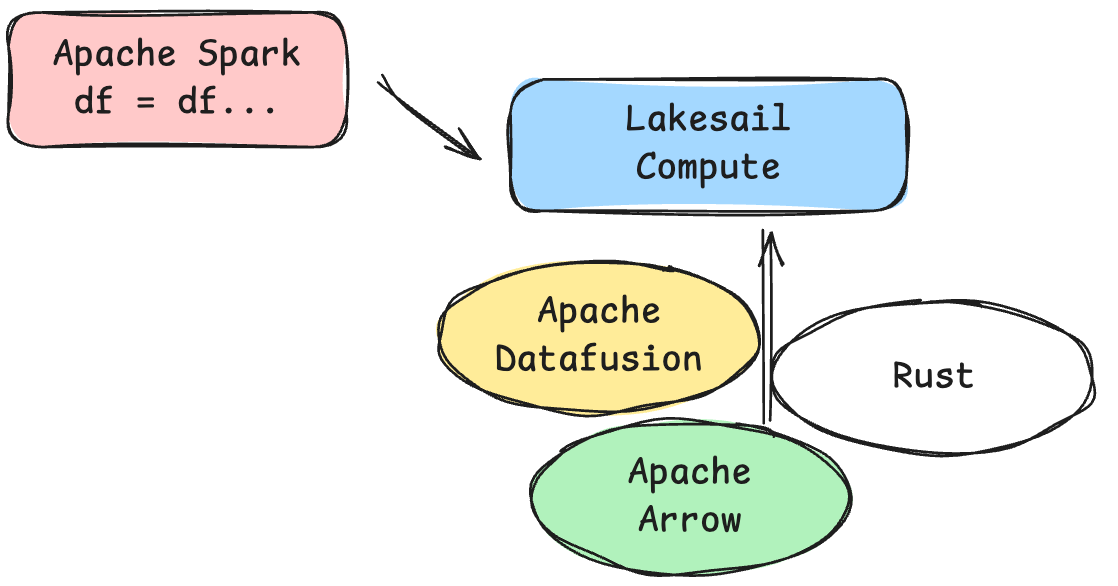
built on Apache Arrow
built on Apache Datafusion
Spark users can “… switch to Sail without making code changes.”
Built with Rust.
This probably makes sense to most of you, I would imagine, besides maybe the word multimodal (you can read more about this on the buoyantdata website). The rest of these are kinda obvious and well known to most of the data community. Apache Arrow is the new go-to in-memory data format; Apache DataFusion has been around for a long time, and many tools are built on it. The idea that Lakesail is built with Rust is a given, but the most interesting part is that we could port existing Apache Spark code to run on Lakesail compute, which is enticing indeed.
How can this be?
The handshake between Lakesail and Spark is Spark Connect.
“The Spark client session communicates with the Sail server using the Spark Connect protocol.” - Lakesail
I have written about Spark Connect before, you can check that link out below. Recently, I’ve also used Spark Connect when building Agentic Chatbots and Agents, etc, as it allows for simple communication between anything non-Spark … and well … Spark.

Let’s jump to the TDLR of Spark Connect, because it’s an important part of the Lakesail conversation. Here is that summary taken from the article I wrote about Spark Connect.
What, pray tell is Apache Spark Connect?
“… a decoupled client-server architecture that allows remote connectivity to Spark clusters using the DataFrame API …”
and
“It is a thin API that can be embedded everywhere: in application servers, IDEs, notebooks, and programming languages … “
So, this is key to understanding how something like Lakesail can truly be a built-in replacement for compute/processing for existing Spark pipelines. It’s just a protocol; Lakesail understands this protocol and can translate a Spark query into a Lakesail query. Easy peasy, not really.
Playing locally with Lakesail.
What I want to do is play with Lakesail locally, just to see and feel what it’s like; then I would like to set up a Lakesail account, connect it to my AWS account, and maybe run the same setup to see what’s crackin'.
uv init testingLakesail
cd testingLakesail
uv add pysail pyspark-client==4.2.0
Apparently, we could use the command line with sail to drop into the classic interactive Spark shell, with the Sail server running behind it. But I’m of the opinion that most folk don’t use the Spark command line anymore; most people are in Notebooks. You can thank Databricks for that.
sail spark shellEither way, let’s write some PySpark code that uses Sail; in theory, it should be boring, because … Sail is just running behind the scenes and taking our normal Spark code and executing it against its own engine built on Rust, Arrow, and Datafusion. This will not be a scientific test at all, but I’m new to this, so give me a break. We will run the same normal PySpark script in a Databricks Notebook on Serverless compute, observe the runtime, then run the same script with Sail. This will all be without a classic Spark cluster, in a sense, on small data, but I just want to see what happens.
If I’m feeling spicy later, I can connect my personal AWS account to a new Lakesail account and run a larger dataset with a classic Spark cluster.

We will use the raw, compressed CSV files, since they should pose no problem for Spark. I can get them into my personal AWS account in an S3 bucket; then we will have the data against which to run our tests of vanilla Spark and LakeSail Spark.
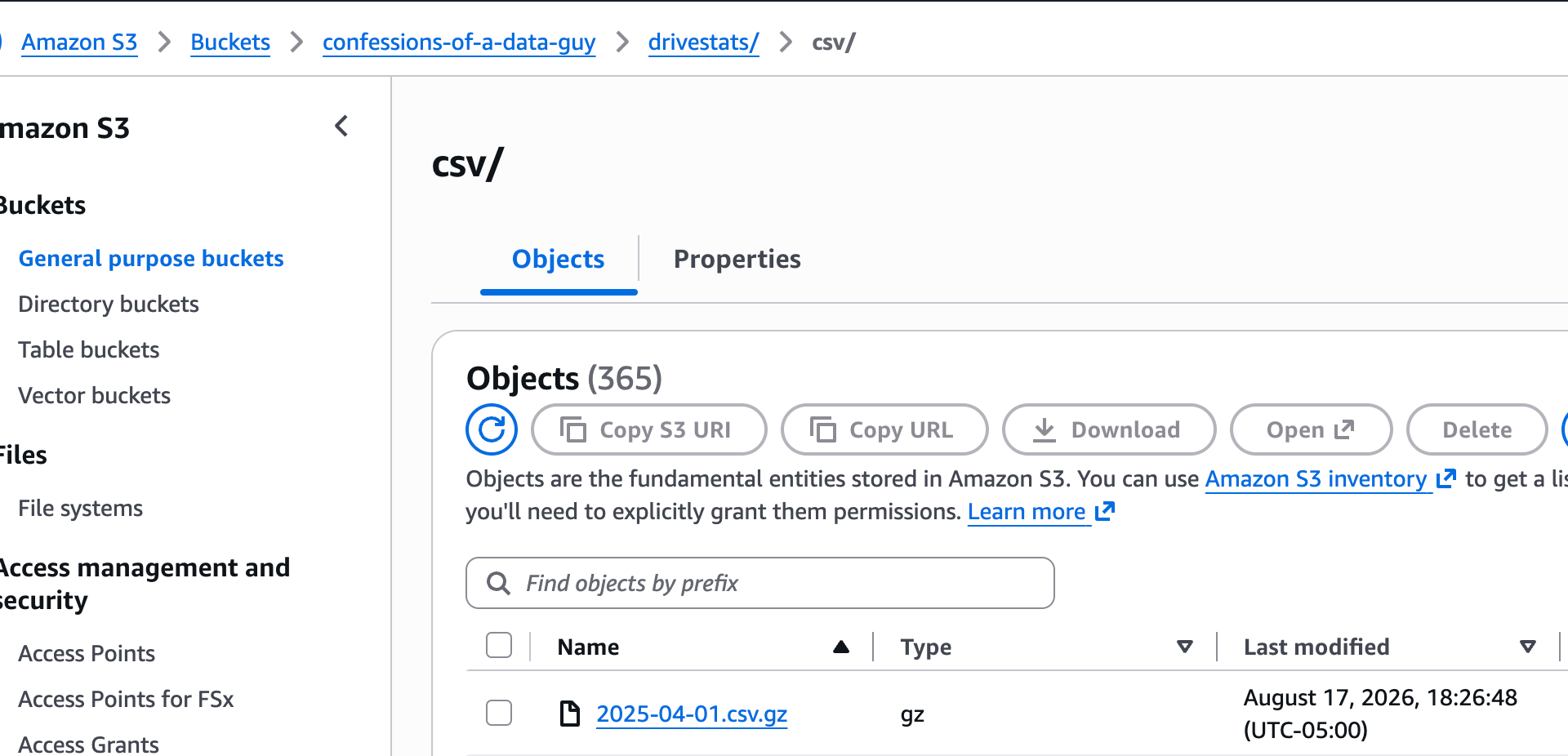
4.54 GB (4,536,210,401 bytes) across 365 objects
120,191,685 rows (~120.2M)
Now, I know everyone is going to say this is not fair; we should test on some massive dataset to give vanilla Spark a fighting chance. Also, Serverless; who knows what’s going on behind the curtain? Oz is back there pulling levers. I hear you, but I ain’t got the time, and I’m the one who has to spend the money. Easy for you to say Sunny Jim.
The Spark version running in a Databricks Notebook against Serverless is easy enough.
import datetime as dt
import time

import pyarrow.csv as pacsv
import pyarrow.fs as pafs
from pyspark.sql import functions as F

SRC = "s3://confessions-of-a-data-guy/drivestats/csv/*.csv.gz"
DST = "confessions-of-a-data-guy/drivestats/results/failures_by_model_day_serverless.csv"
REGION = "us-east-1"
START = dt.date.today() - dt.timedelta(days=730)

t0 = time.perf_counter()

failures = (
    spark.read.option("header", True)
    .csv(SRC)
    .select(F.to_date("date").alias("date"), "model", F.col("failure").cast("int").alias("failure"))
    .where((F.col("failure") == 1) & (F.col("date") >= F.lit(START)))
    .groupBy("date", "model")
    .agg(F.count(F.lit(1)).alias("failures"))
    .orderBy(F.col("date").desc(), F.col("failures").desc(), "model")
)

table = failures.toArrow()

fs = pafs.S3FileSystem(
    access_key="xxx",
    secret_key="xxxxxxxx",
    region=REGION,
)
with fs.open_output_stream(DST) as sink:
    pacsv.write_csv(table, sink)

print(f"{table.num_rows} rows -> s3://{DST} in {time.perf_counter() - t0:.1f}s")

display(table)
And the results.
2588 rows -> s3://confessions-of-a-data-guy/drivestats/results/failures_by_model_day_serverless.csv in 35.6s
pyarrow.Table
date: date32[day]
model: string
failures: int64 not null
----
date: [[2026-03-31,2026-03-31,2026-03-31,2026-03-31,2026-03-31,...,2025-04-01,2025-04-01,2025-04-01,2025-04-01,2025-04-01]]
model: [["ST8000NM0055","HGST HUH721212ALN604","TOSHIBA MG10ACA20TE","ST16000NM001G","TOSHIBA MG08ACA16TEY",...,"ST8000DM002","WDC WUH722222ALE6L4","HGST HUH721212ALN604","ST8000NM0055","TOSHIBA MG08ACA16TA"]]
failures: [[5,4,3,2,2,...,2,2,1,1,1]]
Ok, for the Sail swap-out, in the Databricks Notebook we need to do this.
%pip install "pysail==0.7.0"
%pip install "pyspark-client==4.2.0"
Here is the same code, with Sail. You can see the differences are only due to starting a Sail Spark Connect server and then using that. Obviously, in the Production setting, we would have a dedicated Sail Spark Connect Session running and serving from some permanent place. And in theory, we wouldn’t have to change the core code for the Spark pipelines, just what they connect to.
# run these first, in their own cell:  %pip install pysail   then   %restart_python

import datetime as dt
import os
import time

import pyarrow.csv as pacsv
import pyarrow.fs as pafs
from pyspark.sql import SparkSession
from pyspark.sql import functions as F

from pysail.spark import SparkConnectServer

SRC = "s3://confessions-of-a-data-guy/drivestats/csv/*.csv.gz"
DST = "confessions-of-a-data-guy/drivestats/results/failures_by_model_day_sail.csv"
REGION = "us-east-1"
START = dt.date.today() - dt.timedelta(days=730)

# Must be set before the server starts.
os.environ["SAIL_SPARK__SESSION_TIMEOUT_SECS"] = "3600"
os.environ["AWS_ACCESS_KEY_ID"] = "xxxx"
os.environ["AWS_SECRET_ACCESS_KEY"] = "xxxxxxxxxxx"
os.environ["AWS_REGION"] = REGION

t0 = time.perf_counter()

server = SparkConnectServer("127.0.0.1", 0)
server.start(background=True)
host, port = server.listening_address
# The notebook's own `spark` is the Databricks session; this one is Sail.
sail = SparkSession.builder.remote(f"sc://{host}:{port}").create()

failures = (
    sail.read.option("header", True)
    .csv(SRC)
    .select(F.to_date("date").alias("date"), "model", F.col("failure").cast("int").alias("failure"))
    .where((F.col("failure") == 1) & (F.col("date") >= F.lit(START)))
    .groupBy("date", "model")
    .agg(F.count(F.lit(1)).alias("failures"))
    .orderBy(F.col("date").desc(), F.col("failures").desc(), "model")
)

table = failures.toArrow()

fs = pafs.S3FileSystem(
    access_key=os.environ["AWS_ACCESS_KEY_ID"],
    secret_key=os.environ["AWS_SECRET_ACCESS_KEY"],
    region=REGION,
)
with fs.open_output_stream(DST) as sink:
    pacsv.write_csv(table, sink)

print(f"{table.num_rows} rows -> s3://{DST} in {time.perf_counter() - t0:.1f}s")

display(table)

sail.stop()
server.stop()
This is where I started to have problems. I could see from the Logs in the Notebook that the Sail server was starting, but it was churning for minutes running in Serverless compute with no end in sight. My guess is that Databricks Serverless is not the place to test the Sail version of this code.
[2026-08-18T00:19:00Z INFO sail_python::spark::server] Starting the Spark Connect server on 127.0.0.1:37959...
[2026-08-18T00:19:00Z INFO sail_session::session_manager::actor::handler] creating session 9c1eba5a-3765-4572-81cf-63201d9a2d0d
Well, in the end it did finish, just much slower. 197.7s
[2026-08-18T00:19:00Z INFO sail_python::spark::server] Starting the Spark Connect server on 127.0.0.1:37959...
[2026-08-18T00:19:00Z INFO sail_session::session_manager::actor::handler] creating session 9c1eba5a-3765-4572-81cf-63201d9a2d0d
2588 rows -> s3://confessions-of-a-data-guy/drivestats/results/failures_by_model_day_sail.csv in 197.7s
pyarrow.Table
date: date32[day]
model: string
failures: int64 not null
----
date: [[2026-03-31,2026-03-31,2026-03-31,2026-03-31,2026-03-31,...,2025-04-01,2025-04-01,2025-04-01,2025-04-01,2025-04-01]]
model: [["ST8000NM0055","HGST HUH721212ALN604","TOSHIBA MG10ACA20TE","ST16000NM001G","TOSHIBA MG08ACA16TEY",...,"ST8000DM002","WDC WUH722222ALE6L4","HGST HUH721212ALN604","ST8000NM0055","TOSHIBA MG08ACA16TA"]]
failures: [[5,4,3,2,2,...,2,2,1,1,1]][2026-08-18T00:22:17Z INFO sail_session::session_manager::actor::handler] removing session 9c1eba5a-3765-4572-81cf-63201d9a2d0d
[2026-08-18T00:22:17Z INFO sail_python::spark::server] Shutting down the Spark Connect server...
[2026-08-18T00:22:17Z INFO sail_python::spark::server] The Spark Connect server has stopped.
[2026-08-18T00:22:17Z WARN sail_server::actor] aborting 4 task(s) for SessionManagerActor
I mean, both scripts worked; in s3 I can see the results from each process.
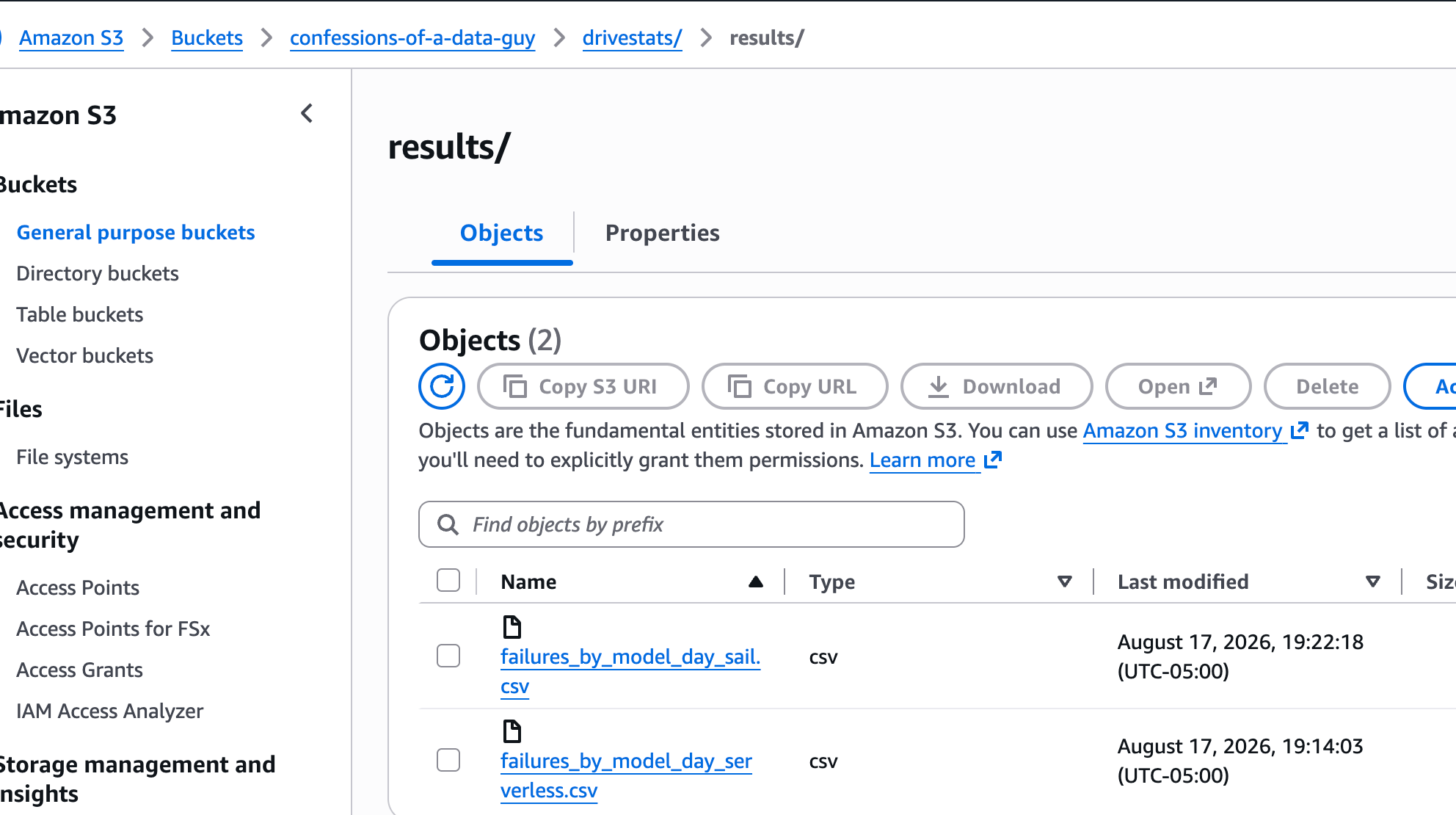
Even the results of each file match, which we would expect.
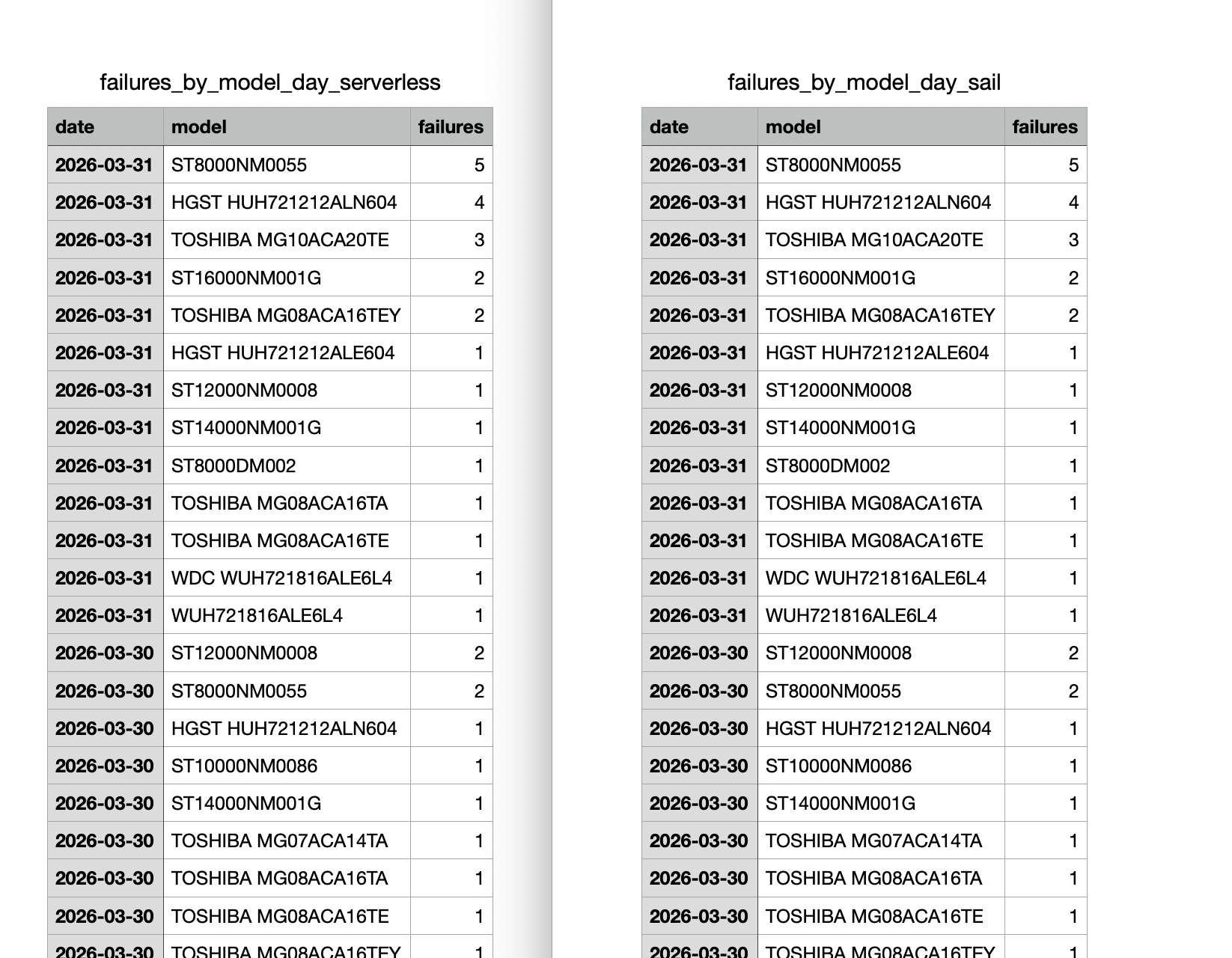
I guess I wasn’t expecting Databricks Serverless to beat Sail on speed, but that wasn’t really the point. We did prove that we can take a vanilla Spark data pipeline, point it at a Sail Spark Connect instance, and run the same exact code without touching it, and get the same exact answer as vanilla Spark, except we ran it through a different engine.
Don’t get me wrong, I could have been doing something totally dumb and backward; you don’t know what you don’t know when playing with new tools.
Out of pure curiosity, I ran the same Sail Spark code from the Notebook locally on my machine to see what would happen. That way I could ensure beyond a doubt that the Spark Sail code was indeed using that as the engine, because who knows what’s happening on Databricks Serverless; it could be playing nice or not. I mean, from the Sail logs, it appears like it went through that way, but I’m not 100% sure.
Well, it took even longer locally. 202.0s
2588 rows -> s3://confessions-of-a-data-guy/drivestats/results/failures_by_model_day_sail.csv in 202.0sI don’t really take this as a bad sign; I’m just playing around for the first time. Anyone in their right mind knows that for many datasets, Rust + Datafusion + Apache Arrow is WAY faster than Spark for most data workloads. Maybe until you get to the PB level.
LakeSail as a Data Platform.
I figured since the above didn’t work out that well, I would poke at the SaaS data platform LakeSail offers. My first impressions were very good; they have a clean website and a straightforward, non-confusing onboarding workflow. You would be amazed at how many people get this wrong. LakeSail clearly put some work into this.
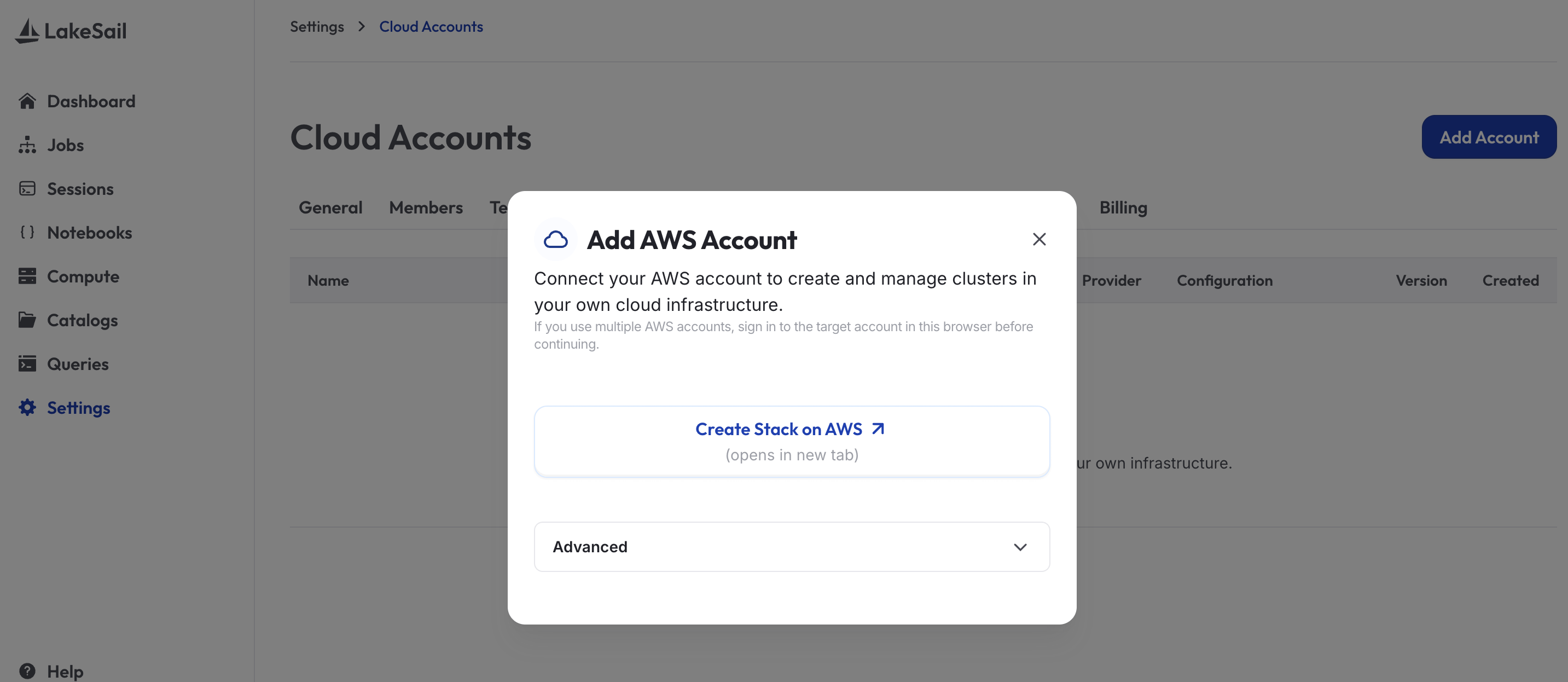
When creating a LakeSail stack in AWS, you can see during the setup what is going on behind the scenes, aka, what technologies they are using to wrap Sail up in way we can use it from their SaaS.
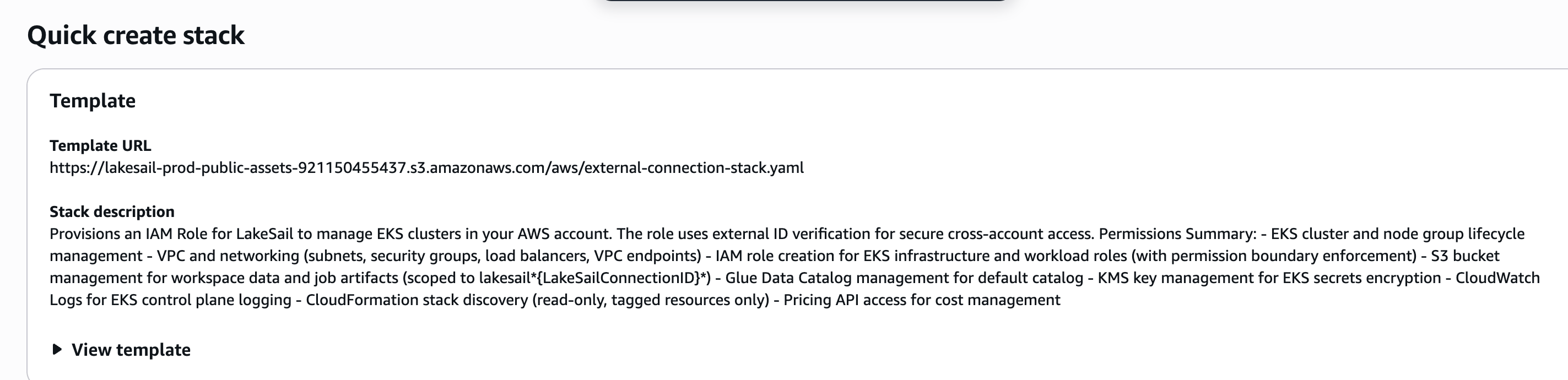
EKS clusters
VPC and networking (subnets, security groups, load balancers, VPC endpoints)
IAM role creation for EKS infrastructure and workload roles
S3 bucket management for workspace data and job artifacts
Glue Data Catalog management for default catalog
KMS key management for EKS secrets encryption
CloudWatch Logs for EKS control plane logging
CloudFormation stack discovery (read-only, tagged resources only)
Dang, you know what kinda money I spend on you hobbits??!! This is why, if you are a free subscriber to this Newsletter, give me an upgrade and pay the piper.
Look, you can watch my AWS bill go up.
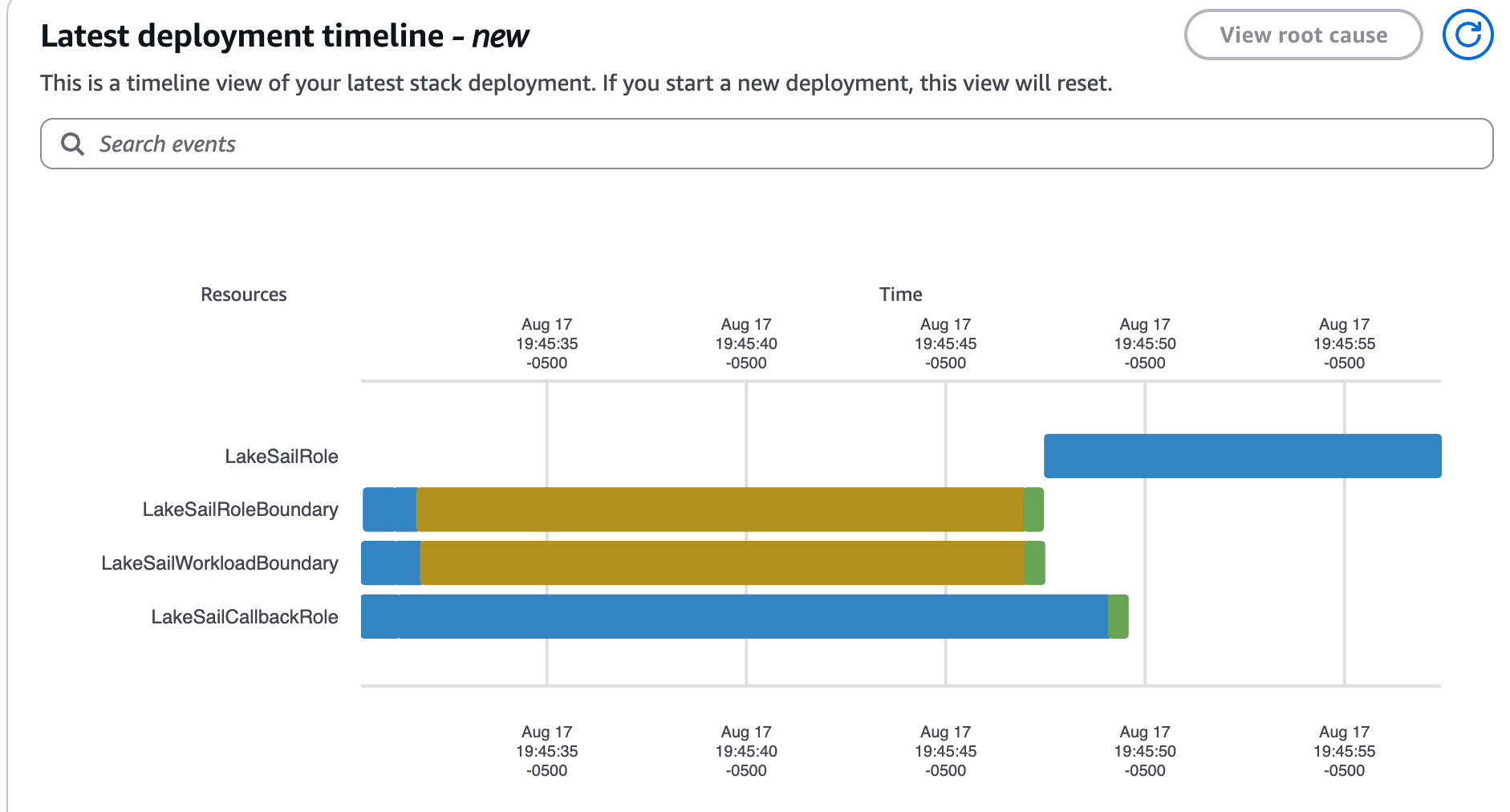
Look Ma, I got a LakeSail account now.
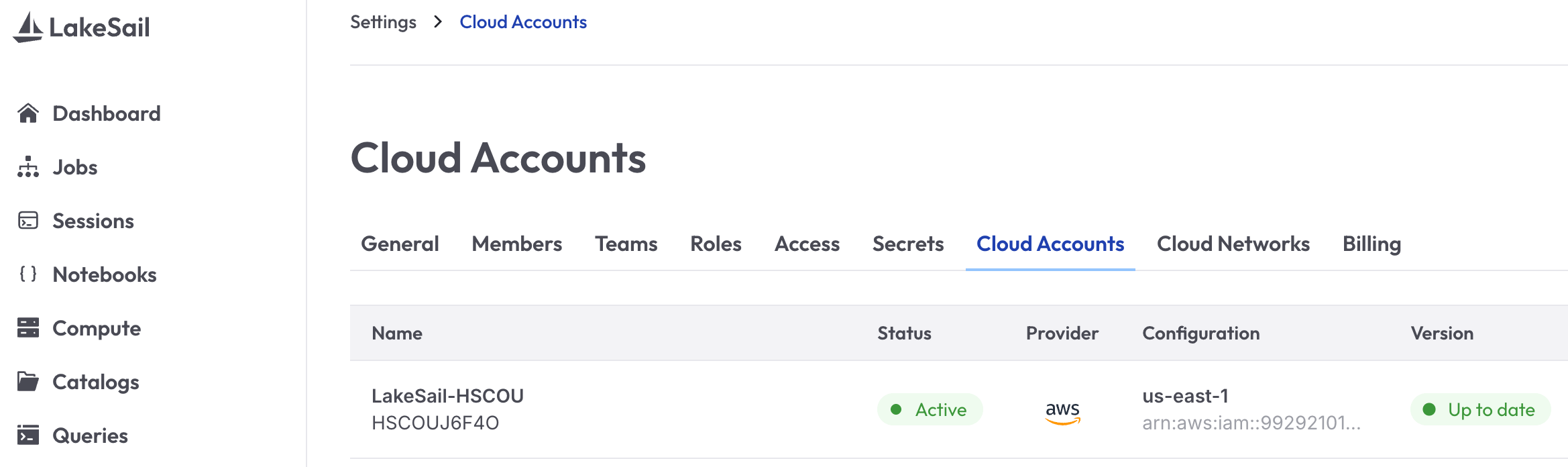
The UI is very nice and clean, and now that we have connected to my AWS account, let’s go ahead and set up some “Compute” and then I would like to re-run the code we wrote against this more production-like Sail system in one of their Notebooks, and see how smooth the experience is.
When I went about setting up a Cluster to use, naming it, selecting my AWS account, region, etc … it wouldn’t let me go forward without filling in IPv4 CIDR Range for it to use in AWS. This was kinda strange; I've never experienced this before on other compute platforms like Polars Cloud, MotherDuck, Databricks, etc.
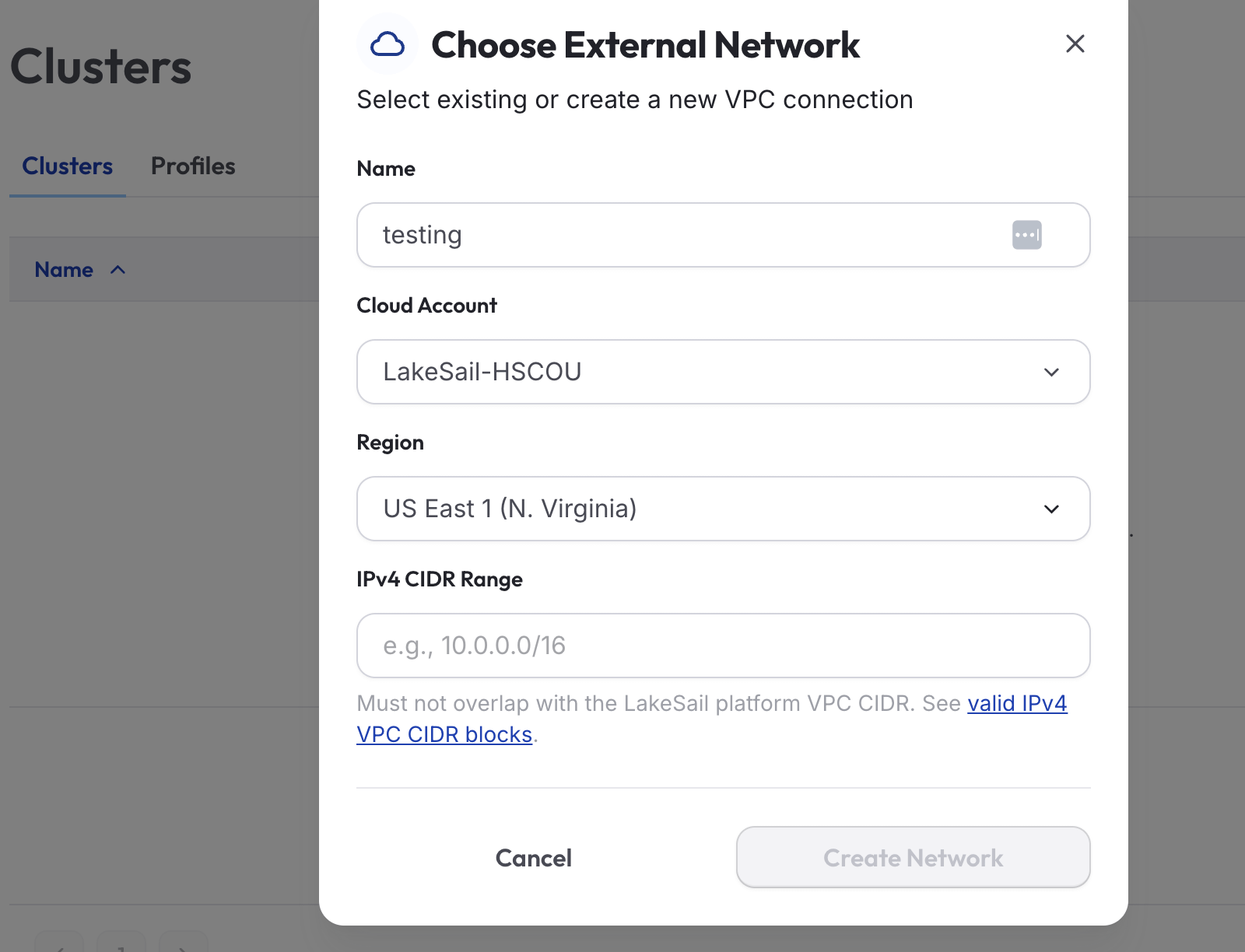
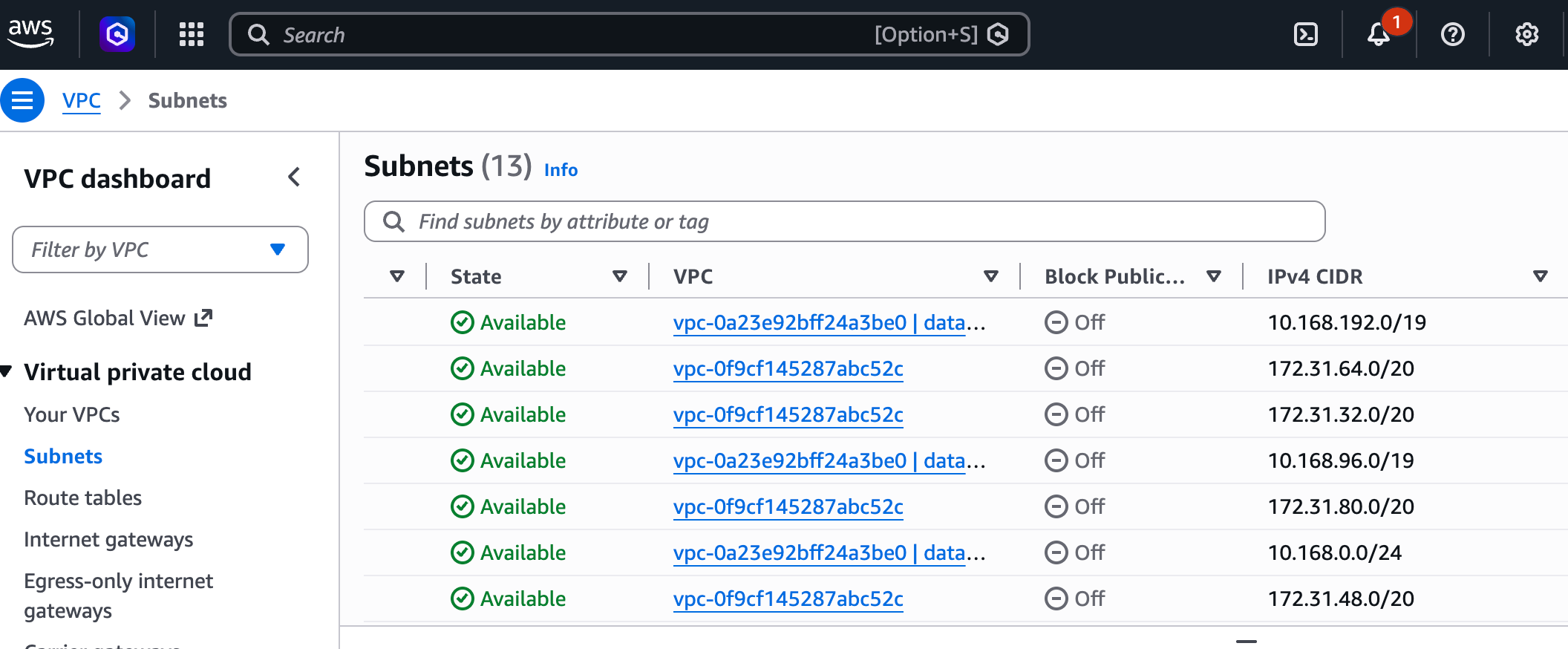
I mean, clearly LakeSail has access to my AWS account to set up the previous infra; this probably should have been taken care of during that process. I am no AWS expert, especially in networking, but that leaves me little choice but to scroll through my AWS VPCs and pick some unused IPv4 CIDR range?
While in the middle of doing this, apparently my timing is bad. The site was undergoing some maintenance. So, had to wait for things to get stable and come back again.
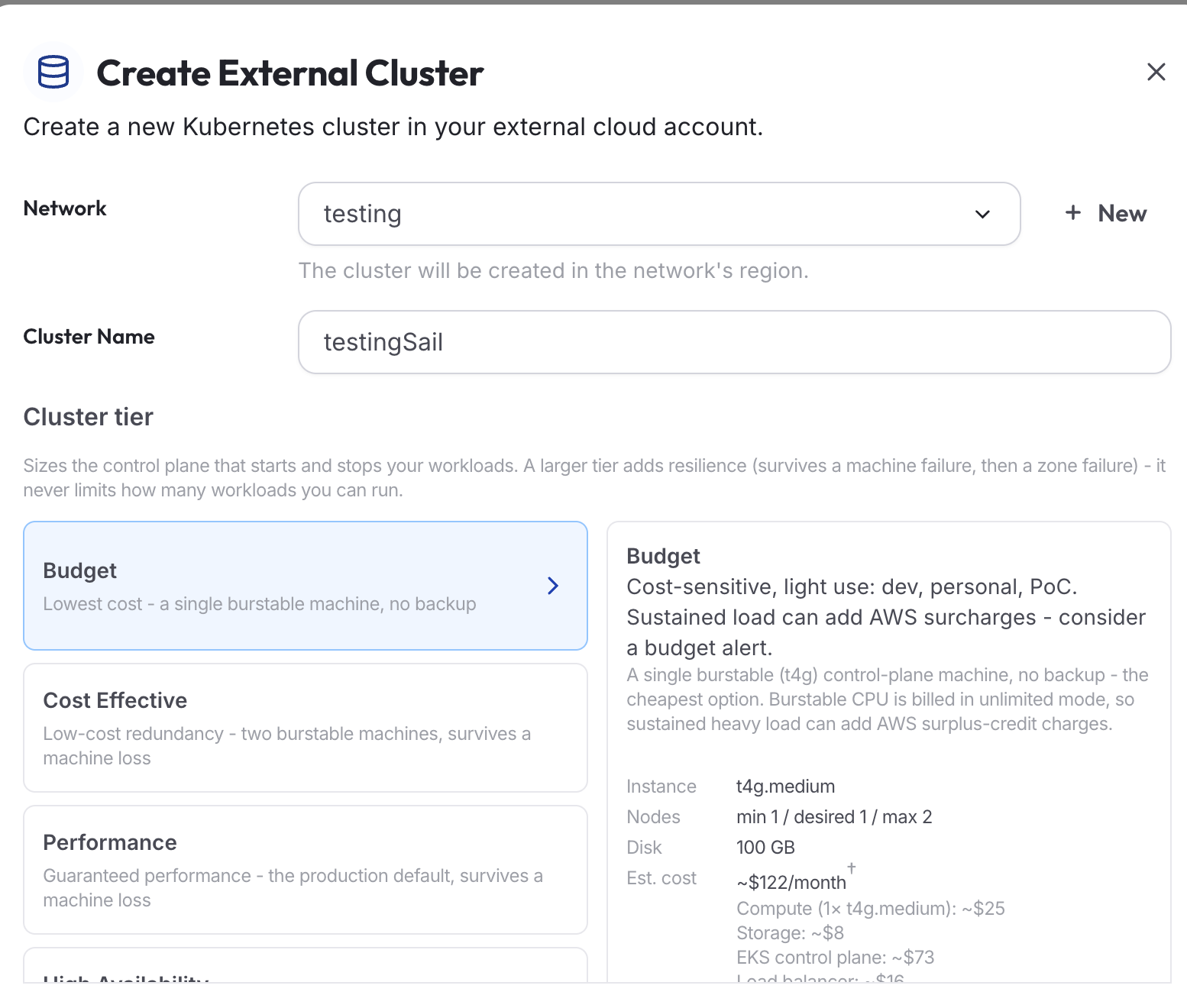
Ok, now that we are back in business, I can get to creating this Cluster, of course selecting the Budget option.
As a side note, I wasn’t really planning on reviewing LakeSail’s cloud data platform in depth, but since we are already here, notice what menu options, and therefore features, they provide.
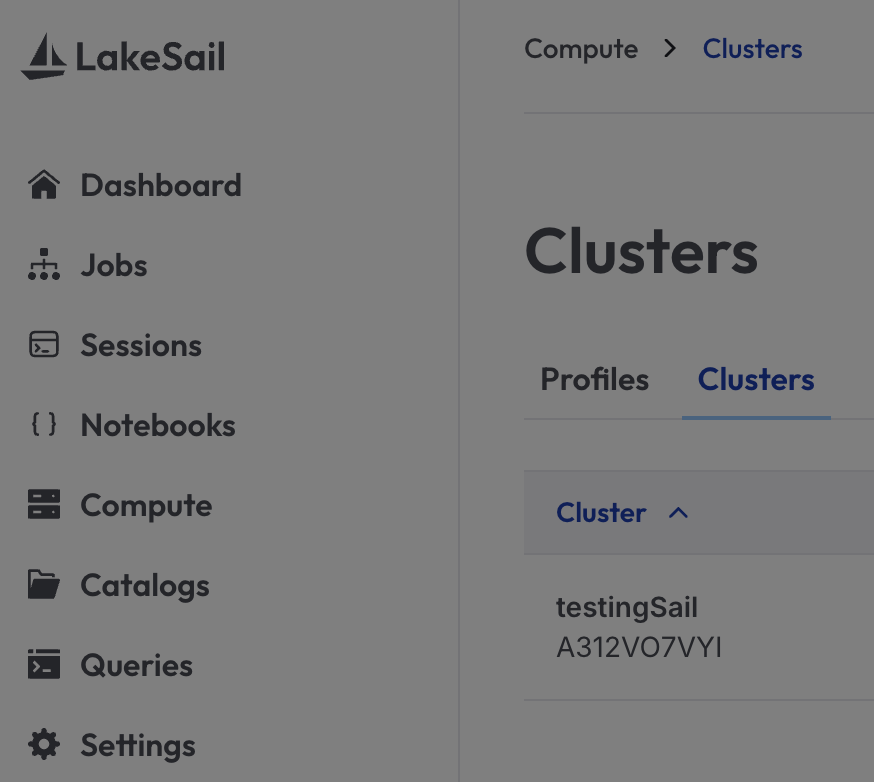
We have Jobs, Notebooks, Compute, Catalogs, and Queries … all of which need no explanation for most of us using modern SaaS data tooling. We would expect such features as the minimum groundwork on which to build robust data platforms.
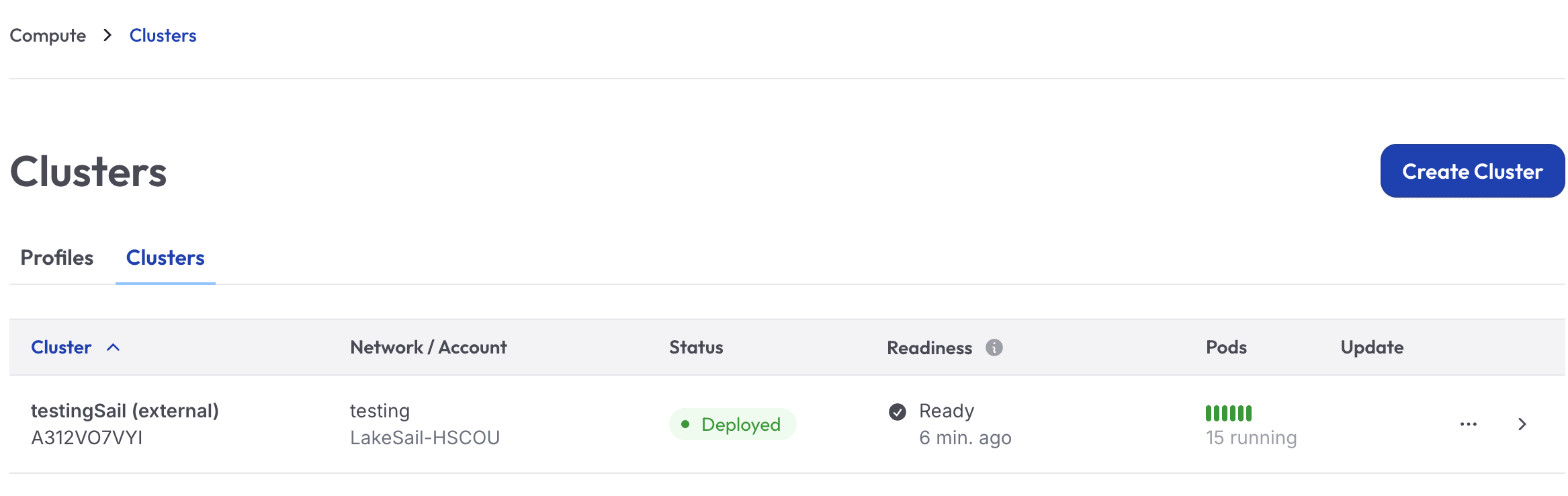
Ok, after a little wait, it looks like your Cluster is deployed and running. 15 Pods! Holy Mother of Pearl. Better get this test done and everything torn down before I go broke.
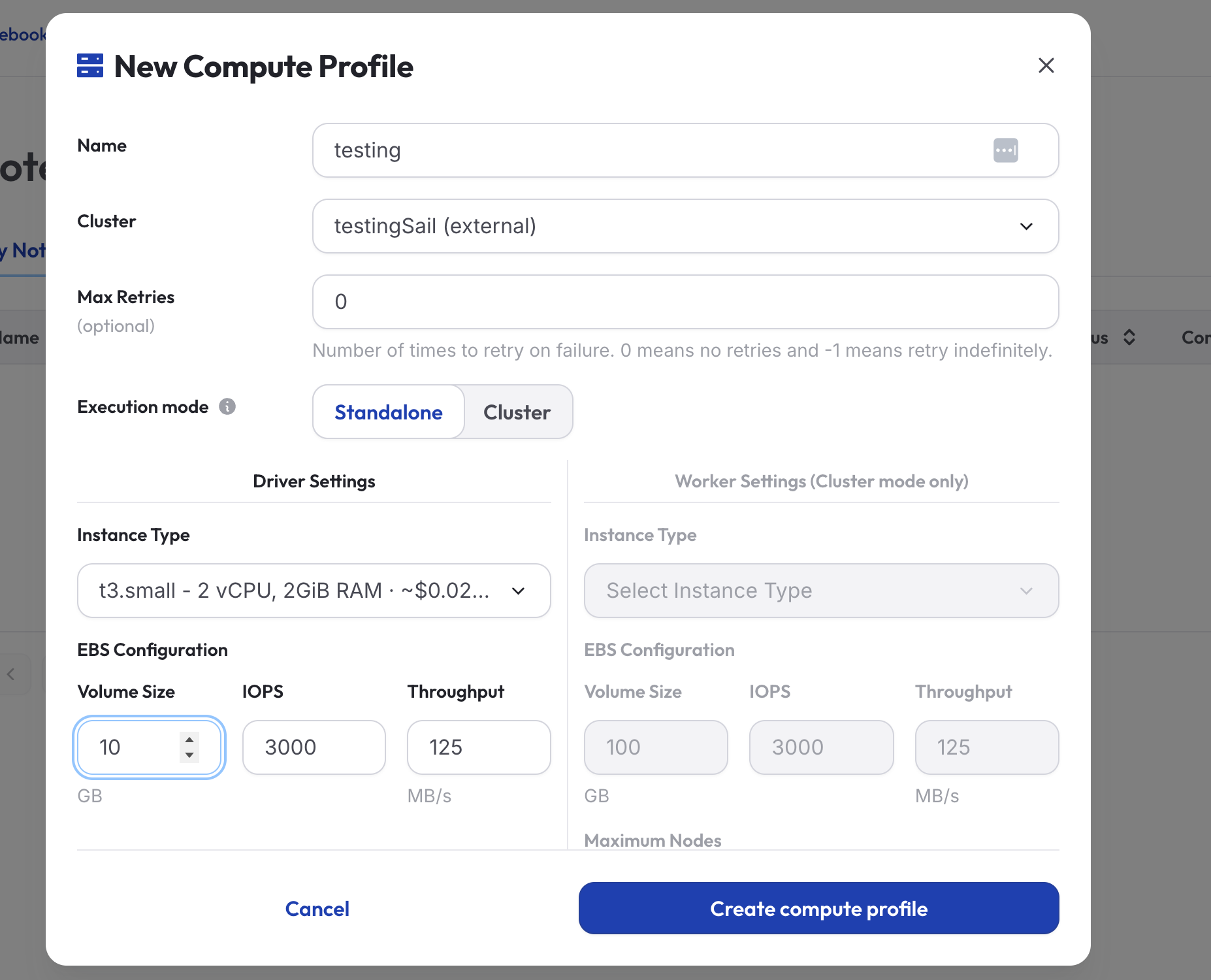
Next, I need to make a new Compute Profile (I couldn’t create a Notebook without it). We will use Tiny for size.
After that, we can get to making a Notebook from which to run our previous code.
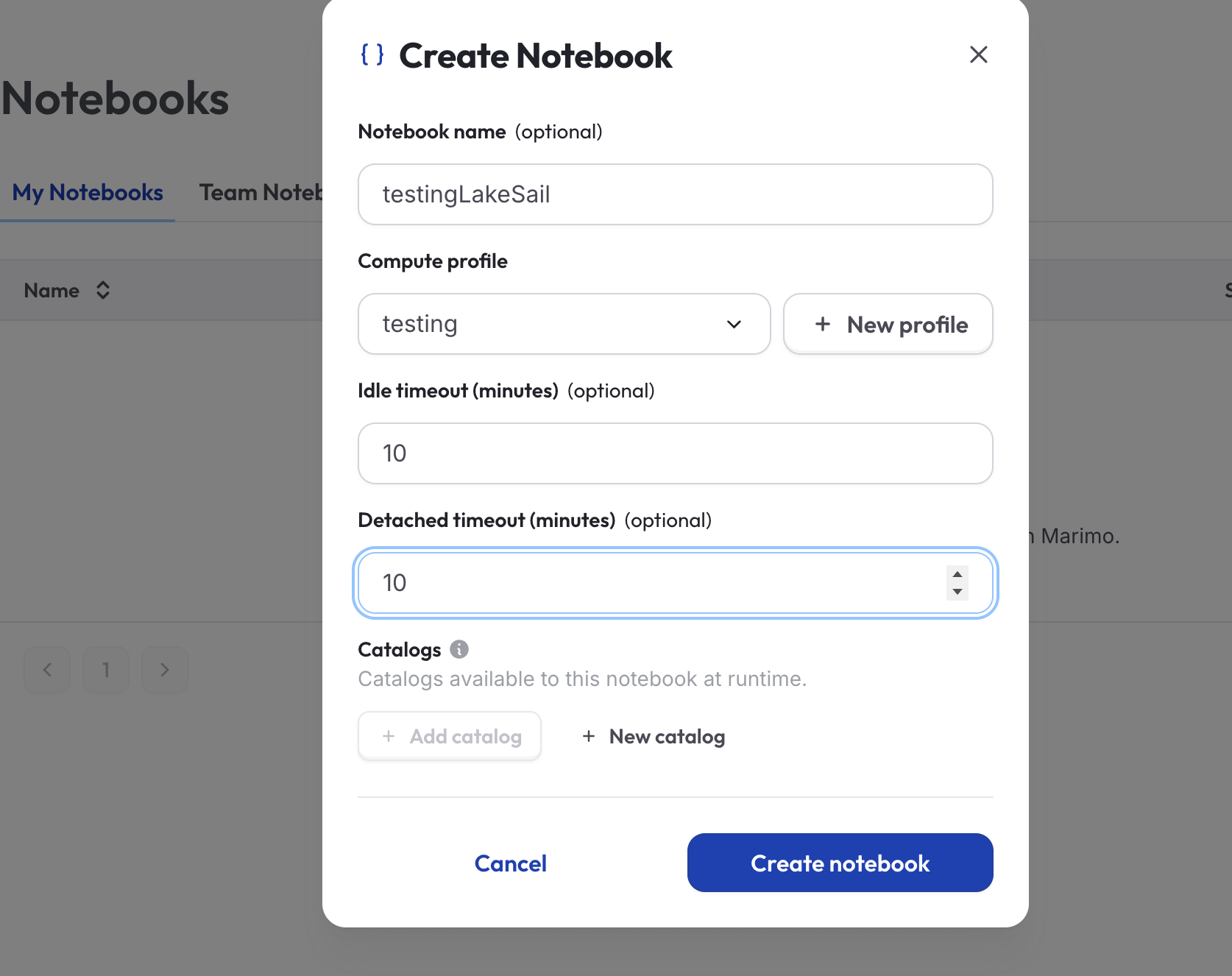
Next, we wait for the Notebook to come alive, which is a strange feeling. Makes sense when you read the note about waiting for a Marimo pod to emerge.
Waiting for Marimo pod to become ready (namespace: lakesail-compute-zkmjymkcwb)…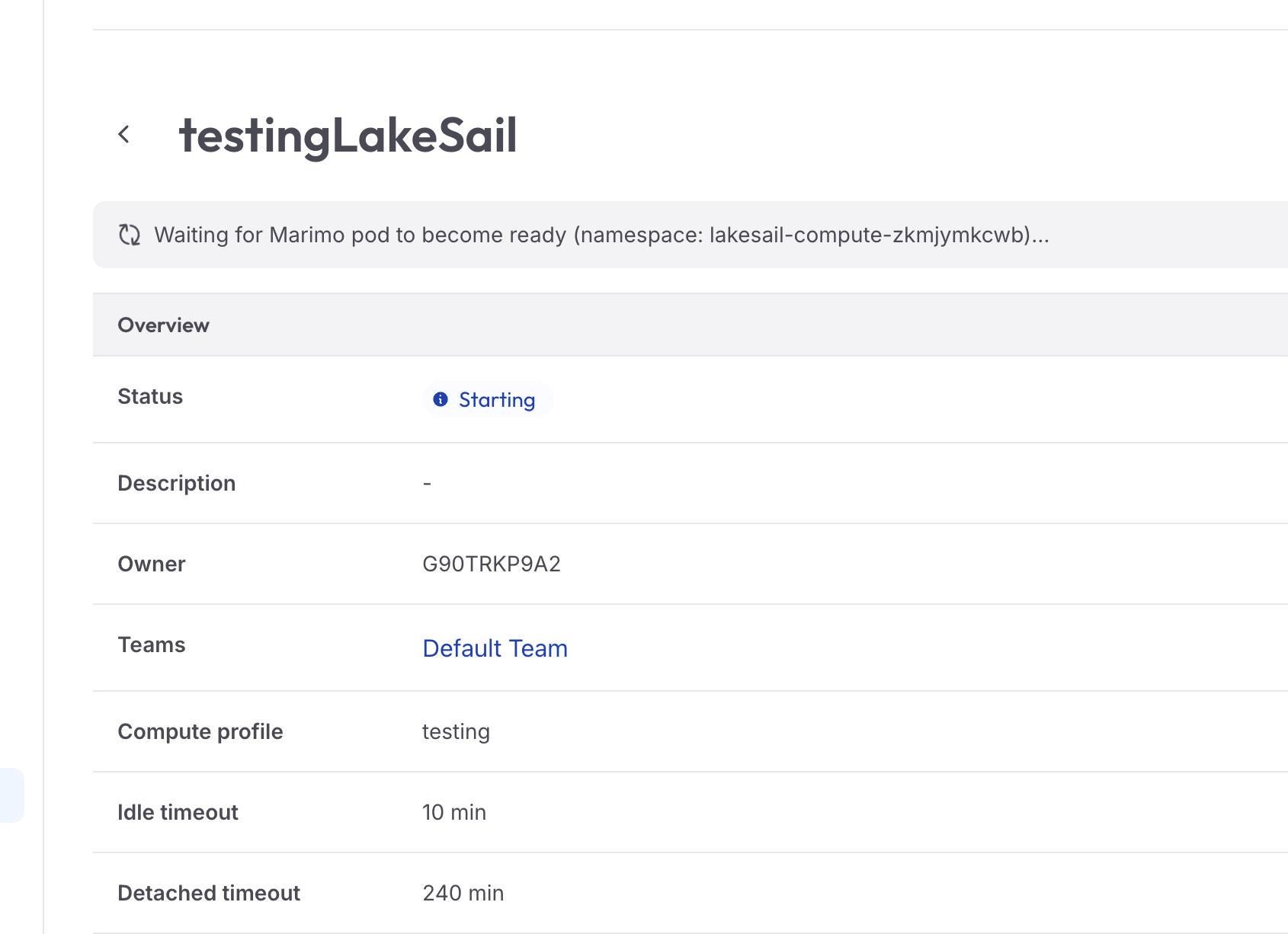
Now, finally, we can run our previous Sail code and see what's crackin'. I’m only half interested in the runtime, but I’m more interested in this code's ability to run out of the box without issues. Remember, we are just trying to get a feel for working with Sail itself and LakeSail, the data platform as a whole. I mean, we picked a T3 Small for AWS compute, with a whopping 2GB of RAM. So, the fact that Sail can run this code with that small of compute says something in itself. That’s what you call cost savings.
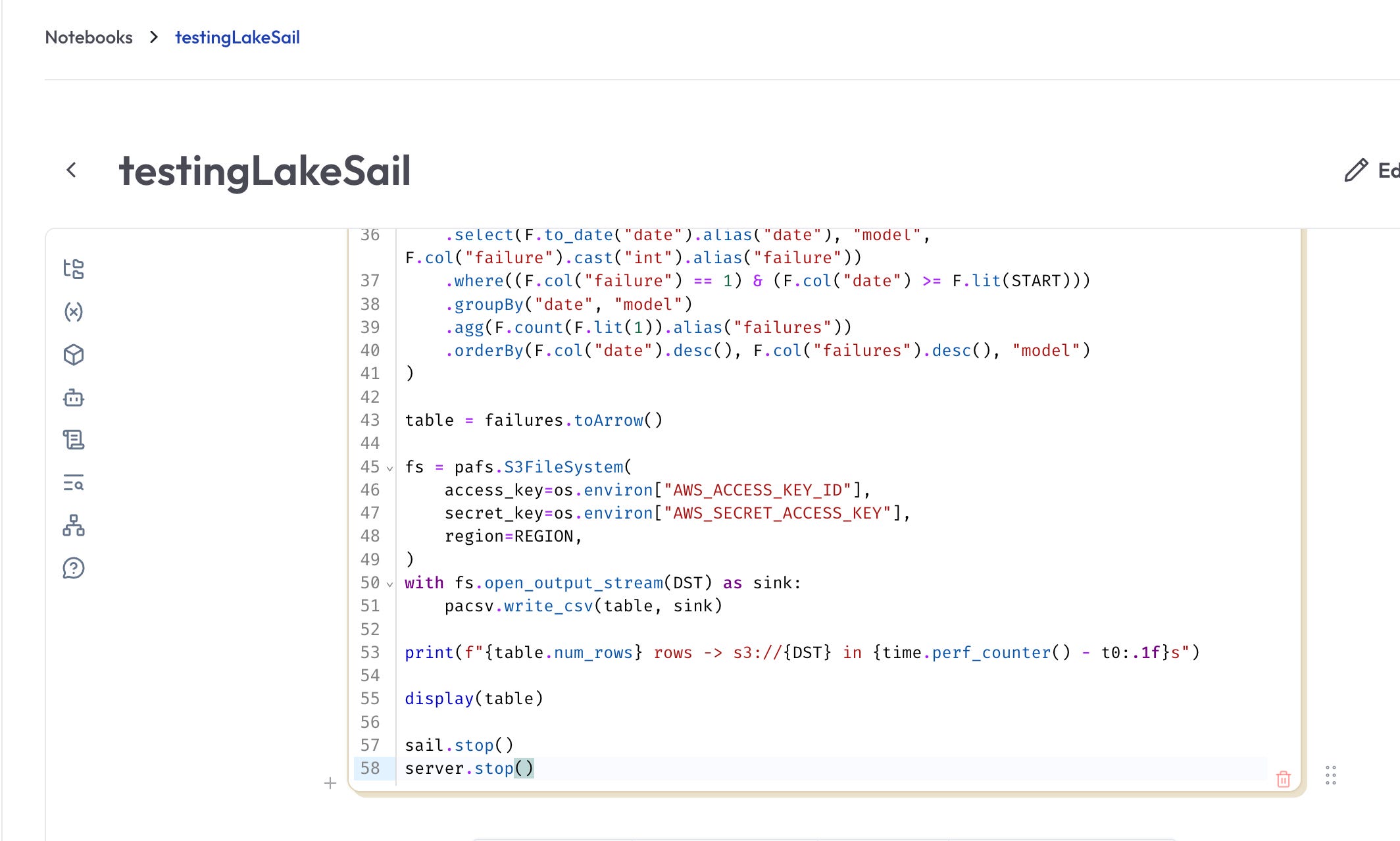
( I had to change from display(table) to print(table). )
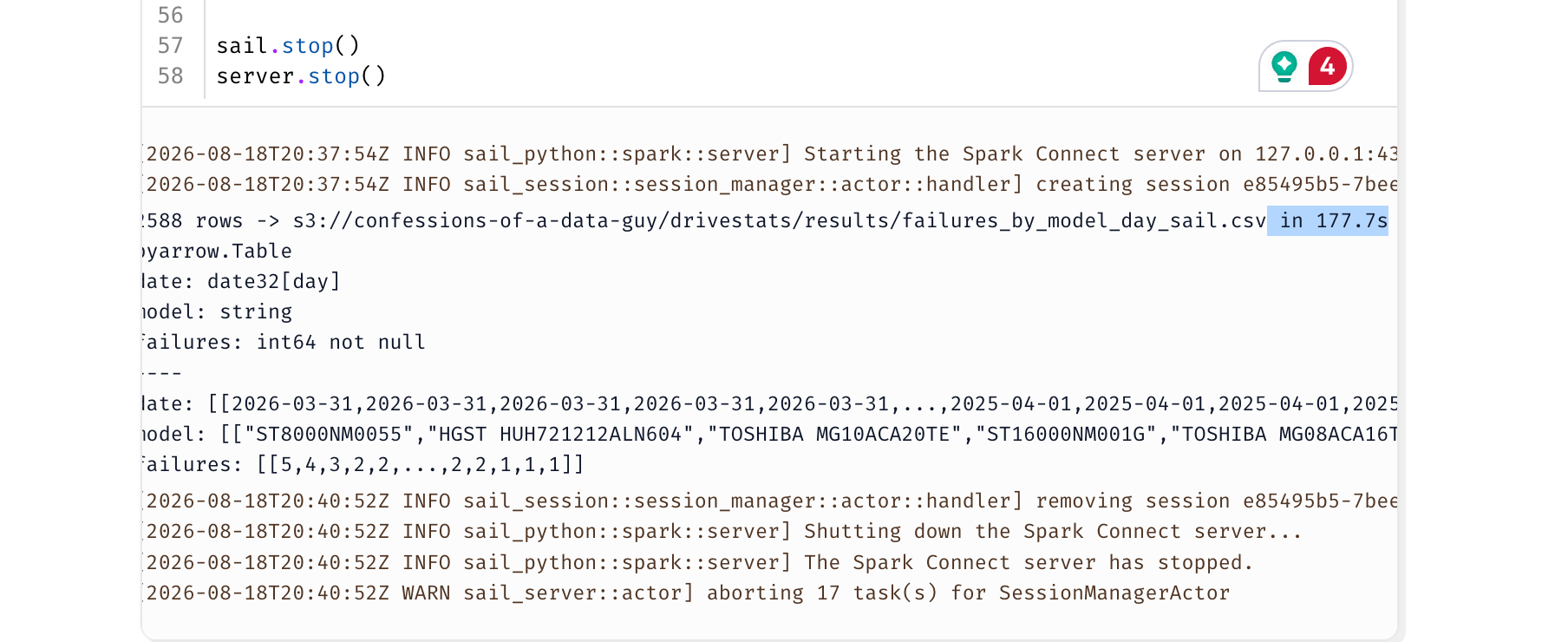
It looks like we got about the same runtime, 177.7s, which is great, considering we used the smallest compute on the market.
Ok, I think it’s time to stop our testing of Sail and LakeSail, if they are one and the same, and just make a few comments about what we’ve seen so far.
The TDLR on LakeSail and the future of Spark.
Wow, what can I say? I literally knew nothing about Sail when I opened my Chrome browser to start writing this … and now I feel like I still know nothing about Sail! Hahaha! I sort of say that tongue-in-cheek, but it’s hard to give the proper time and space to brand-new tools like this in only a day or two. But we played enough to discuss some high-level concepts.
Firstly, it’s so interesting that you and I live in the age of the upstarts, all coming yapping and nipping at the heels of Apache Spark. There is nothing inherently wrong with Apache Spark; it’s been the backbone of data and analytics for a decade at this point. But it shows how far that data community has come, and how much the data landscape has changed. Today's data requirements are not the same as they were 10 years ago.
LakeSail puts those needs at the forefront and solves them. We’ve seen these shifts across the tech landscape at large.
Moving away from the JVM toward Rust.
Apache Arrow underpinning everything.
Crunching more data with less compute.
Reducing compute costs.
Reducing complexity.
Like all good humans, data folk want their data faster, cheaper, and right now!
LakeSail, the SaaS platform itself, I thought, was wonderfully nice and easy to use. You would be surprised how many people get this wrong. The onboarding experience, the simple UI, and the ease of use and navigation. Providing a Data Platform experience that developers enjoy and find to be a low barrier to entry is priceless. It means LakeSail is doing things and going places.
Sail, as a technology in and of itself, I don’t have much to comment on, other than that it is brilliant. The idea to support the Spark Connect Protocol was a genius move. It takes all the arguments about migration away. There is no code rewrite; lift-and-shift has always been a problem, and Sail solved it. I mean, it’s so easy to use; it makes sense to at least test workloads on LakeSail and see if money can be saved.
Remember, this is just my opinion; I have no affiliation with LakeSail. I’m allowed to say something is good … when it is good.
The only question left nagging in my mind is the performance. I’m sure that has more to do with me than Sail. I said it before, and it’s true: for most datasets, Rust, Datafusion, and Arrow are going to beat vanilla Spark. I think maybe that says more about Databricks Serverless running Spark, how good that is, if you want to know my opinion. I can like two tools at once.
Let me know what you think in the comments.
I wonder if the JVM cost outweighs communicating all of that between "Rust + Datafusion + Apache Arrow". True Rust may be faster, but I believe it's not largely Java vs Rust here.
Daniel, thank you for taking the time to write such a thoughtful and in-depth review. Your words about both Sail and LakeSail were incredibly encouraging!
Your comments about the LakeSail onboarding and developer experience were especially heartwarming. We have invested heavily in making a deeply technical platform feel simple and intuitive. That same philosophy also drove our decision to support Spark Connect: preserve the interface and code developers already know while replacing the engine underneath.
The performance results also raised some interesting questions. LakeSail is powered by the same Sail engine and completed the workload in 177.7 seconds on a t3.small instance with only 2 vCPUs and 2 GiB of RAM.
Do you happen to know what resources Databricks Serverless allocated and the specifications of the laptop used for the local run? From what I can tell, the Sail test inside Databricks ran within the notebook environment, while the native Databricks run executed on the managed Serverless backend. The notebook itself has very limited compute allocated to it, since the heavy lifting is performed by the backend, so Sail would not have had access to the same compute resources.
I'm also curious whether the runs were equally cold or warm. The Databricks session may already have been warm, while the Sail and LakeSail results appear to have been single first runs. Running Sail a second time against the same server and session would make for a more meaningful warm-run comparison.
Given the result on a t3.small, I would be very interested to see the same workload run on something like an r8g.4xlarge. I would not be surprised to see Sail outperform the Databricks result under those conditions. The fairest comparison would use the same instance type or, if that is not possible, instances with equivalent vCPU and memory allocations.
Of course, I do not expect you to rerun the benchmark. I simply wanted to provide some additional context around the results, since you mentioned that the performance results were the one thing still nagging at you. I thought it might be helpful for both you and anyone else reading the article.
Thank you again for the independent review and the very generous words!